PaintingProGuide is reader-supported. When you buy through links on this page we may earn an affiliate commission at no extra cost to you.
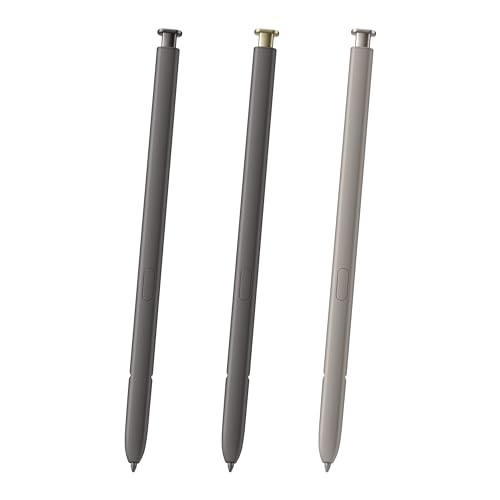
The best pen for Samsung Notes is the S Pen built for your exact phone or tablet. Samsung Notes is designed around the S Pen, which uses an electromagnetic digitizer layer in compatible Galaxy devices to deliver pressure-sensitive lines that a rubber-tipped capacitive stylus cannot match. That also means compatibility is model-specific: an S Pen for a Galaxy Note 10 is shaped and tuned for that phone, and will not necessarily work, or fit, in a Note 20 or Note 8.
If you have lost or broken the pen that came with your device, a replacement S Pen is the fix. Below we list replacement pens on Amazon by the model they fit, explain what you give up with non-Bluetooth replacements, and cover how to get the most out of Samsung Notes for sketching and handwriting.
Quick answer: Match the pen to your phone. For a Galaxy Note 20 or Note 20 Ultra, the Qenw 2-Piece Note 20 S Pen Replacement includes spare tips and lists 4,096 pressure levels and a 0.7 mm tip. For a Galaxy Note 10 or Note 10+, the CaoXiong 2-Pack Note 10 S Pen gives you a spare. For a Galaxy Note 8, choose the Peixiong 2-Pack Note 8 S Pen. All of these are non-Bluetooth replacements: writing and drawing work, but remote features such as Air Actions do not.
Our Top Picks at a Glance
- Qenw 2-Piece Note 20 / Note 20 Ultra S Pen with Tips — Best pen for Samsung Notes on Galaxy Note 20 series
- Alovexiong 2-Pack Note 20 S Pen, Golden — Best color-matched Note 20 replacement
- CaoXiong 2-Pack Note 10 S Pen — Best value Note 10 / Note 10+ replacement
- Alovexiong Note 10 S Pen, Black — Best single Note 10 replacement
- Dogxiong Note 10 Plus S Pen, Silver — Best silver Note 10 series replacement
- Peixiong 2-Pack Note 8 S Pen — Best pen for Samsung Notes on Galaxy Note 8
- Samsung Galaxy Note5 S Pen (bulk) — Best Samsung-branded pen for Note 5
| Product | Best For | Key Spec | Key Strength | Price Tier |
|---|---|---|---|---|
| Qenw Note 20 S Pen, 2 pcs | Note 20 / Note 20 Ultra | 4,096 levels, 0.7 mm tip, spare nibs | Air Command menu via button | $ |
| Alovexiong Note 20 S Pen, 2 pack | Note 20 / 20 Ultra | 4,096 levels, golden | Two pens | $$ |
| CaoXiong Note 10 S Pen, 2 pack | Note 10 / 10+ | Pressure-sensitive, black | Two pens, all US carriers | $ |
| Alovexiong Note 10 S Pen | Note 10 / 10+ / 10+ 5G | 4,096 levels, black | Single pen | $ |
| Dogxiong Note 10 Plus S Pen | Note 10 / 10+ / 10 5G | 4,096 levels, silver | Silver finish | $ |
| Peixiong Note 8 S Pen, 2 pcs | Note 8 (N950 models) | Non-Bluetooth replacement | Two pens | $ |
| Samsung Note5 S Pen | Galaxy Note 5 (SM-N920) | Samsung-branded, bulk packaging | OEM brand | $ |
How We Chose
We chose these pens from the Amazon listing details and specifications checked in October 2026, focusing on stated device compatibility, pressure levels, included spares and how widely each pen is reviewed by Amazon buyers. We have not used these pens; compatibility notes come directly from the listings, and the technical background on S Pens reflects well-established information about how they work.
- Exact model compatibility: the single most important factor for an S Pen replacement.
- Pressure sensitivity: listings stating 4,096 levels support pressure-varied lines in Samsung Notes.
- Spares: two-packs and replacement nibs extend value.
- Feature honesty: listings that clearly state no Bluetooth set the right expectations.
- Color match: nice to have for replacing a lost original.
S Pen vs Capacitive Stylus for Samsung Notes
| Feature | S Pen (EMR) | Capacitive stylus |
|---|---|---|
| Device support | Only S Pen-enabled Galaxy models | Any touchscreen |
| Pressure sensitivity | Yes | Usually no |
| Palm rejection | Yes, the screen distinguishes pen from hand | Limited |
| Hover features | Air Command menu, hover preview | No |
| Fine lines | Fine tip, precise | Thicker tips or disc tips |
| Battery | Writing needs no battery | Passive types need none; active types do |
For handwriting and sketching in Samsung Notes, an S Pen is far better. A capacitive stylus only makes sense if your device does not support the S Pen at all.
Best Pens for Samsung Notes Reviewed
1. Qenw 2-Piece Note 20 / Note 20 Ultra S Pen Replacement with Tips — Best for Galaxy Note 20 series

Qenw’s pack includes two S Pen replacements plus replacement tips, in gold and bronze. The listing states compatibility with all versions of the Galaxy Note 20 Ultra 5G and describes a slim 0.7 mm pen tip with 4,096 pressure levels for notes, drawing and editing.
Importantly for Samsung Notes users, the listing says pressing the side button while hovering opens the Air Command menu, giving access to features such as Smart Select and Screen Write. As a non-Bluetooth replacement, remote features like using the pen as a camera shutter are not supported.
Best suited for: Note 20 Ultra owners who want a replacement plus a spare and extra nibs.
Key features:
- 2 replacement S Pens
- Replacement tips included
- 4,096 pressure levels
- 0.7 mm tip
- No Bluetooth
Pros:
- Spare pen and nibs
- Air Command support per listing
- Pressure sensitivity for Notes
Cons and limitations:
- No Bluetooth remote features
- Third-party, not Samsung
- Check fit for non-Ultra Note 20
Buying consideration: Change the nib when it flattens or develops a flat spot; a worn nib scratches screen protectors and feels draggy.
2. Alovexiong 2-Pack Note 20 S Pen, Golden — Best for a color-matched Note 20 replacement

Alovexiong’s golden two-pack lists compatibility with the Galaxy Note 20, Note 20 Plus (as named in the listing) and Note 20 Ultra, without the connect function. It states 4,096 levels of pressure sensitivity and support for all menu functions.
If your phone is a gold or bronze color variant, a matching pen looks like the original and is easier to spot in a bag.
Best suited for: Note 20 series owners who want a matching color and a backup pen.
Key features:
- 2 pens, golden
- Note 20 / Note 20 Ultra compatibility
- 4,096 pressure levels
- Menu functions supported
- No Bluetooth
Pros:
- Two pens
- Color-matched option
- Pressure-sensitive
Cons and limitations:
- No Bluetooth
- Third-party
- Listing names a “Note 20 Plus” that buyers should verify
Buying consideration: Store the spare in a wallet or case slot so you always have one with you.
3. CaoXiong 2-Pack Note 10 S Pen — Best for value Note 10 replacement

CaoXiong’s two-pack is for the Galaxy Note 10 and Note 10 Plus and lists compatibility across all US carriers. The listing is clear that there is no Bluetooth, so pen-as-remote functions such as photo capture are not available.
Writing and sketching in Samsung Notes are what matter here, and the listing describes a pressure-sensitive pen with a sharper tip and design for precise tilting and shading.
Best suited for: Note 10 and Note 10+ owners who want a replacement and a spare at a low cost.
Key features:
- 2 pens, black
- Note 10 / Note 10+
- All US carriers
- Pressure-sensitive
- No Bluetooth
Pros:
- Two pens
- Clear feature statement
- Carrier-agnostic
Cons and limitations:
- No Bluetooth
- Pressure level not stated
- Third-party
Buying consideration: If the pen does not respond, check that the tip is seated firmly; loose nibs are a common cause of skipped lines.
4. Alovexiong Note 10 S Pen, Black — Best for a single Note 10 replacement

This single Alovexiong pen lists compatibility with all Galaxy Note 10 models, including the Note 10, 10+ and 10+ 5G. It states 4,096 levels of pressure sensitivity, without Bluetooth, and support for menu functions.
If you only need one pen to replace a lost original, a single is the most economical option.
Best suited for: Note 10 series owners who need just one replacement.
Key features:
- Single pen, black
- Note 10, 10+, 10+ 5G
- 4,096 pressure levels
- Menu functions supported
- No Bluetooth
Pros:
- Lowest cost replacement
- Pressure level stated
- Covers all Note 10 models
Cons and limitations:
- No spare
- No Bluetooth
- Third-party
Buying consideration: Enable the S Pen removal alert in your phone’s settings so you are warned if you walk away without it.
5. Dogxiong Note 10 Plus S Pen, Silver — Best for a silver Note 10 series replacement
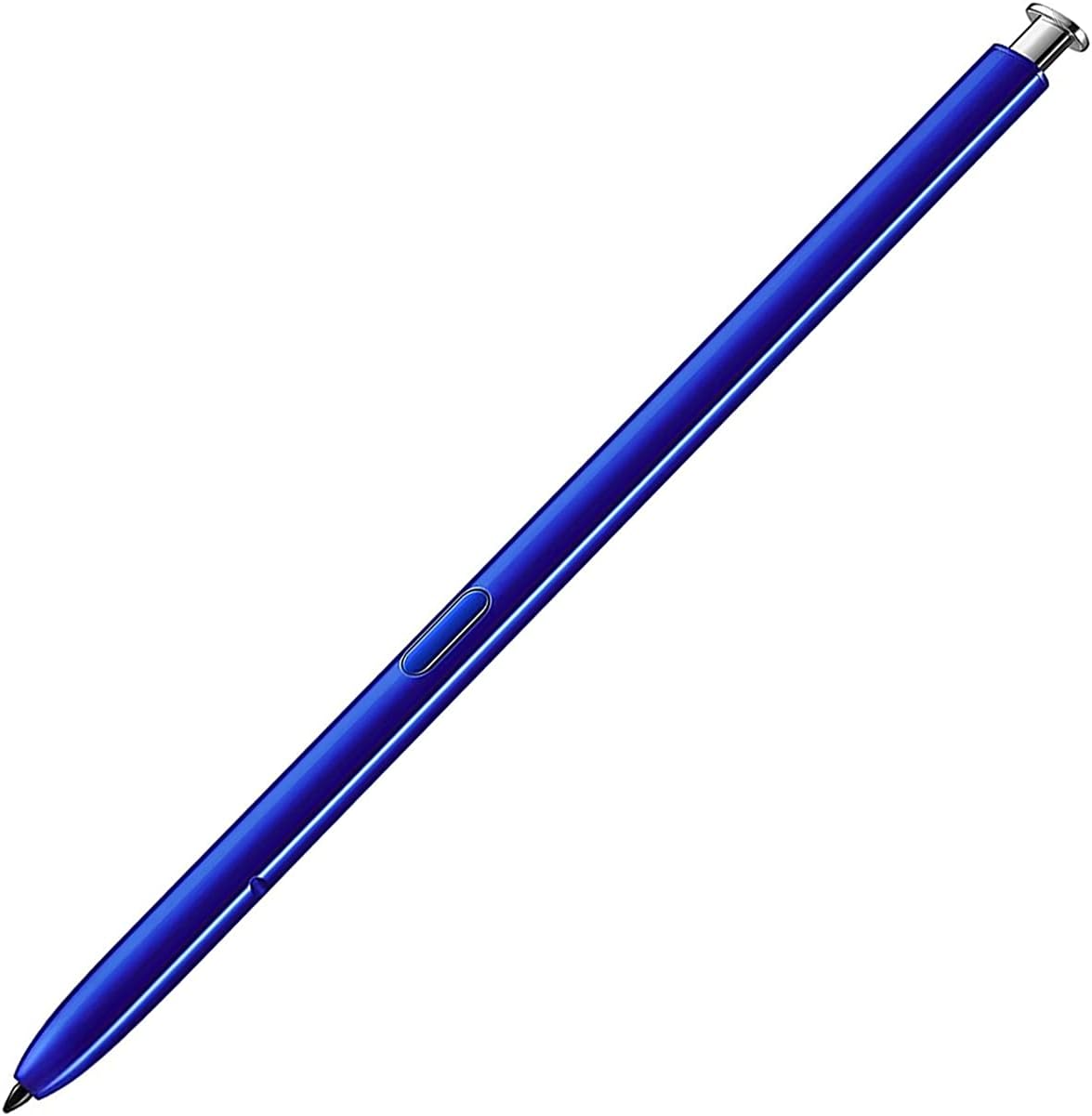
Dogxiong’s silver pen lists compatibility with the Galaxy Note 10, Note 10 5G and Note 10 Plus, with 4,096 levels of pressure sensitivity and no remote function. The listing mentions a two-month warranty with free replacement through the seller.
Silver suits the Aura Glow and silver color variants of the Note 10 series.
Best suited for: Note 10 owners with silver-toned phones.
Key features:
- Single pen, silver
- Note 10 / 10 5G / 10 Plus
- 4,096 pressure levels
- No remote function
- Two-month seller warranty
Pros:
- Color option
- Warranty mentioned
- Pressure-sensitive
Cons and limitations:
- No Bluetooth
- Single pen
- Third-party
Buying consideration: Keep the receipt; the stated warranty period is short.
6. Peixiong 2-Pack Note 8 S Pen — Best for Galaxy Note 8

Peixiong’s two-pack is for the Galaxy Note 8, with model numbers N950, N950F and N950FD listed, and without Bluetooth function. The listing says you can make notes, draw, browse, study and edit with it.
The Note 8 S Pen did not have Bluetooth remote features originally, so a non-Bluetooth replacement gives you essentially the full experience for Samsung Notes.
Best suited for: Galaxy Note 8 owners.
Key features:
- 2 pens, black
- Galaxy Note 8 (N950 variants)
- Notes, drawing, browsing
- No Bluetooth
- Brand-new replacement
Pros:
- Two pens
- Specific model numbers listed
- Full Note 8 functionality expected
Cons and limitations:
- Pressure level not stated
- Older device
- Third-party
Buying consideration: Check your model number in Settings, About phone before ordering.
7. Samsung Galaxy Note5 S Pen (Bulk Packaging) — Best for Galaxy Note 5

This listing is a Samsung-branded S Pen for the Galaxy Note 5 (SM-N920) in bulk packaging. The bullets add only that it is in retail packaging, which conflicts with the title, so expect minimal packaging.
For an older Note 5 still used for notes, a Samsung-branded pen is the closest match to the original.
Best suited for: Galaxy Note 5 owners who want a Samsung-branded replacement.
Key features:
- Samsung brand
- Galaxy Note 5 SM-N920
- Black and grey
- Bulk packaging per title
- OEM material per details
Pros:
- Samsung-branded
- Matches original model
- Low price tier
Cons and limitations:
- Packaging description inconsistent
- Older device only
- Minimal listing detail
Buying consideration: Insert the pen into the Note 5 the right way round, tip first; forcing it in backwards can jam the slot.
Buying Guide: How to Choose a Pen for Samsung Notes
Confirm your exact device
Find your model in Settings, About phone. S Pens are shaped and sized for specific devices, so a Note 10 pen and a Note 20 pen are not interchangeable, even if they look similar.
Bluetooth or not
Newer S Pens for some models include Bluetooth for remote features such as Air Actions gestures and camera control. Most third-party replacements, including all of those above, omit Bluetooth. For writing and drawing in Samsung Notes, that does not matter.
Pressure sensitivity
Listings that state 4,096 pressure levels support line weight variation in Samsung Notes’ pen tools. That is what makes handwriting look natural and sketches expressive.
Spare nibs
Nibs wear down, particularly with matte screen protectors. Packs with replacement tips save money, and many S Pens accept standard replacement nibs for the same model.
Two-packs are worth it
S Pens are easy to lose. A spare costs little and saves frustration.
Screen protectors
Matte or paper-like screen protectors give a more paper-like feel when writing, at the cost of faster nib wear. Glossy glass protectors are smoother but slippery.
How to Check Whether Your Device Supports an S Pen
- Open Settings and look for an S Pen or Advanced features section; S Pen-enabled devices show S Pen settings there.
- Check About phone (or About tablet) for the exact model number, such as SM-N975 for a Note 10+.
- Search that model number in the replacement pen listing’s compatibility list before buying.
- If your phone has a built-in pen slot, the pen must also physically fit that slot; slot-free devices simply need a compatible pen.
If your device has no S Pen settings at all, it does not support the S Pen, and a capacitive stylus is your only option for Samsung Notes.
Getting the Most From Samsung Notes
- Pen settings: choose pen, pencil, highlighter or brush tools and adjust size and color for each.
- Layers in drawing mode: use them to keep sketches and color separate.
- Handwriting to text: convert handwritten notes into typed text when you need to share them.
- PDF annotation: import PDFs and write directly on them.
- Screen-off memo: on supported devices, pull out the pen with the screen off to jot a note immediately.
Creative Projects to Sketch First
Samsung Notes is a handy place to plan craft projects before you paint. Sketch out designs for painting pottery at home or plan the colors for a painted birdhouse before you pick up a brush.
Common Mistakes to Avoid
- Buying by appearance. Similar-looking pens may not fit or work in your model.
- Expecting Bluetooth features from replacements. Check the listing; most do not include them.
- Ignoring worn nibs. Replace them before they damage screen protectors.
- Forcing a pen into the slot. If it does not slide in easily, it may be the wrong model.
- Using a capacitive stylus on an S Pen device. You lose pressure and palm rejection.
- Turning off pen detachment alerts. They help prevent losing the pen.
FAQs
What is the best pen for Samsung Notes?
The S Pen designed for your specific Galaxy device. For replacements, choose a pen that lists your exact model, such as the Qenw pack for the Note 20 Ultra or CaoXiong for the Note 10.
Can I use any stylus with Samsung Notes?
You can use a capacitive stylus or your finger, but only an S Pen on a compatible device gives pressure sensitivity, hover features and palm rejection.
Do replacement S Pens have Bluetooth?
The third-party replacements listed here do not. They work for writing and drawing, but not for remote features like camera control or Air Actions.
Is a Note 10 S Pen compatible with the Note 20?
Not reliably. S Pens are designed for specific models, so buy one that lists your exact phone.
Does the S Pen need charging?
Writing and drawing do not require a battery. Only Bluetooth features on S Pens that include them need charging.
How often should I replace S Pen nibs?
Replace a nib when it becomes flat, scratchy or feels draggy. Matte screen protectors wear nibs faster.
Final Recommendation
Buy the S Pen made for your device. Galaxy Note 20 and Note 20 Ultra owners should choose the Qenw 2-piece pack with tips, or Alovexiong’s golden two-pack to match a gold phone. Note 10 owners get the best value from the CaoXiong two-pack, with Alovexiong and Dogxiong as single black and silver options.
Note 8 users should pick the Peixiong two-pack, and Note 5 owners the Samsung-branded Note5 S Pen. Whichever you buy, a spare and a few nibs make Samsung Notes a reliable sketchbook and notebook.