PaintingProGuide is reader-supported. When you buy through links on this page we may earn an affiliate commission at no extra cost to you.
A screen protector changes how a pen feels more than almost any other accessory. Bare glass is slick, and a pen nib skates across it; a matte or paper-feel film adds a little drag that makes strokes more controlled and cuts reflections that hide subtle color. The trade-offs are real, though: textured films can slightly soften the image and wear nibs faster. The best screen protectors for digital painting balance tooth, clarity and an exact fit for your specific device.
Fit is the critical point. Protectors are cut for particular models, and a film that is a few millimeters off will peel or block the active area. We compared seven protectors from October 2026 listings for iPads, pen displays and a pen tablet, and organized them by device so you can find the right one quickly.
Quick answer: For iPad painters, the MOBDIK Paperfeel film is the best pick here for a paper-like drawing surface, for iPad Air 4th and 5th generation and iPad Pro 11 (2018 to 2022). For Wacom Cintiq 16 owners, the Sanwa Supply LCD-WC16P2 paper-like anti-reflection film is purpose-cut. GAOMON PD1161 owners should choose the matching GAOMON 11.6-inch protector, and PD1560 users the BoxWave ClearTouch Anti-Glare 2-pack.
Our Top Picks at a Glance
- MOBDIK Paperfeel Screen Protector (iPad Air 4/5, iPad Pro 11 2018–2022) — Best paper-feel film for iPad
- Sanwa Supply LCD-WC16P2 for Wacom Cintiq 16 — Best for Cintiq 16
- GAOMON 11.6 in Screen Film for PD1161 — Best for GAOMON PD1161
- BoxWave ClearTouch Anti-Glare for Gaomon PD1560 (2-Pack) — Best for PD1560
- Puccy Tempered Glass for Huion Kamvas 16 (2021) — Best glass protector for Kamvas 16
- Tech Armor Anti-Glare for iPad Pro 11 (2-Pack) — Best matte two-pack for older iPad Pro 11
- Puccy Film for Wacom Intuos Art CTH-490 — Best surface protection for Intuos pen tablets
| Product | Best For | Key Spec | Key Strength | Price Tier |
|---|---|---|---|---|
| MOBDIK Paperfeel | iPad drawing | 0.17 mm PET, matte, 2 count | Paper-like texture | $ |
| Sanwa LCD-WC16P2 | Cintiq 16 (DTK168) | Paper-like anti-reflection film | Silicone adhesive, pre-cut | $$$ |
| GAOMON PD1161 Film | GAOMON PD1161 | Tempered glass, 9H, matte | Made for the PD1161 | $$ |
| BoxWave ClearTouch | Gaomon PD1560 | Matte anti-glare, 2-pack | Glueless adhesive | $$ |
| Puccy Kamvas 16 Glass | Huion Kamvas 16 (2021) | 9H tempered glass, active area | Oleophobic coating | $$ |
| Tech Armor Anti-Glare | iPad Pro 11 (2018–2022), Air 4/5 | Matte, 2-pack | Install kit, lifetime warranty | $ |
| Puccy Intuos CTH-490 Film | Wacom Intuos Art pen tablet | TPU, 4H, self-healing | Protects tablet surface | $ |
How We Chose
We did not install or draw on these protectors. Picks are based on Amazon listing details and specifications checked in October 2026, on how well each protector’s surface, material and fit suit digital painting, and on how widely each product is reviewed by Amazon buyers.
- Drawing surface: paper-feel, matte or glossy.
- Exact fit: listed device models and dimensions.
- Clarity: how the listing describes color and sharpness trade-offs.
- Material: PET film, TPU or tempered glass.
- Installation: adhesive type and included tools.
Paper-Feel, Matte or Glass: Which Surface Do You Need?
Paper-feel films have the most texture, creating drag similar to pencil on paper. Painters love the control, but these films wear nibs faster and can make the display look slightly grainy.
Matte anti-glare films have a lighter texture. They cut reflections and fingerprints with less impact on nib wear and image sharpness.
Tempered glass protectors are the most protective against scratches and impacts. Glossy glass feels like the original screen; matte-finished glass adds some tooth.
TPU films are flexible and can self-heal minor scratches. They are common on screenless pen tablets.
A good rule: if your problem is a slippery pen, choose paper-feel. If your problem is glare, choose matte. If your problem is scratches or drops, choose glass.
Best Screen Protectors for Digital Painting Reviewed
1. MOBDIK Paperfeel Screen Protector — Best for iPad

MOBDIK’s Paperfeel film uses a textured, non-slip surface to enhance the touch of writing and drawing, according to the listing, with an anti-glare layer to suppress reflections and reduce fingerprints. It is 0.17 mm thick to preserve touch sensitivity, made of PET, and comes as a two-count pack with installation tools and video guidance.
Compatibility is specific: iPad Air 5th generation (2022), iPad Air 4th generation (2020) and iPad Pro 11-inch (2018 to 2022). The listing explicitly says it does not fit the iPad 10th generation, the 11-inch iPad A16 (2025), the iPad Pro 11-inch (2024/2025) or the iPad Air 11-inch (2024/2025).
Best suited for: owners of compatible iPads who want a paper-like drawing feel.
Key features
- Paper-like textured surface
- Anti-glare, reduced fingerprints
- 0.17 mm PET, 2 count
- Install tools included
Pros
- Most paper-like feel in this group
- Two films per pack
- Low price tier
Cons
- Not compatible with newer 11-inch iPads
- Textured films wear pencil tips faster
Buying consideration: Check your model number in Settings before ordering; the listing provides a list of compatible model codes.
2. Sanwa Supply LCD-WC16P2 for Wacom Cintiq 16 — Best for Cintiq 16

Sanwa Supply’s film is cut specifically for the Wacom Cintiq 16 (DTK168). The listing describes a paper-feel surface, anti-reflective properties that prevent reflections from the surroundings, and a silicone adhesive that sticks to the entire surface without double-sided tape. Because it is a dedicated type, no cutting is required.
Best suited for: Cintiq 16 owners who want more tooth and less glare.
Key features
- Pre-cut for Cintiq 16 DTK168
- Paper-like feel
- Anti-reflection
- Silicone adhesive
Pros
- Exact fit
- No cutting or tape
Cons
- Highest price tier here
- Only for one model
Buying consideration: Confirm your Cintiq model is the DTK168; other Cintiq sizes need different films.
3. GAOMON 11.6 in Screen Film for PD1161 — Best for GAOMON PD1161

GAOMON’s own protector for the PD1161 measures 32.5 x 22 cm with a 38.8 cm diagonal. The listing describes tempered glass with 9H hardness, a matte finish and high transparency to keep colors true, and it notes compatibility with the PD1161 and other 11.6-inch screens. It prevents scratches on the display surface.
Best suited for: PD1161 owners replacing a worn pre-installed film.
Key features
- Made for PD1161
- Tempered glass, 9H
- Matte finish
Pros
- Manufacturer fit
- Strong scratch protection
Cons
- Single protector
Buying consideration: Remove the old film carefully and clean the screen thoroughly before applying the new one.
4. BoxWave ClearTouch Anti-Glare for Gaomon PD1560 (2-Pack) — Best for PD1560

BoxWave’s ClearTouch Anti-Glare is precision-cut for the Gaomon PD1560’s 15.6-inch screen. The listing describes a matte surface that disperses light to cut glare, a paper-like feel, anti-fingerprint properties and a glueless adhesive that leaves no residue. Two protectors and installation accessories are included.
Best suited for: PD1560 owners who want reduced glare and a spare film.
Key features
- Precision-cut for PD1560
- Matte anti-glare
- Glueless adhesive
- 2-pack
Pros
- Spare included
- No sticky residue
Cons
- PET film offers less impact protection than glass
Buying consideration: Keep the second film for when the first wears from nib use.
5. Puccy Tempered Glass for Huion Kamvas 16 (2021) — Best Glass for Kamvas 16

Puccy’s protector is made for the Huion Kamvas 16 (2021) GS1562. The listing describes 9H tempered glass, an oleophobic coating against sweat and fingerprints, bubble-free installation and moderate thickness to keep the screen responsive. Importantly, it covers only the active area, not the whole screen.
The listing mentions both a matte finish and a gloss finish in different places, so check product images or questions on the page to confirm the surface you will get.
Best suited for: Kamvas 16 (2021) owners who want strong scratch protection.
Key features
- For Huion Kamvas 16 (2021) GS1562
- 9H tempered glass
- Oleophobic coating
- Active area coverage
Pros
- Strong protection
- Easy installation
Cons
- Does not cover the full screen
- Finish details inconsistent in listing
Buying consideration: Glass adds thickness; check that your pen tracks accurately afterward and recalibrate if needed.
6. Tech Armor Anti-Glare for iPad Pro 11 (2-Pack) — Best Matte Two-Pack for Older iPad Pro 11
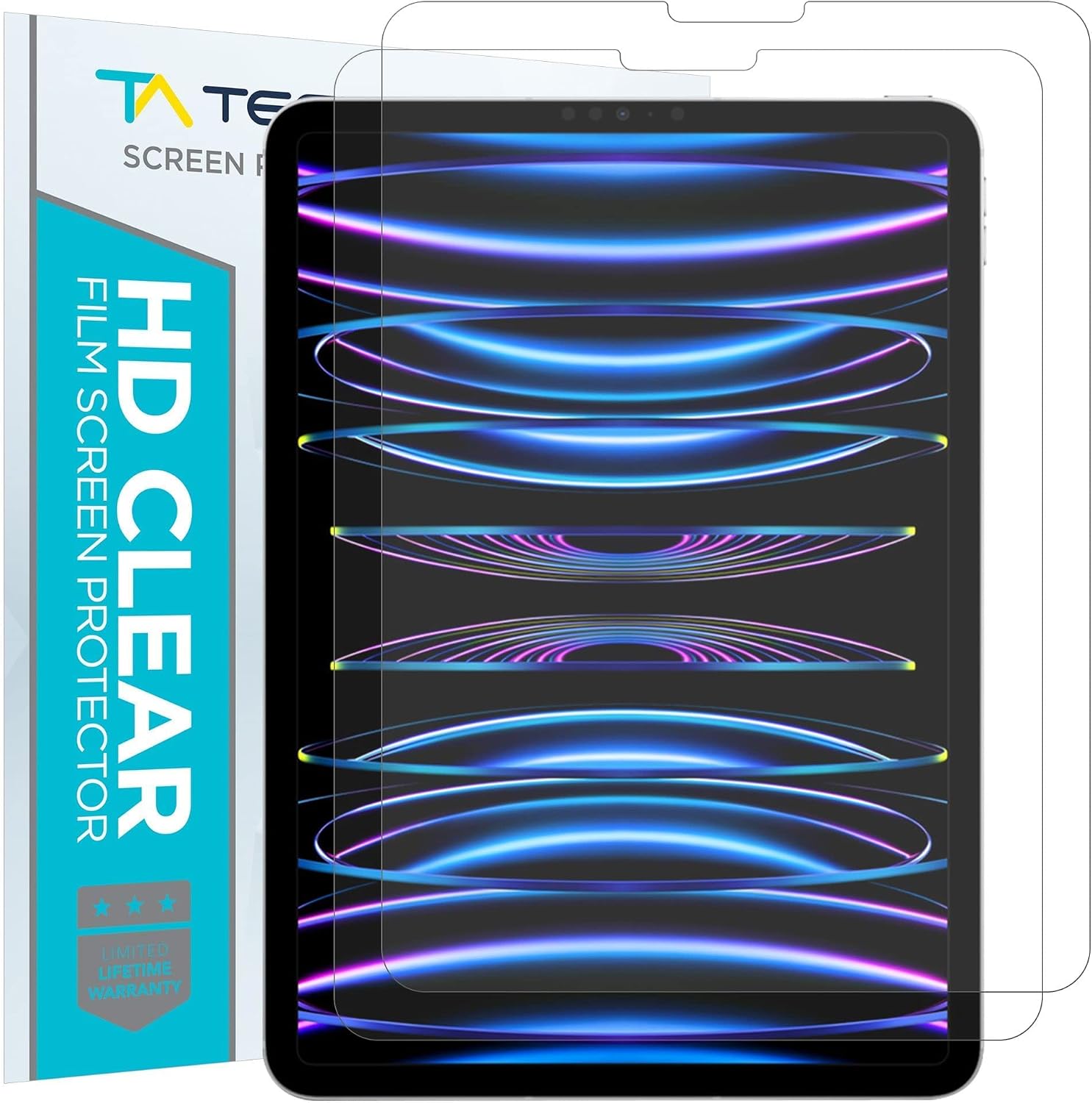
Tech Armor’s anti-glare protector has a matte finish that the listing describes as providing a natural paper-like feel for drawing, reducing reflections and fingerprints, with a note that matte anti-glare may reduce display clarity. It lists compatibility with iPad Pro 11 (2018, 2020, 2021 and M2 2022) and iPad Air 4th and 5th generation. The pack includes two protectors, an installation kit with cleaning cloth and dust remover, and a limited lifetime warranty.
The listing mentions tempered glass construction in one place while the specifications list polyethylene terephthalate (PET), so treat the material as uncertain and check the product page.
Best suited for: painters with compatible iPads who want a lighter matte texture than Paperfeel.
Key features
- Matte anti-glare
- 2-pack with install kit
- Limited lifetime warranty
Pros
- Warranty coverage
- Two protectors
Cons
- Material description inconsistent
- Not for newer iPads
Buying consideration: Matte films reduce sharpness slightly; if you also watch a lot of video, consider a lighter matte.
7. Puccy Film for Wacom Intuos Art CTH-490 — Best for Intuos Pen Tablets

Screenless pen tablets wear too. Puccy’s film is a flexible TPU protector (not tempered glass) for the Wacom Intuos Art CTH-490. The listing describes 4H hardness, self-healing properties for minor scratches and bubble-free installation. It is sold as a privacy film; the listing notes that on screens it reduces brightness, which is irrelevant on a screenless tablet surface.
Best suited for: Intuos CTH-490 owners whose tablet surface is wearing smooth or scratched.
Key features
- TPU, 4H, self-healing
- For Intuos Art CTH-490
Pros
- Refreshes a worn surface
- Low price tier
Cons
- Changes the original surface feel
- One model only
Buying consideration: Test the pen’s feel after applying; some users prefer replacing the official surface sheet instead.
Screen Protectors and Pen Nibs: Managing Wear
Texture is created by microscopic roughness, and that roughness slowly files down pen nibs. On paper-feel films, a nib that might last months on glass can wear in weeks with heavy daily use. That is not a reason to avoid textured films, but it is a reason to plan for it. Keep a pack of spare nibs for your pen, check the tip regularly under good light, and replace it as soon as it develops a flat facet or sharp edge, which can scratch the film itself.
Some painters use softer felt or elastomer nibs, where their pen supports them, for extra drag on smooth glass instead of adding a textured film. Others prefer a matte film plus standard nibs as a middle ground. Try one approach for a few weeks before deciding.
How to Install a Screen Protector Without Bubbles
- Work in a steamy bathroom or a room with little dust; humidity keeps dust from floating.
- Clean the screen with the included wipe, then remove every speck with a dust sticker.
- Align the protector carefully using the edges or a guide frame before peeling the backing fully.
- Lower it from one side, pressing outward with a card to push air to the edges.
- Lift and re-lay small sections with dust under them using a piece of tape, then press them down again gently.
- Small bubbles in film protectors often disappear within a day or two.
- Wait before using the pen heavily so the adhesive can settle fully.
Buying Guide: How to Choose Screen Protectors for Digital Painting
Exact model compatibility
This matters most. Protectors are cut for specific models, and similar-looking devices often differ by millimeters. Check model numbers, not just screen size.
Surface texture
More texture means more control and more nib wear. Paper-feel films sit at the high end; matte at the middle; glossy glass at the low end.
Clarity trade-offs
Matte and paper-feel films diffuse light, which can make fine detail and color look slightly softer. If you do color-critical work, a lighter matte or glass may be preferable.
Protection level
Tempered glass resists scratches and impacts best. PET and TPU films protect against scratches but not drops.
Nib wear
Textured surfaces wear nibs faster. Keep spares and replace nibs before they flatten and scratch.
Active area coverage
Some protectors cover only the active area. Check edges if full coverage matters, since uncovered borders can collect dust along the protector edge over time.
Do You Need a Screen Protector at All?
Many pen displays ship with a pre-installed matte film, and some painters are perfectly happy with bare glass. You need a protector if the pen feels slippery, if glare from windows or lamps bothers you, or if you want to protect a screen from scratches caused by grit under the nib. If none of those apply, you can skip it. If you are still deciding on hardware, see our guide to digital painting without a tablet, and once set up, practice delicate edges with our digital waves and ocean tutorial.
Common Mistakes to Avoid
- Buying by screen size alone. Model numbers decide fit.
- Installing in a dusty room. Dust specks become permanent bubbles.
- Ignoring nib wear. Textured films need spare nibs.
- Expecting glass to feel like paper. Choose paper-feel film for that.
- Using a privacy film on a display you paint on. It dims the screen and shifts color.
- Not recalibrating. Thick glass can shift pen alignment slightly; run the driver calibration after installing.
FAQs
Do paper-feel screen protectors help digital painting?
They add drag that many painters find more controlled, similar to pencil on paper. The trade-off is faster nib wear and slightly reduced sharpness.
Will a matte screen protector affect color accuracy?
It can make the display look slightly softer or grainier. The Tech Armor listing notes that matte anti-glare may reduce clarity.
Which screen protector fits the Wacom Cintiq 16?
The Sanwa Supply LCD-WC16P2 is cut specifically for the Cintiq 16 (DTK168).
Does the MOBDIK Paperfeel fit the newest iPads?
No. The listing says it does not fit the iPad 10th generation, the 11-inch iPad A16 or the 2024/2025 iPad Pro and Air 11-inch models.
Do screen protectors wear out pen nibs?
Textured protectors wear nibs faster than smooth glass. Keep spare nibs and replace them when they flatten.
Is a tempered glass protector good for drawing?
It offers the best scratch and impact protection. Glossy glass feels like the original screen; matte glass adds some texture.
Final Recommendation
Match the protector to your exact device first, then to the feel you want. iPad painters with compatible models will get the most paper-like experience from the MOBDIK Paperfeel, or a lighter matte from the Tech Armor two-pack. Cintiq 16 owners should choose the Sanwa Supply LCD-WC16P2, GAOMON PD1161 users the GAOMON film, PD1560 owners the BoxWave ClearTouch two-pack and Kamvas 16 (2021) owners the Puccy tempered glass. For a worn Wacom Intuos CTH-490 surface, the Puccy TPU film is a low-cost refresh.