XP-Pen Deco offers a more affordable entry, while Wacom Intuus Small boasts brand reliability.
Imagine you’re aspiring to dive into the digital art world or perhaps elevate your creative projects. You’ve narrowed it down to two popular options: the XP-Pen Deco and Wacom Intuus Small. Both promise to enhance your artistic journey, yet the decision feels daunting. You’re looking for the right blend of features, value, and ease of use. Let’s delve into an in-depth comparison to help determine which will serve you best.
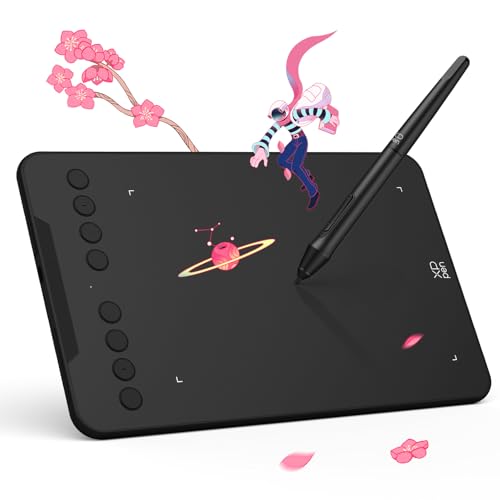
XPPen Updated Deco Mini7 V2…
Word-first 16K Pressure Levels: The upgraded stylus offers 16,384 levels of pressure sensitivity for precise control, ideal for detailed artwork. Enhanced nibs ensure longer reliability for aspiring illustrators. The battery-free…
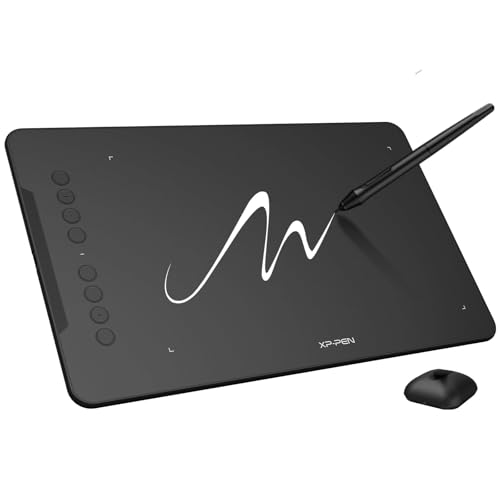
XPPen Updated Deco 01 V3…
Word-first 16K Pressure Levels: The upgraded stylus features 16,384 levels of pressure sensitivity and supports up to 60 degrees of tilt, delivering smoother lines and shading for a natural drawing…
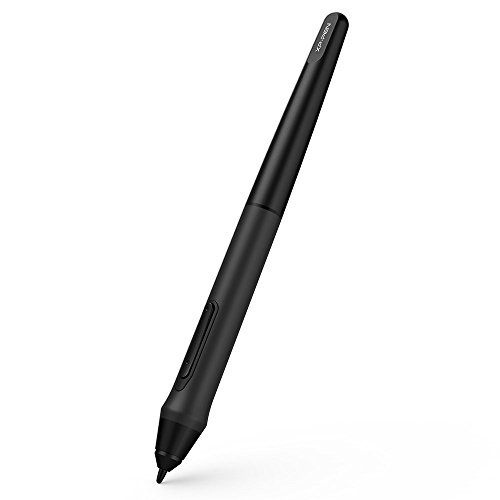
XPPen P05 Passive Pen only…
P05 Passive Pen only work the for XP-PEN Deco 01 V2 Deco03 Star G640S Graphic Drawing Tablet
XPPen Updated Deco Mini7 V2 Drawing Tablet

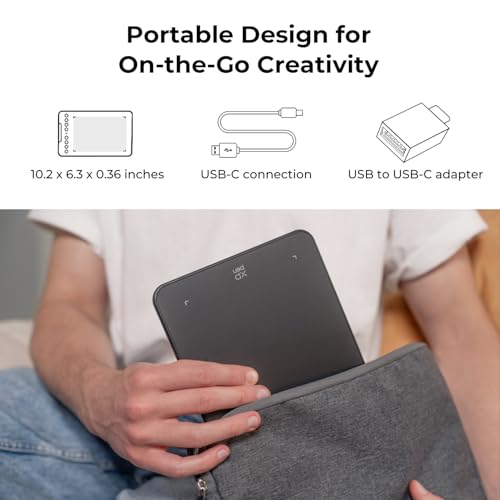
The XP-Pen Deco Mini7 V2 is compact yet packed with features. It offers 16,384 levels of pressure sensitivity, making it responsive and precise. The battery-free stylus is a bonus, ensuring you won’t be held back by power issues. Perfect for digital art, gaming, and teaching. Its small size makes it highly portable and ideal for on-the-go creativity.
It features 8 programmable hotkeys, providing customization for efficiency in your work. Compatible with multiple devices, including Chrome, PC, Mac, and Android, it’s highly versatile. Whether you’re drawing, teaching, or just sketching ideas, the Deco Mini7 V2 adapts to your needs.
Pros:
- High pressure sensitivity for detailed work
- Battery-free stylus for uninterrupted use
- Programmable hotkeys for efficiency
- Extensive device compatibility
- Portable size for mobility
Cons:
- Limited active area compared to larger tablets
- Might not be enough for advanced artists
My Recommendation
This tablet is best suited for beginners or hobbyists who need a versatile tablet without breaking the bank. The XP-Pen Deco’s portability and ease of use make it a great pick for those new to digital art. It’s compatible with various devices, ensuring you won’t be limited in connectivity.| Best for | Why |
|---|---|
| Beginner artists | Affordable and portable starter kit |
| Teaching purposes | Compatible with educational software |
| Traveling artists | Compact design for mobility |
XPPen Deco 01 V3 Drawing Tablet

The Deco 01 V3 by XP-Pen features a larger active area, measuring 10×6 inches, which offers ample space for creativity. This size is perfect for those who prefer more room to move. It also boasts 16,384 pressure levels, ensuring smooth and dynamic brush control. Like its Mini counterpart, it comes with a battery-free stylus and 8 customizable hotkeys.
This tablet appeals to those who require a bit more space for their work and more versatile functionalities. It’s compatible with a broad range of systems, making it ideal for collaborative environments or varied usage scenarios.
Pros:
- Large drawing area for detailed artwork
- High pressure sensitivity provides precision
- Customizable keys enhance productivity
- No battery stylus for continuous use
- Compatible with many operating systems
Cons:
- Less portable due to size
- Slight learning curve for new users
My Recommendation
The Deco 01 V3 is excellent for semi-professional or professional artists needing a reliable workspace. Its larger size compared to the XP-Pen Deco Mini 7 makes it better suited for those who require more freedom for brush strokes. With its cost-effective price, it remains accessible to a wider audience.| Best for | Why |
|---|---|
| Professional designers | Large working area enhances flexibility |
| Educational use | Wide compatibility with software tools |
| Collaborative work | System versatility supports teamwork |
XPPen P05 Passive Pen

The XP-Pen P05 Passive Pen is specifically designed for use with the Deco and Star series tablets. It offers a comfortable grip, which reduces fatigue during longer drawing sessions. The passive design means you won’t have to worry about charge levels, offering seamless operation.
This stylus stands out due to its compatibility across various models, acting as an excellent replacement or upgrade. Its precise control and ergonomic design ensure it serves both beginners and seasoned artists well, enhancing their digital art experience.
Pros:
- Comfortable ergonomic design
- No charges required for uninterrupted use
- Highly compatible with XP-Pen models
- Precise pressure sensitivity
- Durable and easy to replace
Cons:
- Limited to specific XP-Pen models
- Not suitable for non-XP-Pen tablets
My Recommendation
The XP-Pen P05 Passive Pen is best suited for users who already own or plan to purchase XP-Pen Deco or Star tablets. It’s a handy addition for those who need a reliable and durable pen without battery hassles. Offering comfort and precision, it enhances the overall experience in digital drawing.| Best for | Why |
|---|---|
| XP-Pen users | Seamless compatibility with devices |
| Frequent users | Comfortable and fatigue-free grip |
| Art professionals | Offers precise control for detailed work |
XPPen Updated Deco 01 V3 Intuitive Drawing Pad

The Updated Deco 01 V3 by XP-Pen offers a substantial drawing area and improved pressure sensitivity, allowing for smooth line transitions and nuanced shading. It features 8 customizable shortcuts that speed up the creative process by reducing time spent navigating multiple tools.
Engineered for both educational and professional applications, this tablet fits seamlessly into different workflows, from teaching online classes to professional design work. Its broad compatibility ensures it connects effortlessly with Android, Windows, and MacOS systems.
Pros:
- Ample drawing space for creativity
- Responsive pressure sensitivity
- Customizable shortcuts for productivity
- Multi-platform compatibility
- Lightweight and transportable
Cons:
- Larger size may not suit every workspace
- The complexity of setup for beginners
My Recommendation
Recommended for those balancing between teaching and creating digital art, the XP-Pen Deco 01 V3 integrates well in various settings. Its great balance of size, features, and affordability makes it a popular choice among educators and creatives alike.| Best for | Why |
|---|---|
| EduTech environments | Wide compatibility with learning software |
| Professional use | Efficient shortcuts save time |
| Creative projects | Supports intricate art techniques |
XP-Pen USB Cable for Deco & Pro Series

Compatible with several XP-Pen models, this USB cable ensures reliable connectivity between your drawing tablet and device. This cable is designed to address connectivity issues, providing a stable link that supports seamless data transfer and power supply.
Lightweight yet durable, it’s an excellent accessory for frequent travelers or those who need a reliable connection without excess bulk. An essential for those who consistently rely on their XP-Pen tablets, it ensures they remain functional and effective in any setting.
Pros:
- Reliable and stable connection
- Compatible with multiple XP-Pen models
- Durable and travel-friendly
- Facilitates smooth data transfer
- Easy replacement for damaged cables
Cons:
- Limited to XP-Pen devices
- May not fit non-standard ports
My Recommendation
This USB cable is ideal for XP-Pen users seeking reliable connectivity across their devices. It’s especially valuable for those working in multiple locations who need a consistent, trustworthy setup for their digital graphics work.| Best for | Why |
|---|---|
| Traveling professionals | Lightweight and portable |
| Casual artists | Provides stable and consistent connection |
| System integration | Seamless data transfer compatibility |
FAQs Of XP-Pen Deco vs Wacom Intuus Small
How does pressure sensitivity impact drawing quality?
Pressure sensitivity allows for variations in line thickness and shading, creating more dynamic and lifelike drawings. Both the XP-Pen Deco and Wacom Intuos Small provide excellent sensitivity levels for detailed work.Are these tablets compatible with popular design software?
Yes, both the XP-Pen Deco and Wacom Intuos Small are compatible with popular design programs like Adobe Photoshop, Illustrator, and CorelDRAW, ensuring versatility for different projects.Which tablet is more suitable for beginners?
The XP-Pen Deco Mini is more beginner-friendly due to its user-friendly features and lower price point, making it an accessible option for those new to digital art.Does the XP-Pen Deco work well on all operating systems?
The XP-Pen Deco is known for its compatibility with various operating systems, including Windows, macOS, and Android, providing flexibility across different platforms.What makes Wacom Intuos stand out among digital tablets?
Wacom Intuos is often praised for its brand reliability and robust build quality, ensuring long-term use and consistent performance, especially valued by professional artists.Final Verdict: Which Should You Buy?
In the realm of digital drawing, choosing between the XP-Pen Deco and Wacom Intuus Small can seem daunting. The XP-Pen Deco offers a compelling package for those seeking affordability, versatility, and ease of use, especially suitable for beginners and hobbyists.
Meanwhile, the Wacom Intuus Small stands as a testament to brand reliability, ideal for individuals who value long-term performance and professional quality. Each serves unique needs, enabling users to confidently select based on their specific requirements.