
PaintingProGuide is reader-supported. When you buy through links on this page we may earn an affiliate commission at no extra cost to you.
The best Procreate landscape brushes are not one giant pack. They are a small, deliberate kit of six to ten brushes that each do one job well: a soft brush for skies and atmosphere, a cloud brush, a foliage or leaf-scatter brush, a directional grass brush, a gritty texture brush for rocks and bark, a streaky brush for water, and a blender. Most landscape painters who download a 200-brush bundle end up using a handful, so it pays to know which types you need and how to judge them before you buy or download.
This guide explains the essential Procreate landscape brush types, what to look for in a pack, how to tweak brushes in Brush Studio so they suit your style, and where traditional landscape brushes fit in if you also paint on canvas. We do not recommend specific third-party digital packs here, because their contents and licenses change often; instead you will learn to evaluate any pack yourself.
Quick answer: Build a core set of Procreate landscape brushes around seven types: a soft airbrush for gradients, a cloud brush with soft, irregular edges, a foliage scatter brush, a tapered grass brush with jitter, a grain-heavy texture brush for rock and bark, a horizontal water or reflection brush, and a smudge/blend brush. Start with Procreate’s built-in library, which already covers several of these, then add a focused landscape pack with a clear commercial license if you sell your work. If you also paint landscapes in oil or acrylic, a fan brush set such as the GACDR 7-piece hog bristle set teaches the same foliage and grass marks that good digital brushes imitate.
Essential Procreate Landscape Brush Types at a Glance
- Soft airbrush — Best for skies, haze and atmospheric depth
- Cloud brush — Best for cumulus shapes and soft edges
- Foliage scatter brush — Best for tree canopies and bushes
- Grass brush — Best for meadows and foreground texture
- Rock and bark texture brush — Best for cliffs, stones and tree trunks
- Water and reflection brush — Best for lakes, rivers and sea glints
- Blender or smudge brush — Best for softening transitions
| Brush Type | Best For | Key Setting | Key Strength | Cost |
|---|---|---|---|---|
| Soft airbrush | Skies, haze, light | Large size, low opacity | Smooth gradients | Built in |
| Cloud brush | Cumulus and stratus | Irregular shape, soft grain | Organic cloud edges fast | Varies |
| Foliage scatter | Trees and bushes | Scatter and rotation jitter | Natural clusters in one stroke | Varies |
| Grass brush | Meadows, foreground | Taper plus size jitter | Directional blades | Varies |
| Texture brush | Rock, bark, ground | Strong grain, moving grain off | Surface detail without noise | Built in or varies |
| Water brush | Reflections, glints | Horizontal shape, streamline | Clean horizontal strokes | Varies |
| Blender | Transitions | Smudge tool, low pressure | Soft edges without mud | Built in |
How We Chose
This guide is built on how Procreate’s brush engine works and on the brush categories landscape painters rely on, rather than on testing specific downloadable packs. For the short traditional supplies section, we compared Amazon listing details and specifications checked in October 2026 and considered how widely each product is reviewed by Amazon buyers. We did not paint with any of the physical brushes listed.
- Coverage of every landscape element: sky, foliage, ground, water, rock
- Pressure response and taper for natural strokes
- Grain and shape quality at different sizes
- Ease of customizing in Brush Studio
- Clear licensing for personal or commercial use
Best Procreate Landscape Brushes by Type
1. Soft airbrush — the foundation for skies
Every landscape starts with the sky, and the sky starts with a large, soft brush. Procreate’s built-in airbrush category already includes soft brushes that are ideal for laying a gradient from deep blue at the top to warmer, lighter tones near the horizon. Keep opacity low and build in passes; this mimics the way real atmosphere thickens toward the horizon.
A soft airbrush is also your tool for aerial perspective: a very light veil of sky color over distant mountains instantly pushes them back. Use it on a separate layer so you can adjust opacity later.
2. Cloud brush — speed without losing control
A dedicated cloud brush typically has an irregular, lumpy shape and a soft grain, so one press creates a puff with uneven edges. The best cloud brushes respond to pressure with both size and opacity, letting you build a dense, bright top and a thinner, greyer base.
Avoid stamping the same shape repeatedly. Vary size, rotate the canvas, and use a soft eraser to carve shapes. For a full workflow, see our tutorial on painting realistic clouds in Procreate linked below.
3. Foliage scatter brush — canopies in a few strokes
Foliage brushes use a leaf or clump shape with scatter and rotation jitter, so each dab places a slightly different cluster. That is the key to believable trees: randomness. Look for a brush that lets you control scatter and size jitter in Brush Studio, and that has a dark-to-light workflow, painting shadow masses first and then lighter clusters on top.
A good test: draw a single horizontal stroke. If it looks like a row of identical stamps, increase rotation jitter and reduce spacing regularity.
4. Grass brush — directional and tapered
Grass brushes paint multiple blades per stroke, with taper so each blade thins at the tip. Strong pressure-to-size response lets you make foreground grass bold and background grass fine. Upward flicks with Apple Pencil create natural blades; pairing the brush with a color jitter setting adds subtle variation.
5. Rock and bark texture brush — grain is everything
Rocks, cliffs and tree trunks need texture without noise. Texture brushes rely on the grain source in Brush Studio. A “texturized” grain stays fixed to the canvas, which reads more like real surface texture; a “moving” grain travels with the stroke, which can look like a pattern. Many landscape painters prefer fixed grain for rocks.
Use texture sparingly: a few strokes over a block-in, then refine with a smaller hard brush. Too much texture everywhere flattens depth.
6. Water and reflection brush — horizontal discipline
Calm water reads as horizontal streaks with occasional bright glints. A water brush is often a wide, flat shape with high streamline so strokes stay straight. For reflections, paint the mirrored scene on its own layer, flip it, then use horizontal smudge strokes and lower opacity.
7. Blender or smudge brush — keep it soft, not muddy
Procreate’s smudge tool can use any brush. A soft, slightly grainy brush at low pressure blends transitions in skies and distant hills without turning everything to mush. Blend less than you think; landscapes need some crisp edges for focus.
Brush Pairings by Landscape Scene
Different scenes lean on different parts of your brush kit. Knowing which brushes carry each type of landscape keeps your library lean and your paintings consistent.
Mountain vistas
Mountains rely on value and atmosphere more than texture. Use a hard-edged brush to cut crisp ridgelines against the sky, a soft airbrush for haze in the valleys, and a texture brush only on the nearest slopes. Snow caps read best with a few bright, confident strokes from a flat brush rather than lots of noisy texture.
Forests and woodland
Here the foliage scatter brush does most of the work. Build three layers of trees: distant masses in a cool, low-contrast color, midground trees with more defined clusters, and a foreground tree with visible leaf shapes and bark texture. Keep a hard round brush for trunks and branches so they do not get lost in the scatter.
Meadows and fields
Grass brushes carry meadows, but they need restraint. Paint the field as a flat color gradient first, add grass texture only in the foreground and near paths or edges, and use a few individual hand-drawn blades on top for realism. Flowers can be tiny dabs from a small round with color jitter.
Seascapes and lakes
Water brushes and the smudge tool lead. Lay a horizontal gradient, add reflections on a flipped layer, then pull horizontal smudges. Waves need a mix of soft and hard edges; foam often works best with a dry, grainy brush at low opacity.
Deserts and canyons
Rock texture brushes and warm gradients dominate. Use texture in stripes that follow rock strata, and soften distant canyon walls with a warm haze. Hard, clean shadows sell the bright desert light.
How to Evaluate a Procreate Landscape Brush Pack
Check the file format and version
Procreate brushes come as single .brush files or .brushset bundles. Make sure the pack states compatibility with your Procreate version and device.
Look for real previews
Good sellers show each brush’s stroke and an example painting made with only that pack. If previews are only finished artworks with no stroke samples, you cannot judge what each brush does.
Favor curated sets
Ten to thirty well-made brushes are more useful than hundreds of near-duplicates. Large packs also clutter your library.
Read the license
Free and paid brushes may restrict commercial use or redistribution. If you sell prints or client work, choose a pack with a clear commercial license.
Test pressure and size range
Once installed, test every brush small and large, light and heavy. Some brushes look great at one size and break down at another.
Consider stamp and texture resolution
Low-resolution shape or grain images can look pixelated on large canvases. Packs designed for high-resolution canvases will hold up better when printed.
Customize Brushes in Brush Studio
Even a perfect pack benefits from tuning. Procreate’s Brush Studio groups settings into sections such as Stroke Path, Stabilization, Taper, Shape, Grain, Rendering, Wet Mix, Color Dynamics, Dynamics, Apple Pencil and Properties. A few changes make a big difference for landscapes:
- Spacing (Stroke Path): lower spacing gives continuous strokes; higher spacing gives stamped clusters for foliage.
- Jitter: adds randomness to position, size or rotation for natural textures.
- Streamline (Stabilization): smooths strokes; useful for water lines and horizons.
- Grain behavior: moving versus texturized grain changes how texture reads.
- Color Dynamics: small hue or brightness jitter adds variation to grass and leaves.
- Apple Pencil pressure: map pressure to size, opacity or both depending on the brush.
Duplicate a brush before editing it, so you can always return to the original.
A Simple Procreate Landscape Workflow
- Block in values. Use a large hard brush to place sky, distant hills, midground and foreground in three or four values.
- Paint the sky. Soft airbrush gradient, then clouds with a cloud brush.
- Add aerial perspective. Light sky-colored veil over distant shapes.
- Foliage masses. Dark clusters first with a scatter brush, then lighter highlights.
- Ground and rock texture. Texture brush over block-ins, refined with a small brush.
- Water and reflections. Mirrored layer, horizontal smudge, glints.
- Final adjustments. Color balance and contrast with adjustment layers.
Supplies That Help: Traditional Landscape Brushes
Many digital landscape brushes are modeled on traditional ones. If you also paint in acrylic or oil, or want to understand the marks you are imitating, these physical brushes are the real-world counterparts.
GACDR Fan Brush Set, 7 Hog Bristle Brushes — Best for Foliage and Grass Marks

Seven hog bristle fan brushes in sizes 2 through 14 with birch handles. The listing describes anti-shedding bristles suited to thick strokes and texture in oil, acrylic and gouache. Fan brushes are the traditional tool for tree foliage, grass and soft clouds.
Best suited for: Acrylic and oil landscape painters on a budget.
- Pros: seven sizes, low price tier, versatile
- Cons: hog bristle is stiff for watercolor
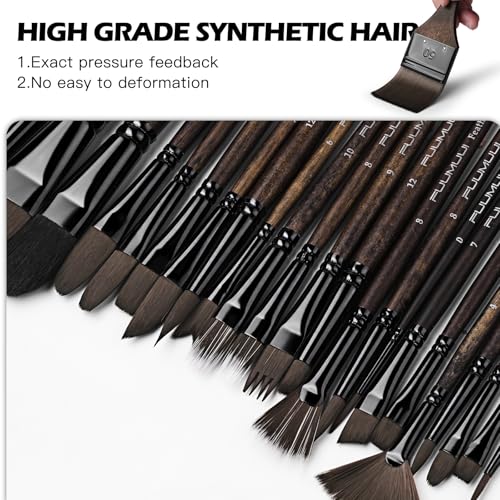
Fuumuui Dual-Layer Grainer Brush Set — Best for Grass, Fur and Wood Grain Texture

Five dual-layer comb and filbert brushes in sizes 2 to 10 with synthetic bristles. The listing describes a double-bristle design that creates natural textures for grass, fur, trees and wood grain in acrylic, oil, gouache, watercolor and ink.
Best suited for: Painters who want fine, repeated linear texture in a single stroke.
- Pros: unique dual-layer bristles, five sizes
- Cons: specialized; not an all-purpose set
GACDR Grainer Comb Brush Set — Best Budget Texture Brushes

Four comb-tip brushes in 1/4, 3/8, 1/2 and 5/8 inch with split synthetic hair and short birch handles. The listing names acrylic, watercolor, gouache and oil, and texture uses such as depth and movement.
Best suited for: Adding grass, hair and bark texture inexpensively.
- Pros: low price tier, four widths
- Cons: short handles suit close work more than easel painting
Bob Ross Landscape Brush Set, 12 Pieces — Best for Wet-on-Wet Oil Landscapes

A 12-piece natural bristle set designed by Bob Ross for the wet-on-wet oil technique. The listing notes the brushes are now made in Germany and should not be used with water or water-based products.
Best suited for: Painters following wet-on-wet oil landscape tutorials.
- Pros: purpose-built for wet-on-wet, comprehensive set
- Cons: highest price tier, oil only
Install and Use Your Brushes
New to importing? Our step-by-step guide on how to install brushes in Procreate covers .brush and .brushset files from Files, AirDrop and cloud storage. If you also work on desktop, read whether you can use Procreate brushes in Photoshop before buying a pack. For practice, try our tutorial on painting realistic clouds in Procreate.
Common Mistakes to Avoid
- Downloading huge packs and never learning any brush well.
- Using texture brushes everywhere, which flattens depth.
- Stamping foliage with no rotation or size jitter.
- Over-blending skies and distant hills into mush.
- Ignoring licenses when selling work made with paid brushes.
- Editing original brushes instead of duplicates.
FAQs
What are the best Procreate brushes for landscapes?
A focused set of soft airbrush, cloud, foliage scatter, grass, texture, water and blender brushes covers nearly every landscape element.
Are Procreate’s default brushes good for landscapes?
Yes, for many tasks. The built-in library includes soft airbrushes, textured painting brushes and organic-style brushes that work well for skies, texture and blending.
How many brushes do I need for landscape painting?
Most painters work comfortably with six to ten. Learn a small set deeply before adding more.
Can I make my own landscape brushes in Procreate?
Yes. Brush Studio lets you create brushes from custom shape and grain images, and adjust spacing, jitter, taper and pressure.
Can I use Procreate brushes commercially?
It depends on each pack’s license. Procreate’s built-in brushes are made for creating art in the app, while third-party packs set their own terms. Always read the license.
Do traditional brushes help with digital landscape painting?
Understanding how a fan or grainer brush makes marks helps you choose and tune digital brushes that imitate them convincingly.
Final Recommendation
Start with Procreate’s built-in airbrushes, texture brushes and smudge tool, then add a small, well-previewed landscape pack with a clear license for clouds, foliage, grass and water. Tune each brush in Brush Studio and practice a simple seven-step workflow. If you paint traditionally too, the GACDR fan set and Fuumuui dual-layer grainers are affordable ways to learn the marks digital landscape brushes are built to imitate, while the Bob Ross set serves wet-on-wet oil painters.


One Comment