Are you ready to bring your digital worlds to life? Painting digital environment art might seem challenging at first, but with the right tips, you can create stunning landscapes that captivate and inspire.
Whether you want to craft mysterious forests, vast mountains, or futuristic cityscapes, this guide will help you master the essential techniques. From sketching your ideas to working with light and color, you’ll discover simple, effective ways to build depth and mood in your scenes.
Keep reading, and you’ll soon unlock the secrets that make your digital environments feel real and unforgettable.
Credit: www.skillshare.com
Sketching Basics
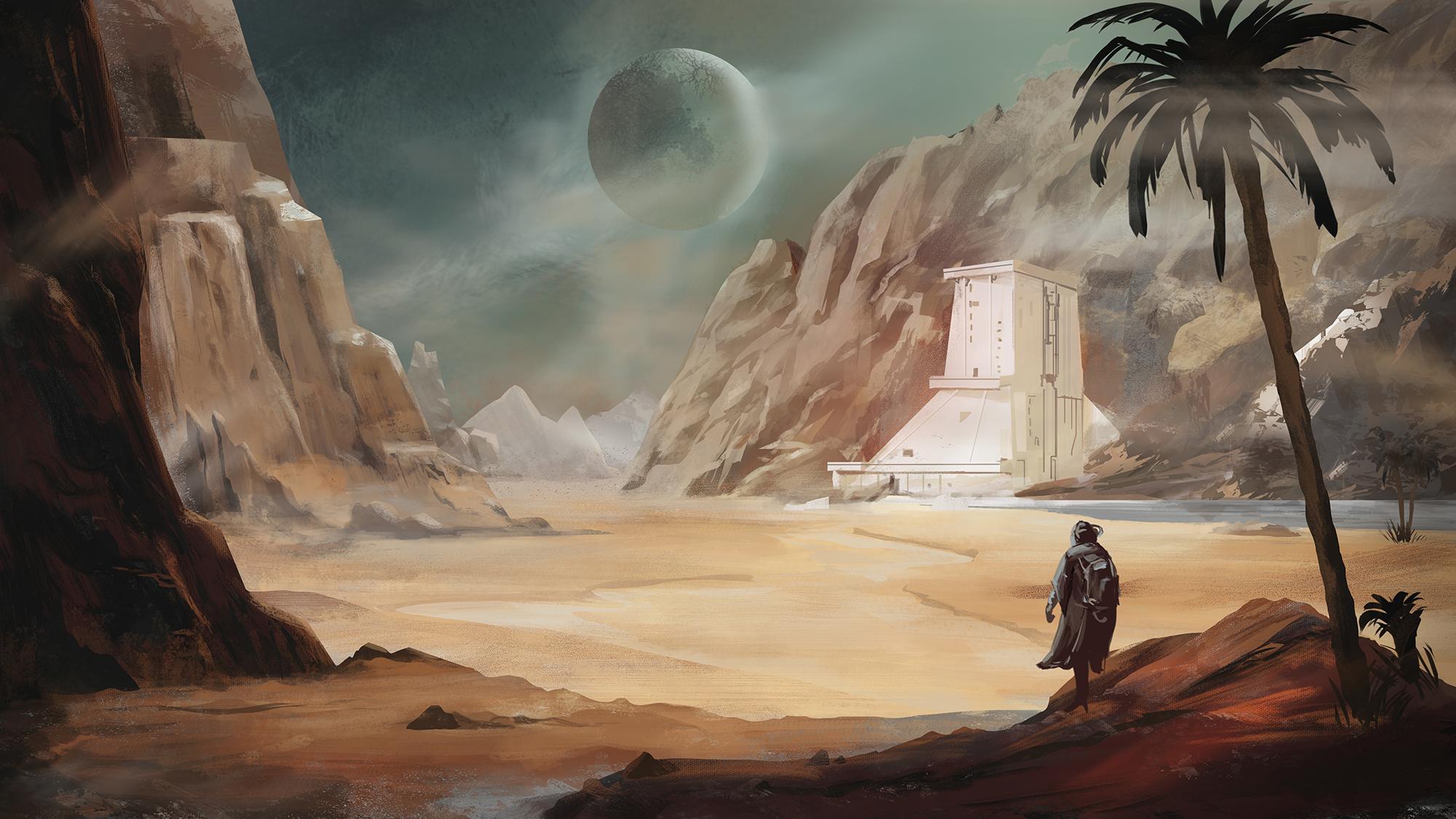
Sketching forms the foundation of digital environment art. It captures ideas quickly and sets the stage for detailed work. Good sketches guide your composition and help you understand space and structure.
Focus on basic shapes and simple lines. Avoid getting stuck on details too early. Keep your sketches loose and flexible to allow easy changes later.
Simple Linework
Use clear and light lines for your sketches. Avoid heavy or dark strokes at this stage. Simple lines show the main shapes and flow of the environment. They help you plan where objects will sit.
Keep your hand relaxed and draw smoothly. This approach saves time and keeps the sketch clean. Remember, sketches do not need to be perfect or polished.
Exploring Shapes
Break down the environment into basic shapes like circles, squares, and triangles. These shapes represent trees, buildings, rocks, or hills. Using simple shapes makes it easier to build complex scenes.
Experiment with different shapes to find the best layout. Shapes help you understand volume and balance in your composition. Adjust shapes as you see fit before adding details.
Quantity Over Quality
Draw many sketches instead of focusing on one perfect piece. This helps you explore different ideas and compositions quickly. Quantity builds your confidence and improves your skills faster.
Do not worry about mistakes or messy lines. Each sketch teaches you something new. Over time, your sketches will become clearer and more confident.

Credit: www.youtube.com
Color Foundations
Color foundations build the base of any digital environment art. Strong color choices set mood and guide the viewer’s eye. They create depth and atmosphere in your scene. Understanding how to start with color helps paint clearer, more vibrant artwork.
Starting with simple color steps makes the painting process smoother. It helps avoid confusion and keeps the art focused. Let’s explore key techniques to lay down solid color foundations.
Underpainting Techniques
Underpainting is the first layer of color in your artwork. Use it to block in basic shapes and tones. Choose muted colors that represent light and shadow. This layer guides the rest of your painting. It saves time by defining values early. Use broad strokes to cover the canvas quickly. Keep the colors simple and avoid details at this stage. This approach keeps the focus on form and lighting.
Choosing A Color Palette
Select a palette that fits your scene’s mood. Warm colors create energy and closeness. Cool colors give calmness and distance. Limit your palette to a few main colors. It helps keep harmony and balance. Pick colors from nature or photos for realism. Try complementary colors for contrast and interest. Test your palette by painting small color swatches first. Adjust colors until they feel right for your scene.
Color Picking Tips
Use the eyedropper tool to select colors from references. Sample colors from real photos or artworks you admire. Avoid pure black or white; use dark blues or grays instead. Pick colors in relation to light sources in your painting. Check your colors in different brightness levels. It helps see if they work well together. Experiment with saturation to add vibrance or dullness. Trust your eyes, not just the tool values.
Light And Shadows
Light and shadows shape the mood and realism of digital environment art. Proper use of lighting guides the viewer’s eye and adds life to the scene. Shadows help define space and bring contrast. Understanding how light interacts with objects is key. This section explores essential tips for painting light and shadows effectively.
Defining Light Sources
Start by choosing clear light sources in your scene. Decide if the light is natural, like the sun, or artificial, like lamps. Show the direction where the light hits objects. Keep the light source consistent to avoid confusion. Highlight areas closest to the light with brighter colors. Use softer tones for areas farther from the light. This step creates a solid foundation for your lighting.
Working With Values
Values refer to how light or dark colors appear in your painting. Use a range of values to show contrast between lit and shadowed areas. Dark shadows make objects look solid and add drama. Midtones blend the transition between light and dark smoothly. Avoid using only flat colors; vary brightness to create volume. Check your work in black and white to see value differences clearly.
Creating Depth
Light and shadows help create the illusion of depth in your art. Objects closer to the viewer should have stronger contrasts and sharper shadows. Distant objects appear lighter and less detailed due to atmospheric perspective. Use shadows to separate foreground, middle ground, and background layers. This technique makes your environment feel three-dimensional and immersive. Adjust light intensity to guide the viewer’s focus through the scene.
Form And Texture
Form and texture are crucial for creating believable digital environment art. They give your scene depth and realism. Properly defined forms help viewers understand shapes and spaces. Texture adds detail that brings surfaces to life. Both work together to build a strong visual impact.
Describing Forms
Start by breaking down complex shapes into simple forms. Use basic shapes like cubes, spheres, and cylinders. This makes painting easier and more accurate. Pay attention to light and shadow to show form. Shadows reveal curves and edges clearly. Use contrast to separate objects from each other. Keep forms consistent with your light source.
Adding Texture Details
Textures add richness and interest to your environment. Observe real surfaces like rocks, wood, or leaves. Replicate their patterns with brushes or photo overlays. Use small brush strokes to mimic roughness or smoothness. Avoid over-detailing early in the painting. Build texture gradually to maintain balance. Change brush size and opacity for varied effects.
Blending Techniques
Blending helps smooth transitions between colors and textures. Use soft brushes to gently mix edges. Avoid harsh lines unless intentional. Experiment with opacity and flow settings in your software. Layer colors lightly to create depth. Blending can soften forms or add subtle texture. Practice different strokes for natural results.
Composition And Layout
Composition and layout form the backbone of digital environment art. They guide the viewer’s eye through the scene. Good composition creates balance and interest. It helps tell the story without words.
Careful planning of elements, space, and focus areas makes the artwork feel complete. Each part should support the whole image. This section explores key tips to improve your composition and layout skills.
Balancing Elements
Balance means distributing visual weight evenly in the scene. Avoid crowding one side with too many objects. Spread details across the canvas to create harmony.
Use size, color, and contrast to balance elements. Large shapes can be offset by smaller groups. Bright colors draw attention but need calm areas nearby.
Empty space is important. It gives the eye a place to rest. Balance keeps the viewer engaged and comfortable.
Foreground Vs Background
Foreground elements appear closer and need more detail. Background shapes should be simpler and less sharp. This creates depth in your painting.
Use atmospheric perspective by fading colors and reducing contrast in the background. This mimics how distance works in real life.
Layer your composition with clear separation between foreground, middle ground, and background. This helps the viewer understand the space.
Integrating Characters
Characters must fit naturally into the environment. Avoid making them look pasted on. Use similar lighting and colors from the scene.
Place characters where they interact with the surroundings. They can lean on objects or cast shadows on the ground.
Size the characters correctly to maintain scale. This strengthens the story and makes the environment believable.
Tools And Brushes
The right tools and brushes shape your digital environment art. They help control details, textures, and overall mood. Choosing the correct brushes improves painting speed and quality. Understanding brush settings lets you add depth and life to scenes. Experimenting with different tools reveals unique effects and styles.
Using Hard Round Brushes
Hard round brushes create sharp edges and clear shapes. They work well for sketching and blocking in colors. Use them to define forms and add crisp details. These brushes keep strokes clean and controlled. They are perfect for painting rocks, buildings, and other hard surfaces.
Pressure Sensitivity Settings
Adjust pressure sensitivity for natural stroke variation. Light pressure produces thin, light lines. Heavy pressure creates thick, dark strokes. This setting mimics traditional drawing tools. It helps make smooth transitions and dynamic shapes. Customize pressure curves for your comfort and style.
Custom Brush Tips
Create custom brushes to add unique textures. Use patterns that resemble leaves, grass, or clouds. Custom brushes save time on repetitive details. Experiment with shape, spacing, and scattering options. These brushes give your environment a rich, natural look.
Refining The Artwork
Refining the artwork is a crucial step in digital environment painting. This stage brings the piece closer to completion and enhances its overall impact. Careful attention to details improves the visual storytelling and makes the scene believable. The goal is to polish your work without overworking it. Small, thoughtful adjustments often create the biggest difference.
Layer Management
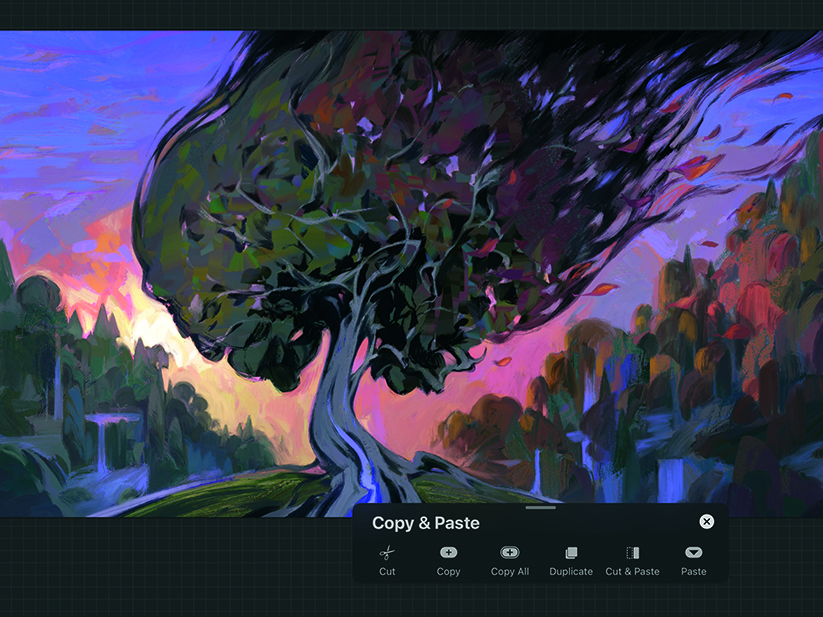
Organize your layers clearly. Name each layer based on its content. Group similar layers together to keep the file tidy. Lock finished layers to prevent accidental changes. Use layer masks for non-destructive editing. Adjust opacity and blending modes to achieve subtle effects. Proper layer management speeds up workflow and reduces mistakes.
Final Touches
Add small details that enhance the scene. Paint light glows, highlights, and shadows with care. Include texture variations to increase realism. Use custom brushes to mimic natural elements like leaves or clouds. Step back often to check the composition. Make sure the focal point stands out clearly. These touches bring life and depth to the environment.
Polishing The Image
Zoom in and out to spot errors or rough edges. Smooth transitions and fix color inconsistencies. Use adjustment layers for contrast, saturation, and brightness. Avoid harsh lines unless stylistically needed. Soften edges to blend objects naturally. Keep the color palette balanced and harmonious. Polishing ensures your environment art looks professional and complete.
Credit: www.creativebloq.com
Practice Strategies
Practice is key to improving your digital environment art. Regular exercises build skills and confidence. Smart practice strategies help you learn faster and enjoy the process. Focus on consistent habits that challenge your creativity and technique.
Daily Sketching
Sketch every day to train your hand and eye coordination. Simple, quick sketches keep ideas flowing. Try drawing different landscapes and settings daily. This habit improves observation and speed. Sketching helps you explore forms without pressure.
Experimenting With Styles
Try various art styles to find your unique voice. Mix realistic and stylized approaches to see what fits. Play with colors, brushes, and textures in your software. Experimenting broadens your skill set and sparks creativity. Don’t fear mistakes; they teach valuable lessons.
Learning From References
Use photos and real-life scenes as guides. Study lighting, shapes, and color schemes carefully. References help you understand nature and man-made environments better. Copying details at first is fine; it builds your visual library. Always observe closely to improve accuracy and depth.
Frequently Asked Questions
What Tools Are Best For Digital Environment Painting?
The best tools include a graphics tablet and software like Photoshop or Procreate. Use brushes with pressure sensitivity for natural strokes. These tools allow better control over textures and lighting effects in your digital environment art.
How Do I Create Realistic Lighting In Environment Art?
Focus on light direction, intensity, and color temperature. Use contrast to define shapes and depth. Layer different light sources and shadows to achieve realism. Proper lighting enhances mood and realism in digital environment paintings.
What Are Essential Steps For Painting Environment Art?
Start with rough sketches to block composition. Add base colors and define light and shadow. Refine details and textures gradually. Integrate elements cohesively and adjust color harmony for a polished look.
How Can I Improve Depth In Digital Landscapes?
Use atmospheric perspective by fading colors and reducing detail in the distance. Apply darker and sharper details in the foreground. Layering elements and varying saturation also enhance the depth effect in your environment art.
Conclusion
Practice daily to improve your digital environment art skills. Focus on shapes, light, and color balance. Use simple tools and keep your strokes confident. Experiment with different brushes and textures for variety. Study real landscapes to understand natural forms better.
Patience helps; progress comes with time and effort. Enjoy the process and stay curious about new techniques. Your art will grow more detailed and vibrant with practice. Keep creating and learning to build your unique style.