PaintingProGuide is reader-supported. When you buy through links on this page we may earn an affiliate commission at no extra cost to you.
There is no single best digital painting software, but there is a best choice for your device, your budget and the kind of art you make. A beginner sketching on an iPad needs something different from a concept artist building layered illustrations on a desktop, and a comic artist needs panel and lettering tools a fine-art painter may never touch. This guide to the best digital painting software for beginners and pros sorts the main options by those real-world differences.
We cover the major programs, compare them on platform, pricing model, brush engine and learning curve, recommend a starting point for each type of artist, and then list a few products on Amazon that help you get going, including a perpetual license of Clip Studio Paint Pro and books for Procreate and Photoshop.
Quick answer: iPad beginners should start with Procreate: one-time purchase, intuitive and powerful. Desktop beginners on a budget should try Krita, which is free. For comics, manga and illustration on any platform, Clip Studio Paint is the strongest all-rounder, available as a Clip Studio Paint Pro perpetual license. Professionals in studios and photo-heavy workflows generally rely on Adobe Photoshop.
Digital Painting Software at a Glance
| Software | Platforms | Pricing model | Best for | Learning curve |
|---|---|---|---|---|
| Procreate | iPad | One-time purchase | Beginners and pros on iPad | Low |
| Adobe Photoshop | Windows, macOS, iPad | Subscription | Professional illustration, concept art, photo-painting | Medium to high |
| Clip Studio Paint | Windows, macOS, iPad, Android and more | Perpetual license or subscription options | Comics, manga, illustration, line art | Medium |
| Krita | Windows, macOS, Linux | Free, open source | Budget painters, concept art, texture work | Medium |
| Corel Painter | Windows, macOS | Paid (check current options) | Natural-media realism, traditional painters going digital | High |
| Rebelle | Windows, macOS | Paid | Realistic watercolor and acrylic simulation | Medium |
| Adobe Fresco | iPad, iPhone, Windows | Check current pricing | Live watercolor and oil brushes on tablets | Low |
| ArtRage | Windows, macOS, mobile versions | Paid, affordable | Hobbyists who want a painterly feel | Low |
Pricing models change often, so always confirm the current terms on the developer’s site before buying.
The Main Options in Detail
Procreate: best for iPad
Procreate is the default choice on iPad for good reason. It is a one-time purchase, the interface stays out of your way, and its brush engine is deep enough for professional illustration. It supports layers, blend modes, clipping masks, a custom brush studio, animation assist and time-lapse recording. The main limitation is platform: it only runs on iPad, so it is not an option for Windows or Android users.
Adobe Photoshop: the industry standard
Photoshop began as photo-editing software, but it has been the backbone of professional digital painting for decades. Concept artists, matte painters and illustrators value its layer system, adjustment layers, selection tools and huge ecosystem of brushes and tutorials. It is subscription-only and can feel heavy for pure drawing, but if you plan to work in studios, knowing Photoshop is close to essential.
Clip Studio Paint: best for comics and illustration
Clip Studio Paint is built for drawing. Its line stabilization and vector layers make clean inking easy, and it includes comic panel tools, speech balloons, perspective and symmetry rulers, and 3D models for pose reference. It is equally capable for painted illustration. It runs on most platforms, making it a strong pick for artists who switch between a desktop and a tablet.
Krita: best free option
Krita is free and open source, developed with input from artists. It offers a strong brush engine, wrap-around mode for seamless textures, layer masks, filters and animation tools. For beginners on Windows, macOS or Linux, it removes the cost barrier entirely. The interface is busier than Procreate’s, but tutorials are plentiful.
Corel Painter: best for natural media
Painter focuses on simulating traditional media: oils, watercolors, pastels, charcoal and more, with paper textures and paint behavior that traditional painters recognize. It has a steeper learning curve and higher system demands but rewards painters who want a canvas-like experience on screen.
Rebelle: best for realistic watercolor
Rebelle simulates how wet paint flows, mixes and dries, including watercolor blooms and drips that respond to tilting the canvas. It is a favorite among traditional watercolorists exploring digital work.
Adobe Fresco and ArtRage: friendly tablet painting
Fresco offers live brushes that mimic oil and watercolor behavior and is designed for touch and pen devices. ArtRage is an approachable painting program with realistic paint texture and simple tools, popular with hobbyists.
Which Software Should You Choose?
Complete beginners
- On iPad: Procreate.
- On Windows, Mac or Linux with no budget: Krita.
- Want drawing plus painting with room to grow: Clip Studio Paint.
Traditional painters going digital
- Rebelle for watercolor and acrylic feel.
- Corel Painter for broad natural-media simulation.
- Procreate or Fresco on iPad for a tactile experience.
Comic, manga and webtoon artists
- Clip Studio Paint, without much competition.
Professionals and aspiring industry artists
- Photoshop as the shared studio standard, with Procreate for on-the-go sketching.
- Krita or Clip Studio Paint as cost-effective alternatives for freelancers.
Features That Matter More Than Brand
- Pen pressure and tilt support with your tablet or stylus.
- Brush engine and customization, including the ability to create brushes from your own textures.
- Layers, blend modes and clipping masks, the core of non-destructive painting.
- Color tools such as color harmony wheels, eyedropper behavior and color profiles.
- Performance on large canvases, especially for print-resolution work.
- File compatibility: most programs can import or export PSD files for collaboration.
Once you have chosen, practice with focused subjects. Our beginner guides to painting digital characters and painting digital animals work in any of these programs, and our introduction to digital lettering pairs well with Procreate or Clip Studio Paint.
Our Top Picks at a Glance
- Clip Studio Paint Pro, Version 4, Perpetual License — Best software purchase for illustration and comics
- Beginner’s Guide to Digital Painting in Procreate — Best book for iPad beginners
- Digital Painting in Photoshop: Industry Techniques for Beginners — Best book for aspiring pros
- A Guide to Digital Painting in Procreate: Landscapes and Plein Air — Best next-step book for Procreate painters
- A Clip Studio Paint 5 User Guide for Beginners — Best companion guide for new Clip Studio users
- Moho Pro 13.5 — Best for animating your digital artwork
| Product | Best For | Key Spec | Key Strength | Price Tier |
|---|---|---|---|---|
| Clip Studio Paint Pro v4 | Illustration, comics | Perpetual license, Windows and macOS | Inking and painting tools | $$ |
| Beginner’s Guide to Procreate | iPad beginners | Book from 3dtotal Publishing | Step-by-step start | $$ |
| Digital Painting in Photoshop | Aspiring pros | Industry techniques for beginners | Studio-standard skills | $$ |
| Procreate: Landscapes and Plein Air | Landscape painters | Procreate landscape guide | Subject-focused | $$ |
| Clip Studio Paint 5 User Guide | New CSP users | Brushes, inking, layers, 3D | Setup help | $$ |
| Moho Pro 13.5 | Animation | 2D rigging, PSD import | Animate illustrations | $$$ |
How We Chose
The software comparison above is based on each program’s well-established platform availability, pricing model and feature focus. For the Amazon products, we reviewed listings checked in October 2026 for what each license or book covers, how it supports beginners or professionals, and how widely each listing is reviewed by Amazon buyers. Pricing models change, so confirm current terms before you buy.
- Platform and device compatibility.
- Learning curve for beginners.
- Depth for professional work.
- Long-term cost: one-time, subscription or free.
Best Digital Painting Software Products and Guides Reviewed
1. Clip Studio Paint Pro, Version 4, Perpetual License — Best for illustration and comics
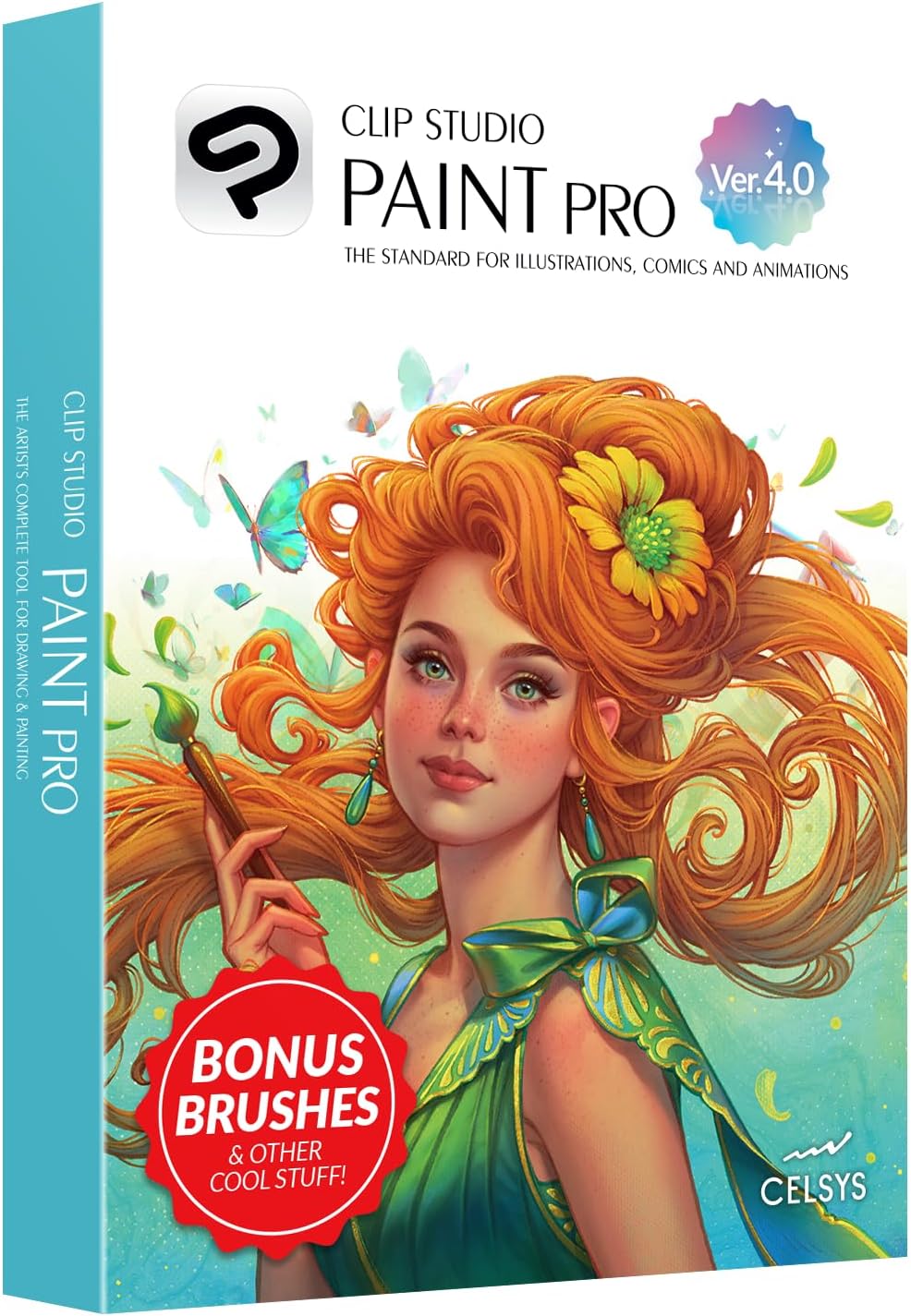
This listing offers Clip Studio Paint Pro Version 4 as a perpetual license for Windows and macOS. The listing highlights full-color comics, manga and illustration, a natural drawing brush engine, comic panel and speech bubble creation, 3D models for reference, and rulers for symmetry, perspective, curves and ellipses.
A perpetual license is attractive if you dislike subscriptions. Note that the listing specifies Version 4; newer versions may exist, so check whether the features you need are included and whether upgrades are offered.
Best suited for: Illustrators and comic artists on Windows or Mac who want a one-time purchase.
Key features:
- Perpetual license, Version 4
- Windows and macOS
- Panel, balloon and ruler tools
- 3D reference models
Pros:
- No subscription
- Excellent line art tools
- Strong painting capability too
Cons and limitations:
- Older version than the current release may be
- Desktop platforms only in this listing
Buying consideration: Confirm the version and license terms on the listing before purchase, especially if you plan to follow tutorials made for a newer release.
2. Beginner’s Guide to Digital Painting in Procreate — Best for iPad beginners

3dtotal Publishing’s guide covers how to create art on an iPad with Procreate. Procreate is easy to start but has deep features that beginners often miss, such as the brush studio, selection tools and blend modes.
A structured book helps you move past doodling into finished paintings.
Best suited for: New Procreate users and traditional artists trying iPad painting.
Key features:
- Procreate-specific
- Beginner level
- Paperback
Pros:
- Clear learning path
- Mid price tier
- Publisher known for digital art education
Cons and limitations:
- Only useful for iPad users
- Interface updates may differ slightly from the book
Buying consideration: Follow along with the book on your iPad rather than reading it all first.
3. Digital Painting in Photoshop: Industry Techniques for Beginners — Best for aspiring professionals

This title from 3DTotal Publishing is described as a comprehensive introduction to techniques and approaches for digital painting in Photoshop. If you aim to work in games, film or publishing, Photoshop fluency is one of the most transferable skills.
The focus on industry techniques makes it more career-oriented than general beginner books.
Best suited for: Beginners planning a professional path and Photoshop subscribers.
Key features:
- Photoshop-specific
- Industry techniques
- Paperback
Pros:
- Career-relevant skills
- Comprehensive introduction
- Transferable concepts
Cons and limitations:
- Requires a Photoshop subscription
- Upper-mid price tier
Buying consideration: Pair with daily practice on short studies to lock in the techniques.
4. A Guide to Digital Painting in Procreate: Landscapes and Plein Air — Best for landscape painters on iPad

This 3dtotal book narrows Procreate instruction to landscapes and plein air painting. Painting outdoors on an iPad is one of the device’s biggest advantages: no wet paint, no drying time and an entire studio in a bag.
It is a natural second book after a beginner Procreate guide.
Best suited for: Procreate users interested in landscapes and outdoor painting.
Key features:
- Procreate-specific
- Landscape and plein air focus
- Paperback
Pros:
- Subject-focused practice
- Encourages painting from life
- Mid price tier
Cons and limitations:
- Narrow subject
- Assumes Procreate basics
Buying consideration: Read the beginner guide first, or be comfortable with Procreate layers and brushes.
5. A Clip Studio Paint 5 User Guide for Beginners — Best for new Clip Studio users

Nathan Brightwell’s guide offers step-by-step lessons on setting up brushes, inking line art, coloring with layers and using 3D features, aimed at manga, webtoon and comic artists. The title references Clip Studio Paint 5.
Clip Studio has many tools, and a setup-focused guide helps beginners avoid getting lost. Be aware that the perpetual license listed above is Version 4, so some features in a Version 5 guide may differ.
Best suited for: Beginners using Clip Studio Paint for comics, manga or webtoons.
Key features:
- Brush setup, inking, layer coloring, 3D
- Targets Clip Studio Paint 5
- Paperback
Pros:
- Practical, task-based lessons
- Comic and webtoon focus
- Mid price tier
Cons and limitations:
- Version-specific; check against your software
- Less focus on painterly illustration
Buying consideration: Match the guide’s version to the version you buy.
6. Moho Pro 13.5 — Best for animating digital artwork

Moho Pro is an animation tool rather than a painting program. The listing highlights vector drawing tools, Photoshop PSD integration for importing and rigging bitmap characters and backgrounds, a bone-based rigging system, mesh deformation, physics and particles, and a timeline with graph mode.
It belongs here for painters who want to bring their illustrations to life: paint in Photoshop or another program, export PSD layers and animate them in Moho.
Best suited for: Illustrators and pros who want to animate painted characters and scenes.
Key features:
- 2D rigging with Smart Bones and IK/FK
- PSD import
- Physics, particles, timeline
- PC and Mac
Pros:
- Powerful 2D animation
- Works with painted PSD files
- Professional feature set
Cons and limitations:
- Not a painting program
- Highest price tier
- Steep learning curve
Buying consideration: Only buy it if animation is a real goal; painting software alone covers most illustrators.
Buying Guide: How to Choose Digital Painting Software
Start with your device
iPad points to Procreate, Fresco or Clip Studio. Windows and Mac open up Photoshop, Krita, Painter, Rebelle and Clip Studio. Linux users have Krita.
Decide on pricing model
One-time purchases (Procreate, perpetual licenses) suit hobbyists. Subscriptions keep you on the latest version. Free software like Krita removes risk entirely.
Match the art you make
Comics favor Clip Studio; natural-media painting favors Painter and Rebelle; photo-painting and concept art favor Photoshop.
Check your stylus and tablet
Confirm pressure and tilt support with your hardware before committing.
Try before you buy
Many programs offer trials. Spend a weekend painting the same subject in two programs.
Consider learning resources
Popular programs have more tutorials. A good book shortens the learning curve.
Common Mistakes to Avoid
- Buying the most expensive program first. Free and low-cost tools are fully capable for learning.
- Collecting brushes instead of painting. Master a handful before downloading more.
- Ignoring hardware. Software cannot fix a stylus without pressure support.
- Switching programs constantly. Pick one for three months before judging it.
- Working at low resolution. Set canvas size for your final output from the start.
- Not saving layered files. Keep working files in native or PSD format, not just exported JPEGs.
FAQs
What is the best digital painting software for beginners?
Procreate on iPad and Krita on desktop are the best starting points. Procreate is intuitive and a one-time purchase; Krita is free.
What do professional digital artists use?
Photoshop is the most common studio standard, often alongside Procreate for sketching and Clip Studio Paint for comics and line art.
Is there free digital painting software that is good?
Yes. Krita is free, open source and capable of professional work on Windows, macOS and Linux.
Is Clip Studio Paint good for painting or just comics?
It is excellent for both. It is best known for comics and line art but has a strong painting brush engine for illustration.
Do I need a drawing tablet for digital painting?
A pressure-sensitive pen device is strongly recommended. Painting with a mouse is possible but limits control over line weight and opacity.
Is Procreate available on Windows or Android?
No. Procreate runs on iPad. Windows and Android users can choose Clip Studio Paint, Krita or other alternatives.
Final Recommendation
Choose by device and goal. On iPad, start with Procreate and add the 3dtotal beginner guide. On a desktop with no budget, download Krita. If you draw comics or want a strong all-rounder without a subscription, the Clip Studio Paint Pro perpetual license is excellent value, and a beginner user guide will speed up setup. If you are aiming at a studio career, learn Photoshop with a focused book. Painters drawn to traditional media should trial Rebelle or Corel Painter, and illustrators who want to animate their work can look at Moho Pro once their painting workflow is settled.