Are you ready to bring your imagination to life by painting your very own digital characters? Whether you’re starting from scratch or have dabbled in drawing before, this guide will help you unlock the basics of digital character painting in a simple, step-by-step way.
You’ll learn how to use essential tools, pick the right brushes, and add colors and shading that make your characters pop off the screen. Imagine creating characters that not only look great but also express the personality you envision—all without feeling overwhelmed.
Stick with me, and by the end, you’ll have the confidence and skills to start painting digital characters that truly stand out. Let’s dive in!
Getting Started With Digital Painting
Starting with digital painting can feel challenging but exciting. It opens new ways to create characters with endless colors and styles. A clear setup and the right tools help improve your skills faster. This guide covers the basics to begin your journey in digital character painting.
Choosing The Right Software
Pick software that fits your needs and skill level. Popular choices include Photoshop, Krita, and Procreate. Each offers different tools for brushes, layers, and effects. Try free versions or trials first to see which feels easy to use. Focus on software with good tutorials and community support.
Setting Up Your Workspace
Create a comfortable and organized workspace. Good lighting reduces eye strain. A clean desk with enough room for your tablet or mouse is important. Arrange your tools and software shortcuts for quick access. Keep distractions away to stay focused during painting sessions.
Essential Hardware For Beginners
A drawing tablet makes digital painting easier and more natural. Entry-level tablets are affordable and work well for beginners. A computer or tablet with enough power to run your software smoothly is essential. Invest in a good screen with accurate colors to see your art clearly.
Mastering Basic Tools
Mastering the basic tools is the first step in painting digital characters. These tools help you create shapes, add colors, and bring your ideas to life. Understanding how to use them well makes your work easier and more fun.
Start by learning the brushes, layers, and selection tools. Each tool has a specific job and can change how your character looks. Practice using them to gain confidence and improve your skills.
Understanding Brushes And Settings
Brushes are like the paintbrushes in real life. They come in many shapes and sizes. Each brush can create different textures and lines. Adjusting the size, opacity, and hardness changes the stroke effect.
Experiment with soft brushes for smooth shading and hard brushes for sharp edges. Use pressure sensitivity if your tablet supports it. This gives more control over your strokes and makes your painting look natural.
Working With Layers And Modes
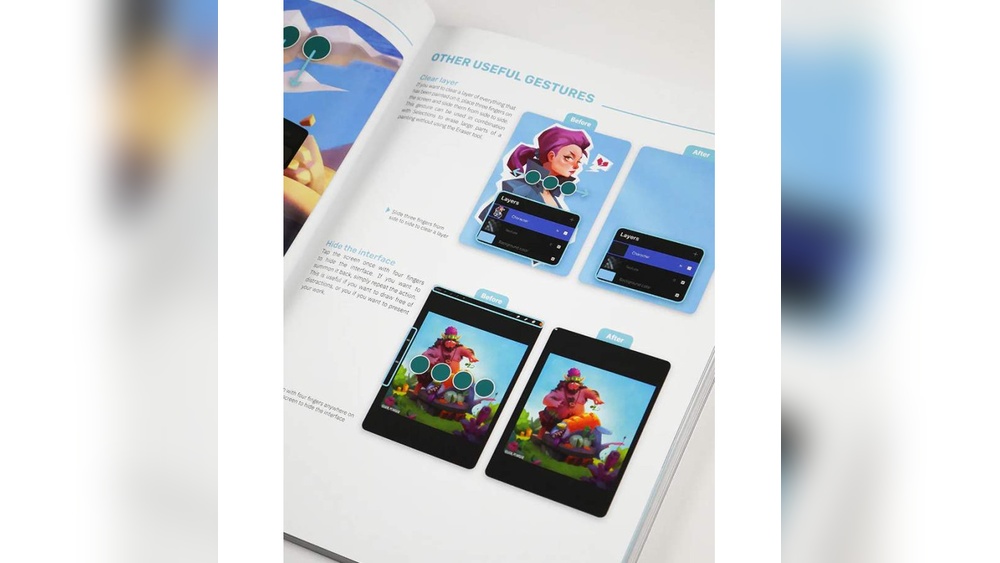
Layers are like sheets of transparent paper stacked on top of each other. They let you work on parts of your painting separately. You can change, hide, or delete layers without affecting the whole image.
Layer modes change how colors on one layer mix with colors on layers below. Try modes like Multiply for shadows or Screen for highlights. This helps add depth and light effects to your character.
Using Selection And Masking Techniques
Selection tools allow you to pick parts of your painting to edit only those areas. This saves time and prevents mistakes on other parts. Use shapes, lasso, or magic wand tools for selections.
Masking hides parts of a layer without deleting them. It lets you paint or erase safely. Masks keep your edits flexible and easy to change. Use them to add details or fix small errors in your character.
Sketching Your Character
Sketching your character is the first step in digital painting. It sets the foundation for the entire artwork. A good sketch helps you plan the pose, shapes, and details. It also guides you through the painting process smoothly.
Start with simple shapes and lines. Focus on the overall form before adding details. This approach saves time and reduces mistakes later. Keep your lines light and loose to allow easy changes.
Creating A Rough Outline
Begin by drawing a rough outline of your character. Use basic shapes like circles, ovals, and rectangles to block out the body parts. This helps you understand the character’s pose and size.
Don’t worry about details yet. Focus on getting the general shape right. Keep your strokes quick and soft. This makes it easier to adjust the sketch as you go.
Refining Line Art
After the rough outline is ready, create a cleaner line art. Use a smaller brush or pen tool for this step. Trace over your rough sketch with smooth, confident lines.
Erase or hide the rough sketch layer once the line art is complete. This keeps your work neat. Take your time to make the lines clear and consistent.
Tips For Proportions And Anatomy
Keep proportions simple and balanced. Use basic rules like the head size to measure the body length. This helps your character look natural and believable.
Study basic anatomy to improve your sketches. Focus on major muscle groups and joints. Understanding these areas helps create lifelike poses and movements.
Use reference images to check your work. They guide your drawing and improve accuracy. Practice often to build confidence in proportions and anatomy.

Credit: www.amazon.com
Adding Base Colors
Adding base colors is an important step in painting digital characters. This step sets the foundation for the entire artwork. Base colors help define the character’s overall look and mood. They make the painting process easier by separating different parts of the character. Beginners should focus on clear, simple colors before adding details.
Choosing A Color Palette
Start by selecting a color palette that fits your character’s style. Use colors that work well together. Pick a few main colors for skin, hair, clothes, and accessories. Keep the palette limited to avoid confusion. Soft, muted tones work well for realistic styles. Bright, bold colors suit cartoon or fantasy characters.
Applying Flat Colors
Apply flat colors to each part of your character. Use a solid brush to fill areas evenly. Avoid shading or blending at this stage. Flat colors help you see the character’s basic shapes and forms. Fill the skin, hair, and clothing with their chosen colors. Keep edges clean to separate each section clearly.
Organizing Colors With Layers
Use layers to keep your colors organized. Create separate layers for skin, hair, clothes, and other elements. This method allows easy editing without disturbing other parts. Name each layer clearly to find them quickly. Lock layers once you finish the base colors. Layers make adding details and shading simpler later.
Shading And Lighting
Shading and lighting bring digital characters to life. They add depth and make your artwork look realistic. Understanding how light interacts with surfaces helps create a strong visual impact. This section covers basic tips on shading and lighting for beginners.
Understanding Light Sources
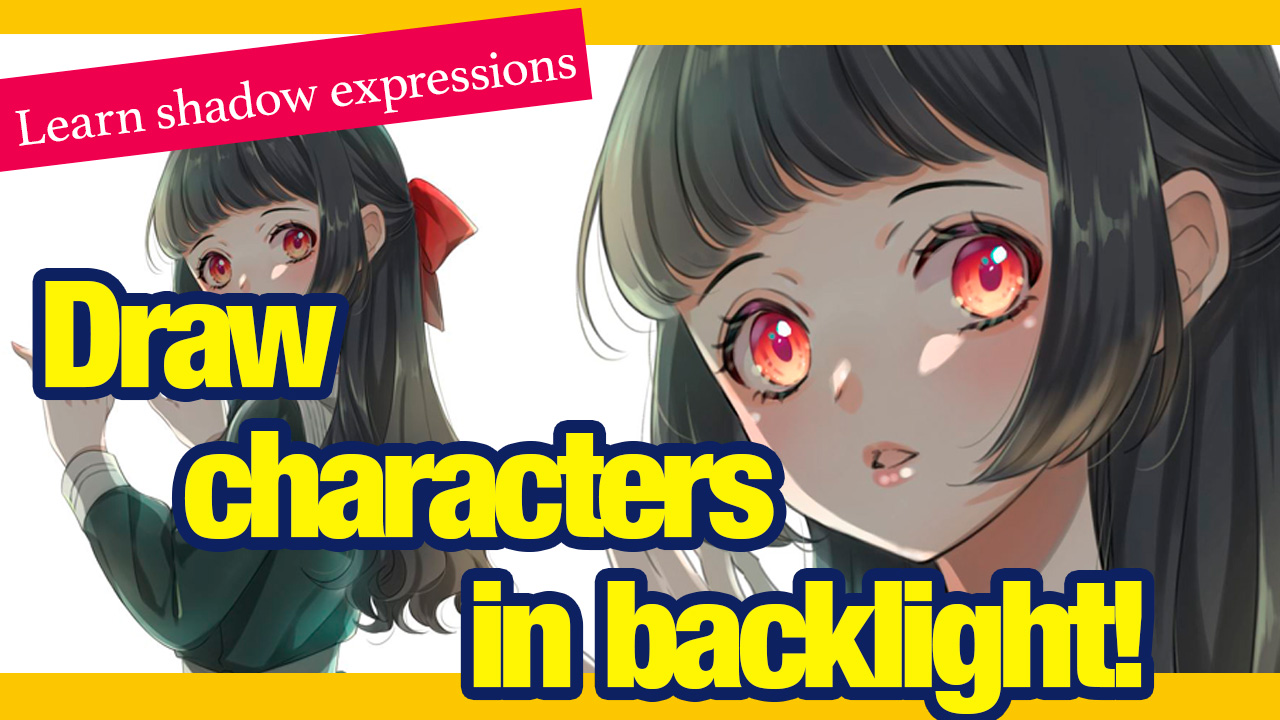
Light sources determine where shadows and highlights appear. Decide on the position of your light before painting. A single light source is easier to manage for beginners. Notice how light hits different parts of the character. The side facing the light is brighter, while the opposite side is darker.
Consider the type of light too. Soft light creates gentle shadows. Harsh light makes sharp shadows. This affects the mood and style of your character.
Using Shadows And Highlights
Shadows add volume and shape to characters. Place shadows on areas blocked from the light. Highlights show where light hits directly. Use them on raised parts like cheeks, nose, or hair.
Keep shadows cooler in tone and highlights warmer. This contrast makes the character more dynamic. Avoid using pure black or white; softer shades look more natural.
Blending Techniques For Smooth Transitions
Blending helps create smooth changes between light and dark areas. Use a soft brush or blending tool in your software. Gently mix colors without hard edges.
Build up layers gradually. Start with broad shadows, then add smaller details. This technique makes the character look polished and realistic.
Credit: medibangpaint.com
Detailing Your Character
Detailing your digital character brings it to life. This stage adds depth and personality. Focus on small elements that make your character unique. Careful detailing improves the overall look. It shows your skill and attention to detail.
Use different tools to add textures, define facial features, and dress your character. Each detail helps tell a story. Take your time and enjoy the process.
Adding Textures And Patterns
Textures give your character a natural feel. Use brushes that mimic real materials like skin, fabric, or metal. Patterns add interest and style. Try simple shapes or repeating designs on clothing or skin. Use layers to apply textures without changing the base color. Adjust opacity to blend textures smoothly.
Enhancing Facial Features
Faces show emotion and personality. Focus on eyes, nose, mouth, and eyebrows. Use soft brushes for skin shading and highlights. Add shadows under the cheekbones and around the eyes for depth. Small highlights in the eyes make them look lively. Keep features balanced and natural. Avoid over-detailing to keep the face clear.
Incorporating Clothing And Accessories
Clothing adds character and style. Paint folds and wrinkles to show fabric texture. Use shadows to create volume and shape. Accessories like jewelry or belts add personality. Paint small details carefully to avoid clutter. Match colors and styles with the character’s theme. Layer clothing elements to add realism.
Final Touches
Final touches give your digital character painting a polished, professional look. These last steps enhance details and improve the overall feel. A well-finished piece captures attention and expresses your style clearly.
Take your time with final adjustments. Small changes can make a big difference in how your artwork appears. Focus on effects, color balance, and preparing the image for sharing.
Adding Effects And Glow
Effects add mood and depth to your character. Use soft brushes to create glows around light sources. Add subtle shadows for realism. Glow effects make eyes, magic, or highlights stand out. Keep effects light to avoid overpowering the painting.
Adjusting Colors And Contrast
Colors and contrast shape the mood and focus. Increase contrast to make your character pop. Adjust brightness to balance light and dark areas. Use color sliders to tweak hues for harmony. Avoid extreme changes to keep natural tones. Check your painting on different screens for consistency.
Preparing Your Artwork For Sharing
Save your file in high quality formats like PNG or TIFF. Resize images for web use to speed up loading. Add a simple watermark if desired to protect your work. Check that colors remain accurate after exporting. Use descriptive filenames with keywords to help others find your art online.

Credit: www.youtube.com
Practice Tips For Improvement
Improving your digital character painting skills takes time and focused practice. Consistent effort helps you build confidence and develop your unique style. The right practice methods can speed up your progress. Try these simple tips to enhance your skills steadily.
Creating Daily Sketches
Draw every day, even simple sketches. Short daily sessions keep your hand steady and your ideas fresh. Focus on different character poses and expressions. This habit improves your observation and drawing speed. Use basic shapes to build character forms quickly.
Studying References And Tutorials
Look at photos, artwork, and videos to learn new techniques. Study how light and shadow work on faces and bodies. Follow step-by-step tutorials to understand layers and brush settings. Practice copying to grasp shapes and colors. Then, try creating your own versions.
Joining Digital Art Communities
Connect with other artists online to share your work and get feedback. Communities offer support and new ideas. Participate in challenges to push your limits. Ask questions and learn from experienced artists. This interaction keeps you motivated and inspired.
Frequently Asked Questions
What Is The 70/30 Rule In Character Design?
The 70/30 rule in character design means 70% of the design should be simple, 30% detailed. This balance keeps characters clear and interesting.
How To Start Digital Painting As A Beginner?
Start digital painting by choosing user-friendly software like Procreate or Photoshop. Learn basic tools, practice sketching, experiment with brushes, and understand layers. Watch tutorials and practice regularly to improve skills and develop your unique style.
What Is The 80/20 Rule In Painting?
The 80/20 rule in painting means 80% of effort creates 20% of results, focusing on key areas boosts efficiency and impact.
What Is The 70 30 Rule In Drawing?
The 70 30 rule in drawing means dedicating 70% of effort to observation and 30% to actual sketching. It improves accuracy and detail.
Conclusion
Painting digital characters starts with simple steps and steady practice. Use layers and brushes to build your work carefully. Study light and shadow to add depth and life. Don’t rush; take your time with each detail. Keep experimenting with colors and styles to find your own voice.
Remember, every artist improves by creating often and learning from mistakes. Enjoy the process and watch your skills grow day by day. Digital painting is a fun way to express your creativity clearly. Keep painting, and your characters will come alive beautifully.