
PaintingProGuide is reader-supported. When you buy through links on this page we may earn an affiliate commission at no extra cost to you.
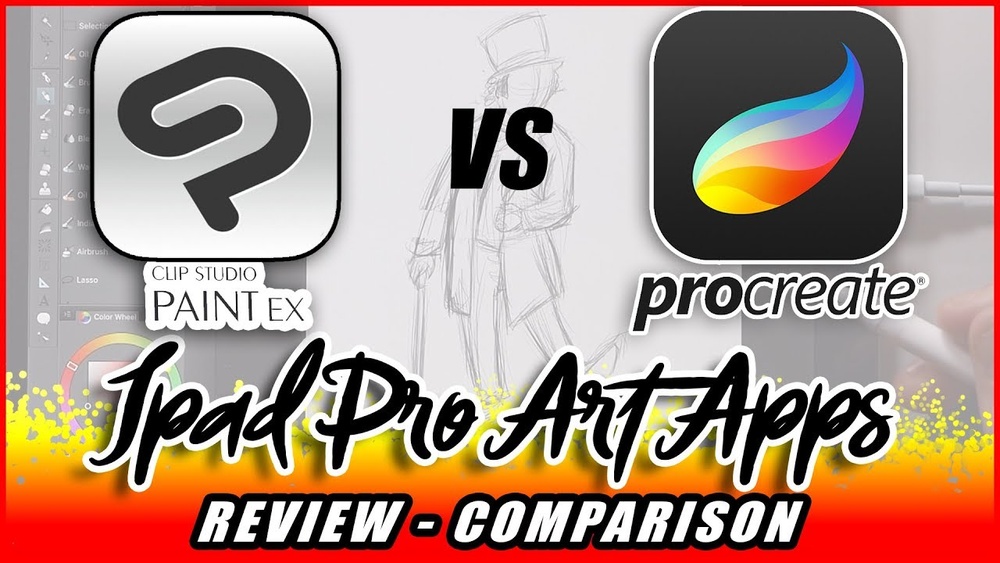
Ask ten digital artists for a Clip Studio Paint vs Procreate comparison and you will get ten answers that all start with “it depends on what you draw.” That is true, but it is not useful on its own. The practical difference is this: Procreate is a painting app that happens to be brilliant on an iPad, while Clip Studio Paint is a full illustration and comics production suite that happens to also run on an iPad. One is optimized for the pleasure of making marks; the other is optimized for finishing complex projects.
This page walks through where each program is clearly stronger, where they are roughly equal, what each costs over time, and which to pick for seven common artist profiles. Since neither program ships in a box, the product section covers printed guides that shorten the learning curve for whichever one you choose.
Quick answer: Pick Procreate if you paint, sketch or illustrate single images on an iPad and want the simplest, fastest tool with a one-time price. Pick Clip Studio Paint if you make comics, manga or webtoons, need vector line art, lettering and page management, or want the same program on desktop and tablet. If you own both an iPad and a computer and draw a mix of things, Clip Studio is the more complete single choice; Procreate is the more enjoyable one.
Our Top Picks at a Glance
- Procreate — Best for iPad painting, sketching and single illustrations
- Clip Studio Paint Pro — Best for illustrators who want vector tools and desktop access
- Clip Studio Paint EX — Best for comics, manga, webtoons and animation
Clip Studio Paint vs Procreate: Feature Comparison
| Category | Clip Studio Paint | Procreate |
|---|---|---|
| Devices | Windows, macOS, iPad, iPhone, Android, Chromebook | iPad (Procreate Pocket on iPhone) |
| Pricing | One-time desktop license or subscription; mobile is subscription | Single one-time purchase |
| Brush engine | Highly customizable, large asset store, strong stabilization | Excellent feel, large default library, easy custom brushes |
| Vector layers | Yes, with vector eraser and line width editing | No |
| Comics tools | Panels, balloons, rulers, tones, multi-page (EX) | None dedicated |
| Text | Full text tool with fonts, balloons and vertical text | Basic text tool |
| 3D reference | Poseable 3D figures and primitives built in | 3D model painting, no poseable figures |
| Animation | Timeline; frame limits in Pro, unlimited in EX | Animation Assist; full animation in Procreate Dreams |
| Learning curve | Steep; dense interface | Gentle; minimal interface |
| Export | PSD, PNG, JPG, PDF, print-ready comic export | PSD, PNG, JPG, PDF, time-lapse video |
How We Chose
The software comparison relies on the publicly documented feature sets, platform support and licensing models of each program. The book recommendations draw on Amazon listing details checked in October 2026 and on how widely each title is reviewed by Amazon buyers. We have not run side-by-side performance tests for this article and do not make claims about brush lag or rendering speed, which vary by device.
- Device compatibility with what artists already own.
- Total cost over several years, not launch price.
- Toolset depth for painting versus comics production.
- Ease of learning and the volume of instruction available.
- Interoperability through PSD export.
Where Clip Studio Paint Wins
Comics, manga and webtoons
Clip Studio Paint was built for sequential art. Panel cutting tools, perspective and symmetry rulers, speech balloons with tails, screentones, frame borders and (in EX) multi-page story files with export for print and webtoon formats are all native. Procreate has no equivalent; comic artists using it typically assemble pages in another program.
Vector line art
Clip Studio’s vector layers let you redraw, thin, thicken and erase lines at intersections after the fact. For clean inked line work this is a decisive advantage. Procreate’s lines are raster only, so an inking mistake means redrawing.
Cross-platform work
Draw on the iPad on the train, open the same .clip file on a Windows desktop at home. Procreate files live on the iPad unless exported.
Reference and productivity tools
Poseable 3D figures, a huge community asset library, auto-actions (macros) and extensive color management features make Clip Studio feel like a production tool rather than a sketchbook.
Where Procreate Wins
Speed of learning
Procreate hides almost everything behind a few icons and gestures. New users paint within minutes; the manual is short. Clip Studio’s window-heavy interface takes weeks to feel natural.
Painting feel
Many painters describe Procreate’s brush response with Apple Pencil as the most natural on any tablet, with intuitive smudging and blending. Clip Studio’s brushes are deeply configurable, but you often have to tune them to get the same immediacy.
Simple pricing
One purchase, free updates, no account, no subscription. Clip Studio’s licensing varies by platform and version, and the mobile versions require a subscription.
Sharing and process recording
Procreate records a time-lapse of every canvas automatically, which has made it the default for process videos on social media.
Where They Are Roughly Equal
- Layer features: both offer blending modes, clipping masks, alpha lock and groups.
- Selection and transform tools: both handle warping, liquify-style distortion and perspective transforms.
- Color tools: both include palettes, harmony tools and eyedroppers; Clip Studio adds more color-management options.
- Export: both export layered PSD, so work moves between them with layers intact.
- Professional adoption: both are used in published, commercial work every day.
Cost Over Three Years
Procreate is a single purchase; three years of use cost what you paid on day one. Clip Studio Paint on desktop can be a one-time license (which stays at the version you bought) or a subscription that includes updates and mobile access. On iPad alone, Clip Studio is subscription-only after a trial. If you want the lowest lifetime cost on an iPad, Procreate is cheaper. If you need desktop plus tablet, compare Clip Studio’s current plans against buying two separate programs.
A Typical Workflow in Each Program
Finishing an illustration in Procreate
A Procreate session usually starts with a rough sketch on one layer, a cleaner line layer above it at reduced opacity, and flat colors blocked in below using the drag-and-drop fill. Shading happens with clipping masks and alpha lock so colors stay inside their shapes, blending is done with the smudge tool or soft airbrushes, and finishing touches use adjustment layers for curves, hue shifts and gradient maps. The whole process is touch-driven: two fingers to undo, pinch to zoom, hold to eyedrop. Export is a tap to PSD, PNG or a time-lapse video.
Producing a comic page in Clip Studio Paint
Clip Studio starts further back. You set up a page template with bleed and trim marks, cut panels with the frame border tool, rough thumbnails, then ink on vector layers so you can correct line weight afterward. Flats go on raster layers under the inks, often with the auto-fill reference tools that respect vector lines. Screentones, speech balloons and text are added with their dedicated tools, and in EX the whole chapter sits in one story file that exports to print PDF or webtoon strips. It is more steps, but each step has a purpose-built tool.
The contrast is the whole comparison in miniature: Procreate removes friction from making a picture; Clip Studio removes friction from making a publication.
Verdict by Artist Profile
- Hobbyist painter with an iPad: Procreate.
- Comic, manga or webtoon creator: Clip Studio Paint EX.
- Freelance illustrator delivering layered files to clients: either works; Clip Studio if you also need desktop, Procreate if you work only on iPad.
- Concept artist or character designer: Procreate for ideation speed; Clip Studio if 3D posing and vector cleanup matter.
- Animator: Clip Studio EX for frame-heavy work; Procreate Dreams if you are committed to the iPad ecosystem.
- Student on a budget with an iPad: Procreate.
- Artist with a Windows PC and no iPad: Clip Studio Paint, since Procreate is not an option.
Best Books for Learning Clip Studio Paint and Procreate
These are the current Amazon listings for printed guides to each program. Our notes are drawn from the listing titles and authors; we have not reviewed these editions page by page.
1. Digital Painting Made Simple (Sara Tepes) — Best for learning portrait painting across both programs

Sara Tepes’ book is the one title here that covers Clip Studio Paint, Procreate and Photoshop together, focused on captivating portraits. That makes it uniquely useful if you have not yet decided between the two programs or plan to use both.
It is also the lowest-priced book in the list, which makes it a sensible first purchase.
Best suited for: Portrait and character painters who want technique that transfers between Procreate and Clip Studio.
Key features:
- Covers Clip Studio Paint, Procreate and Photoshop
- Portrait painting focus
- Paperback
- Lowest price tier among these books
Pros:
- Program-agnostic technique
- Affordable
- Portrait emphasis suits many beginners
Cons and limitations:
- Less depth on any single program’s interface
- Not a comics guide
- Software screenshots may lag updates
Buying consideration: Buy this first if you are still deciding; buy a program-specific guide second.
2. Clip Studio Paint for Beginners 2026 (Adams A.D. Smith) — Best for a current Clip Studio beginner guide

This 2026-dated guide covers sketching, inking, coloring and creating finished artwork in Clip Studio Paint, aimed squarely at beginners.
The recent edition date matters for Clip Studio, whose interface and licensing have changed in recent versions.
Best suited for: First-time Clip Studio users who want a practical, up-to-date walkthrough.
Key features:
- 2026 edition
- Sketching, inking and coloring workflow
- Beginner level
- Paperback
Pros:
- Current edition
- Workflow-based structure
- Low-to-mid price
Cons and limitations:
- Does not cover EX-only comic page management in depth, based on the title
- Single author, newer title
- Not for Procreate users
Buying consideration: A good companion for the Pro edition; comic creators should add a manga-specific guide.
3. Learn Clip Studio Paint (Inko Ai Takita and Liz Staley) — Best for manga, comics and animation in Clip Studio

Co-written by Inko Ai Takita and Liz Staley, this guide targets manga, comics and animation, which is exactly where Clip Studio outclasses Procreate.
If the comparison above sent you to Clip Studio for sequential art, this is the most relevant book listed.
Best suited for: Aspiring comic artists and animators learning Clip Studio Paint.
Key features:
- Manga, comics and animation focus
- Beginner’s guide format
- Two authors
- Paperback
Pros:
- Covers Clip Studio’s strongest features
- Includes animation
- Structured for beginners
Cons and limitations:
- Upper-mid price tier
- Painters may want a different title
- Check edition against your version
Buying consideration: Pairs naturally with Clip Studio EX.
4. Procreate for iPad 2026 (Briar Hollis) — Best for a complete Procreate reference

Briar Hollis’ 2026 guide spans beginner to expert and covers digital art, illustration and animation in Procreate.
For Procreate users it is the broadest single reference in the current listings.
Best suited for: Procreate artists who want one book that covers everything from gestures to Animation Assist.
Key features:
- 2026 edition
- Beginner-to-expert scope
- Covers illustration and animation
- Paperback
Pros:
- Current
- Comprehensive
- Includes animation basics
Cons and limitations:
- Mid-to-upper price tier
- Broad scope limits depth per topic
- iPad only, like the app
Buying consideration: Procreate’s free handbook covers the basics; this adds structure and projects.
5. Beginner’s Guide to Digital Painting in Clip Studio Paint (3dtotal) — Best for painting-focused Clip Studio instruction

3dtotal’s guide features tutorials by professional artists and treats Clip Studio as a painting program rather than a comics tool, which is useful for Procreate-style painters who chose Clip Studio for its platform reach.
3dtotal’s books are known for dense, well-illustrated step-by-step pages.
Best suited for: Painters and illustrators using Clip Studio Paint who want professional worked examples.
Key features:
- 3dtotal Publishing
- Tutorials by professional artists
- Digital painting focus
- Beginner level
Pros:
- Strong visual tutorials
- Multiple contributors
- Painting rather than comics emphasis
Cons and limitations:
- Less on comic tools
- Mid price tier
- May predate the latest interface
Buying consideration: The best Clip Studio book for someone who almost chose Procreate.
Buying Guide: How to Decide Between Clip Studio Paint and Procreate
What you own
No iPad means no Procreate. A Windows or Android device means Clip Studio by default.
What you finish
Single images favor Procreate’s simplicity. Multi-page or multi-panel projects favor Clip Studio’s structure.
Raster or vector line work
If you ink and want to edit lines later, you need Clip Studio’s vector layers.
Subscription tolerance
Procreate avoids subscriptions entirely. Clip Studio on mobile requires one; on desktop you can choose.
Time to learn
Budget a weekend for Procreate and several weeks for Clip Studio. Books and courses compress both.
Collaboration
If you hand files to editors, letterers or printers, Clip Studio’s export options and page management are built for that pipeline.
Future-proofing
Clip Studio’s platform spread protects you if you change devices. Procreate ties you to Apple.
Tutorials to Try Next
Clip Studio newcomers should start with how to do digital painting in Clip Studio Paint and, for sequential work, digital manga art in Clip Studio. Procreate users can refine finished pieces with color grading in Procreate.
Common Mistakes to Avoid
- Starting a graphic novel in Procreate and discovering there is no page management halfway through.
- Assuming Clip Studio’s desktop one-time license includes the iPad version; mobile is a separate subscription.
- Judging Clip Studio in the first week; the interface rewards a month of use.
- Ignoring PSD export and locking your archive into one native format.
- Buying a 2019 instruction book for 2026 software.
- Choosing by social media popularity rather than by the work you actually want to finish.
FAQs
Is Clip Studio Paint harder to learn than Procreate?
Yes. Clip Studio has a dense, window-based interface and far more features. Procreate is designed for immediate use with minimal menus. Most beginners are productive in Procreate within hours and in Clip Studio within weeks.
Can Procreate make comics?
You can draw comic pages in Procreate, but it has no panel tools, speech balloons, screentones or multi-page management. Clip Studio Paint, especially EX, is purpose-built for comics.
Does Clip Studio Paint work on iPad as well as Procreate?
It runs well on iPad and supports Apple Pencil, but it uses a subscription on iPad and has a heavier interface. Procreate remains the more fluid iPad painting experience.
Which is cheaper, Clip Studio Paint or Procreate?
On iPad, Procreate is cheaper over time because it is a one-time purchase. On desktop, Clip Studio offers a one-time license whose value depends on how long you keep that version.
Can I use both programs together?
Yes. Export layered PSD files from one and open them in the other. Many artists sketch in Procreate and finish or letter in Clip Studio.
Which has better brushes?
Procreate is widely praised for out-of-the-box brush feel. Clip Studio offers deeper customization and a huge asset store, so advanced users can build any brush they want.
Final Recommendation
For painting, sketching and illustration on an iPad, Procreate is the more enjoyable tool and the cheaper one over time. For comics, manga, vector inking, lettering and anything that must move between tablet and desktop, Clip Studio Paint is the more capable program, with EX the edition for serious sequential art.
If you genuinely cannot decide, start with Sara Tepes’ cross-program book, try Clip Studio’s free trial on whatever device you own, and let the work you actually finish tell you which one to keep.


One Comment