PaintingProGuide is reader-supported. When you buy through links on this page we may earn an affiliate commission at no extra cost to you.
Painting on the go changes what “best” means. A tablet that is superb on a desk can be a burden in a backpack, and a long spec sheet is worth little if the battery dies halfway through a train ride. The best portable tablets for digital painting balance four things: a screen big enough to compose on, a pen that does not need babysitting, a battery that outlasts your session and a body light enough that you actually bring it.
We compared seven options from the October 2026 listings, ranging from an 8-inch pocket sketcher to a 14-inch standalone canvas, plus one ultra-thin screenless tablet for painters who travel with a laptop.
Quick answer: The Wacom MovinkPad 11 is the strongest portable painting tablet in this group, with a battery-free Pro Pen 3, matte etched glass, 8GB RAM and a listed weight of 1.3 lb. For the biggest screen you can still carry, pick the UGEE 14.25 inch standalone. On a tighter budget, the RubensTab T12 or PicassoTab A10 bring laminated screens without the premium price.
Our Top Picks at a Glance
- Wacom MovinkPad 11 — Best overall portable painting tablet
- UGEE 14.25 in Standalone Drawing Pad — Best large screen for travel
- RubensTab T12 — Best 12-inch value with tilt support
- PicassoTab A10 — Best compact laminated tablet
- RubensTab T11 Pro — Best with a built-in stand case
- Frunsi T8 — Best for long battery and pocket size
- UGEE M708 — Best for painters who travel with a laptop
| Product | Best For | Key Spec | Key Strength | Price Tier |
|---|---|---|---|---|
| Wacom MovinkPad 11 | Serious mobile painting | 11.45 in, 8GB/128GB, Pro Pen 3 | Etched glass, battery-free pen | $$$ |
| UGEE 14.25 in Standalone | Biggest canvas you can carry | 14.25 in 2.4K, 8GB/256GB | 10000mAh battery, 760g | $$$ |
| RubensTab T12 | 12-inch value | 12 in FHD laminated, 6GB/128GB | Tilt, Krita and Infinite Painter preloaded | $$$ |
| PicassoTab A10 | Compact and light | 10 in laminated, 6GB/64GB | Android 14, accessory bundle | $$$ |
| RubensTab T11 Pro | Table sketching | 10.1 in FHD, Android 12 | Adjustable stand case | $$$ |
| Frunsi T8 | Pocket sketching | 8 in, 4GB/64GB | Up to 20 hours listed | $$$ |
| UGEE M708 | Laptop travelers | 10 x 6 in screenless | No battery to charge | $$ |
How We Chose
None of these tablets were tested by us. We based our picks on Amazon listing details and specifications checked in October 2026, on how well each tablet’s size, battery, pen and weight suit painting away from a desk, and on how widely each product is reviewed by Amazon buyers.
- Portability: listed weight, thickness and screen size.
- Battery: capacity and listed runtime.
- Pen: battery-free versus rechargeable, pressure levels, tilt.
- Screen: lamination, matte or etched surfaces for outdoor glare, resolution.
- Memory: RAM and storage, which limit canvas size and layers.
Best Portable Tablets for Digital Painting Reviewed
1. Wacom MovinkPad 11 — Best Overall Portable Painting Tablet

The MovinkPad 11 is Wacom’s answer to painting without a computer. The listing describes an 11.45-inch Android 14 tablet with 8GB memory and 128GB storage, a slim battery-free Pro Pen 3 with 8,192 pressure levels and three buttons, and replacement nibs stored in the pen’s back end. The display uses matte etched glass for a paper-like texture that cuts glare and fingerprints.
At a listed 1.3 lb, it weighs less than most laptops. It ships with the Wacom Canvas app, two years of Clip Studio Paint Debut and trials of ibis Paint, Magma and Artwod training. A tap-and-hold gesture launches Wacom Canvas instantly, which is handy for catching quick ideas. The listing also notes support for compatible digital pens from Dr. Grip, LAMY and STAEDTLER.
Best suited for: experienced painters who want a premium pen experience on the move.
Key features
- 11.45 in display, matte etched glass
- Android 14, 8GB RAM, 128GB storage
- Battery-free Pro Pen 3, 8,192 levels, 3 buttons
- Clip Studio Paint Debut for 2 years
Pros
- Pen never needs charging
- Etched glass helps outdoors
- Light for its size
Cons
- Highest price tier here
- Bundled Clip Studio is the Debut edition, not PRO
Buying consideration: The two-year Clip Studio Paint Debut license is a good start, but serious painters may want to upgrade the app later for more features.
2. UGEE 14.25 in Standalone Drawing Pad — Best Large Portable Screen

If small screens frustrate you, this UGEE pushes the portable format to 14.25 inches while staying at a listed 6.95mm thick and 760g. It runs Android 14 on a 6nm octa-core processor with 8GB RAM and 256GB storage, and the 2.4K display has a paper-like NanoMatte finish.
The listing highlights a 10000mAh battery with 27W fast charging, TÜV Rheinland-certified low blue light and a U-Key that switches between Regular, Ink Paper and Color Paper display modes. Pressure is listed at 4,096 levels.
Best suited for: painters who want room to compose landscapes and full illustrations while traveling.
Key features
- 14.25 in 2.4K NanoMatte display
- 8GB RAM, 256GB storage
- 10000mAh battery, 27W fast charging
- Low blue light certification
Pros
- Largest canvas in this list
- Most storage here
- Large battery
Cons
- Needs a bigger bag
- 4,096 pressure levels, lower than the Wacom pen
Buying consideration: A 14-inch tablet fits most laptop backpacks but not small sling bags. Measure your bag first.
3. RubensTab T12 — Best 12-Inch Value

The T12 hits a middle ground: big enough to paint comfortably, small enough to carry daily. The listing describes a fully laminated 12-inch Full HD display, 4,096 pressure levels, 60° tilt support, an octa-core CPU, 6GB RAM and 128GB storage. It comes loaded with Sketchbook, Krita, Infinite Painter and FlipaClip.
The box includes a case, drawing glove, universal power adapter and pre-applied screen protector. Tilt support makes it one of the few budget standalones that can use angle-aware brushes.
Best suited for: students and hobbyists who want a capable everyday tablet without the premium price.
Key features
- 12 in laminated FHD display
- 4,096 levels with 60° tilt
- 6GB RAM, 128GB storage
- Krita and Infinite Painter preloaded
Pros
- Good screen size for portability
- Tilt support
- Useful accessory bundle
Cons
- Battery capacity not stated on the listing
- Full HD is less sharp than 2K at 12 in
Buying consideration: Ask or check the product page for battery life if you plan long sessions away from power.
4. PicassoTab A10 — Best Compact Laminated Tablet

The A10 is a light 10-inch tablet with a laminated screen, a 4,096-level active pen, an octa-core processor, 6GB RAM and 64GB storage expandable to 1TB, running Android 14. Five creative apps come preloaded, along with lifetime upgrades for Concepts and Artixo tutorials, a case, glove, power adapter and screen protector.
Best suited for: beginners, younger artists and anyone who wants a light tablet for commuting.
Key features
- 10 in laminated screen
- 6GB RAM, 64GB storage, expandable
- Android 14
- Bundled apps and accessories
Pros
- Easy to carry daily
- Laminated screen at a lower tier
Cons
- Smaller canvas
- Base storage is modest
Buying consideration: Add a microSD card and back up to the cloud when you have Wi-Fi.
5. RubensTab T11 Pro — Best with a Stand Case

The T11 Pro’s included adjustable stand case gives you an angled surface on cafe tables and trays. The listing describes a 10.1-inch Full HD IPS screen, a battery-free pen and a 5800mAh battery rated for up to five hours, running Android 12.
Pressure sensitivity is listed at 1,024 levels, the lowest here, which limits subtle opacity control.
Best suited for: casual sketching and note-taking with a convenient stand.
Key features
- 10.1 in FHD IPS
- Battery-free pen
- 5800mAh, up to 5 hours
- Stand case included
Pros
- Stand built into the case
- No pen charging
Cons
- Shorter battery life than others here
- Lower pressure levels and older Android
Buying consideration: Carry a power bank if you expect sessions longer than a few hours.
6. Frunsi T8 — Best Pocket Sketcher
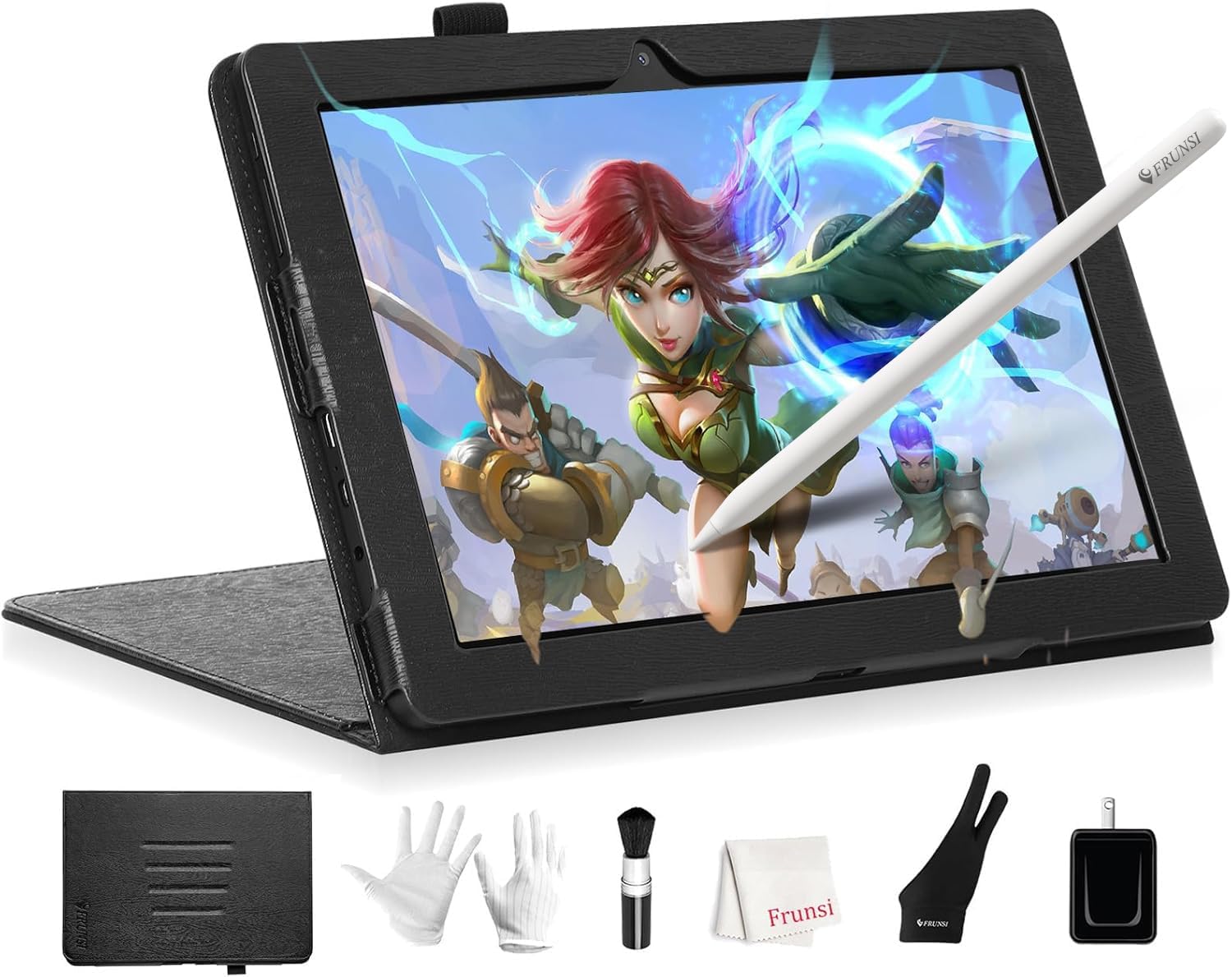
The T8 is the most pocketable option, with an 8-inch 1200 x 800 display, Android 13, 4GB RAM and 64GB storage expandable to 256GB. Its 4000mAh battery is rated for up to 20 hours of drawing, and the listing names SketchBook, ArtFlow and ibis Paint X support. Pressure is 2,048 levels.
Best suited for: quick studies, urban sketching and color thumbnails.
Key features
- 8 in screen
- Up to 20 hours listed
- Android 13
- 2,048 levels
Pros
- Smallest and lightest standalone here
- Long listed runtime
Cons
- Low resolution for finished work
- 4GB RAM
Buying consideration: Use it for ideas and studies, then finish larger pieces on a bigger device.
7. UGEE M708 — Best for Painters Who Travel with a Laptop
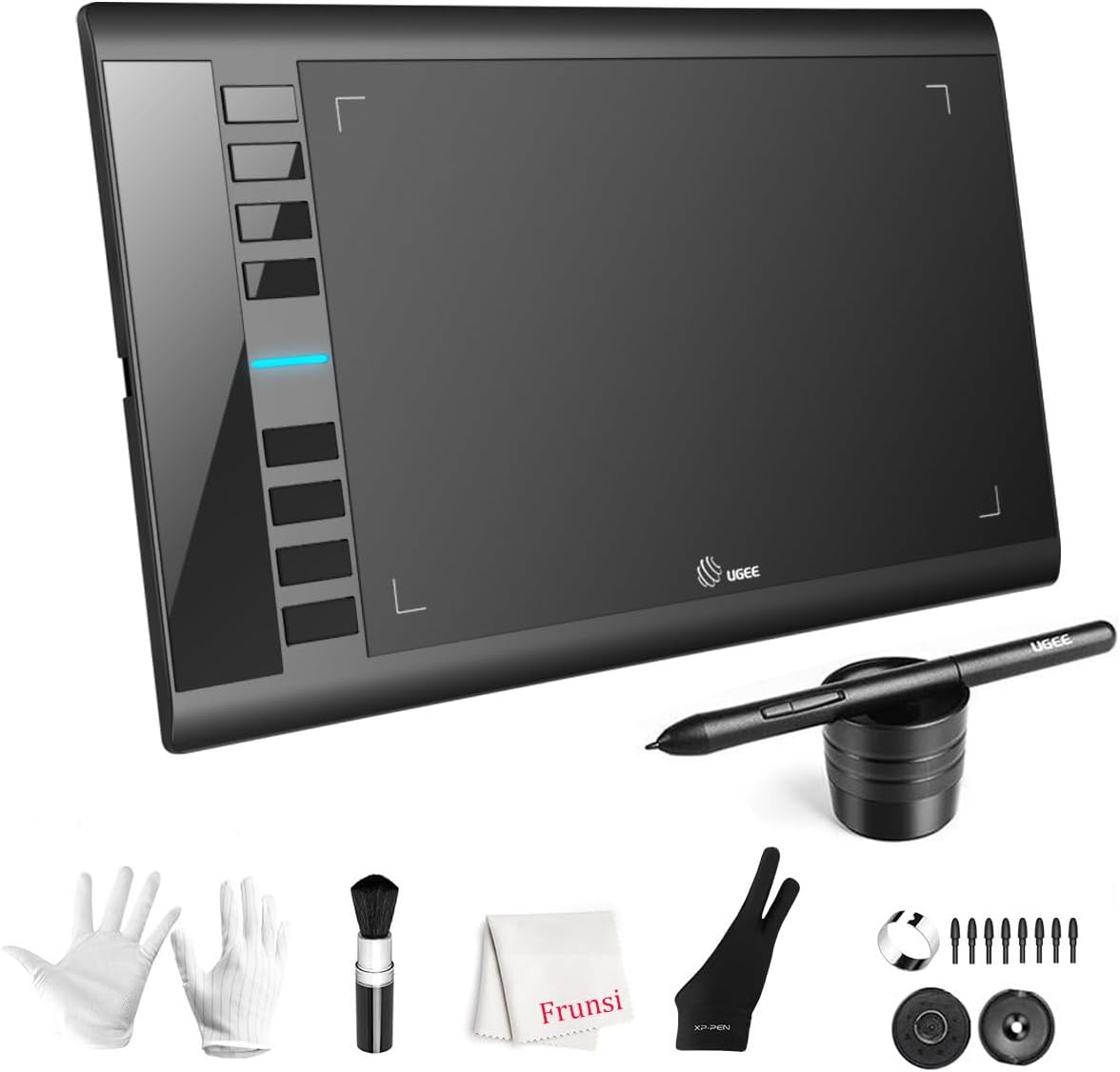
If your laptop already goes everywhere, a screenless tablet is the lightest way to bring pressure-sensitive painting along. The M708 has no screen and no battery, so there is nothing to charge. It offers a 10 x 6 inch active area, 16,384 pressure levels and eight express keys, with USB-C adapters. The listing also names Android 10 or later compatibility.
Best suited for: laptop painters who want full desktop software on the road.
Key features
- 10 x 6 in area
- 16,384 levels
- 8 express keys
- USB-C adapters included
Pros
- No charging
- Full desktop app power via your laptop
Cons
- Needs a laptop and a flat surface
- Wide for small tray tables
Buying consideration: On a 13-inch laptop, map only part of the tablet area to keep strokes in proportion.
Buying Guide: How to Choose Portable Tablets for Digital Painting
Screen size versus bag size
Ten to twelve inches is the sweet spot for most people: big enough to compose, small enough for everyday bags. Fourteen inches is a mobile studio but needs a laptop-size bag. Eight inches is a sketchbook.
Pen power source
Battery-free pens, like those on the MovinkPad, T11 Pro and M708, remove one more thing to charge. When you travel, every device you do not need to charge is a win.
Battery and charging
Painting apps with large brushes drain batteries faster than reading or browsing. Listed runtimes are best-case figures. Fast charging, like the 27W listed on the UGEE 14.25, helps you top up during short breaks.
Matte and etched displays for outdoor work
Glossy screens reflect sky and windows. Matte, etched or paper-like finishes reduce glare and give the nib some tooth. If a tablet lacks one, add a matte screen protector.
Memory for real paintings
Portable tablets still need enough RAM for layers. 6GB is a comfortable minimum for finished paintings; 8GB gives more headroom for large canvases.
Durability and protection
A case that doubles as a stand protects the screen and gives a better drawing angle. Several tablets here include one; budget for one if not.
Standalone Tablet or Laptop Plus Pen Tablet?
There are two ways to paint on the move, and the right one depends on what else you carry. A standalone tablet is one device: open the case, pick up the pen, paint. It suits trains, couches, waiting rooms and anywhere without a proper table. You work in mobile apps, which are now very capable, but file management and app choice are more limited than on a computer.
A laptop plus a screenless tablet gives you the full desktop program you use at home, with the same brushes, plugins and file formats. You need a table, two devices and a bit more setup time. For painters who travel for work and already carry a laptop, this is often the lighter total load.
A useful test is to picture where you will actually paint. If it is mostly hotel desks and cafes with tables, the laptop route works. If it is laps, parks and public transport, a standalone tablet wins easily.
Tips for Painting Away From the Desk
- Turn screen brightness down a notch to stretch battery life, and close background apps before a long session.
- Set your app to auto-save frequently, and back up when you reach Wi-Fi.
- Keep a small cloth for wiping fingerprints off matte screens.
- Wear a two-finger drawing glove to stop your palm smudging the screen.
- Paint quick value studies of what you see; travel is ideal for practicing observation.
- Pack the charging cable and a compact power bank so a low battery never ends a session early.
Practice Ideas for Your Portable Tablet
Seascapes and evening scenes are perfect travel subjects. Use our guide to painting digital waves and ocean views next time you are near the water, and try these tips for painting night scenes digitally for city lights.
Common Mistakes to Avoid
- Buying too big to carry. If it stays home, it is not portable.
- Trusting listed battery life blindly. Heavy brushes use more power.
- Ignoring storage. Painting files grow fast; plan for cards or cloud backup.
- Skipping a case. Screens scratch easily in bags.
- Forgetting the charger and cable. Many tablets use specific chargers.
- Choosing an app before checking compatibility. Make sure your preferred app runs on the tablet’s Android version.
FAQs
What is the most portable tablet for digital painting?
The Frunsi T8 is the smallest here at 8 inches. For a balance of portability and painting comfort, the Wacom MovinkPad 11, listed at 1.3 lb, or the 10-inch PicassoTab A10 are better all-round choices.
Can a portable tablet replace a computer for painting?
For many hobbyists, yes. Standalone tablets with 6 to 8GB RAM run apps like Clip Studio Paint, Krita and Infinite Painter well. Professionals with very large files usually still rely on a computer.
Is the Wacom MovinkPad good for painting?
Its listed features suit painting: a battery-free Pro Pen 3 with 8,192 levels, matte etched glass and 8GB RAM, plus two years of Clip Studio Paint Debut.
How long do portable drawing tablet batteries last?
Listings range from about five hours for the RubensTab T11 Pro to up to 20 hours for the Frunsi T8. Real-world painting sessions usually run shorter than listed figures.
Which portable tablet has the biggest screen?
The UGEE standalone drawing pad, at 14.25 inches with a 2.4K display.
Do portable drawing tablets work outdoors?
They work, but glare is the main challenge. Matte or etched screens, like those listed on the MovinkPad 11 and UGEE 14.25, handle bright surroundings better than glossy ones. Sitting in shade helps more than any screen coating.
Final Recommendation
For the best painting experience you can carry, the Wacom MovinkPad 11 leads thanks to its battery-free pen, etched glass and 8GB RAM. If you want the largest canvas and plenty of storage, choose the UGEE 14.25 inch standalone. Budget-minded painters will get a lot from the RubensTab T12, with tilt and preloaded Krita, or the lighter PicassoTab A10. Keep the Frunsi T8 in mind as a pocket sketchbook, and if your laptop already travels with you, the UGEE M708 is the lightest upgrade of all.