PaintingProGuide is reader-supported. When you buy through links on this page we may earn an affiliate commission at no extra cost to you.
Quick answer: Digital wall painting usually means one of three things: printing digital artwork as wall art, displaying digital art on a screen, or using digital tools to paint a real mural. For printed digital art, the Empire Art Direct 24 x 48 tempered glass panel and the TUMOVO three-panel canvas set are striking options. To show rotating digital artwork, a WiFi frame like the Uhale 10 inch touchscreen frame works. To transfer a digital design onto a wall and paint it by hand, the Caydo P1 art projector is the tool to look at.
The phrase “digital wall painting” has grown alongside digital art itself. More artists now create work on tablets and computers, and homeowners want that kind of crisp, vivid imagery on their walls. At the same time, muralists increasingly plan walls digitally and use projectors to transfer designs before painting with real brushes. Each approach has its own tools and trade-offs.
This guide explains the three main ways to bring digital art to a wall, how to choose formats and sizes, how muralists use digital tools to paint walls by hand and which current products suit each route.
Why Digital Art on Walls Is Growing
Digital painting lets artists experiment endlessly with color, composition and scale without wasting materials, then output the finished image at almost any size. That flexibility suits modern homes: you can choose a piece to fit an exact wall, order a custom size or commission an artist to adapt a design. For people who paint by hand, digital tools also take the guesswork out of planning big projects. You can test a mural design on a photo of your wall, adjust colors and proportions and only then pick up a brush.
The result is a blurring of lines between “digital” and “traditional.” A mural can begin on a tablet and end as real paint on plaster, while a digital painting can hang on canvas, looking much like a traditional print.
Three Kinds of Digital Wall Painting
| Approach | What It Is | Best For |
|---|---|---|
| Printed digital art | Digital artwork printed on canvas, glass, metal or paper | Permanent, low-maintenance wall decor |
| Digital display | A screen or digital frame showing artwork that can change | Rotating collections, personal digital art, photos |
| Digitally planned murals | A design made digitally, projected and painted by hand | Custom murals, kids’ rooms, feature walls |
Printed Digital Art: Materials Compared
Canvas
Soft texture, no glare, lightweight and affordable. Multi-panel canvas sets create large, modern statements.
Tempered glass
High gloss, deep color and a contemporary look. Heavier, and reflective in bright rooms.
Metal and acrylic
Very vivid and durable, with a sleek finish. Usually more expensive.
Paper prints
Least expensive; need framing behind glass for protection.
Digital Displays for Art
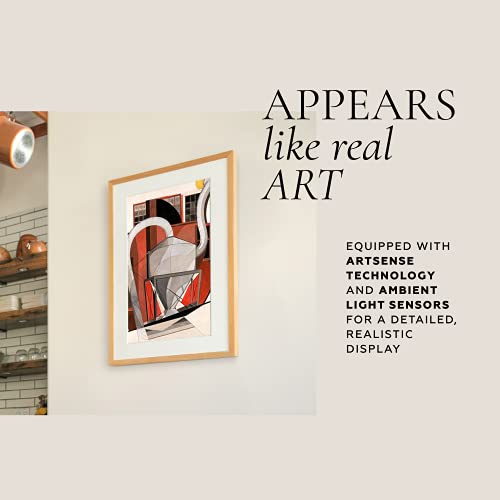
Digital frames and screens let you rotate art, show your own digital paintings or mix artwork with photos. Small touchscreen frames suit desks and shelves; large wall-mounted displays act like changing paintings. Consider brightness controls and matte screens, since glossy, bright displays can look like a TV rather than art.
Painting a Wall From a Digital Design
- Design digitally. Sketch your mural in a painting app. If you do not own a tablet, our guide on how to do digital painting without a tablet covers mouse and phone options.
- Simplify into shapes. Reduce the design to clear color areas and a limited palette that you can mix in wall paint or acrylic.
- Project and trace. In a darkened room, project the image onto the wall and trace outlines lightly with pencil or chalk.
- Block in color. Paint large areas first with wide brushes or rollers, then refine edges and details.
- Seal. Protect high-traffic murals with a compatible clear coat.
Ocean and night themes are popular for feature walls; our digital tutorials on painting digital waves and ocean and painting digital night scenes are a good place to design one.
Our Top Picks at a Glance
- Caydo P1 Art Projector with Drawing App — Best for transferring digital designs to a wall
- Empire Art Direct Tempered Glass Wall Art, 24 x 48 — Best printed digital art on glass
- TUMOVO 3-Panel Canvas Wall Art, 60 x 40 — Best large multi-panel digital print
- Uhale 10 in WiFi Digital Picture Frame — Best small display for rotating digital art
| Product | Best For | Key Spec | Key Strength | Price Tier |
|---|---|---|---|---|
| Caydo P1 Projector | Mural tracing | Projects onto walls, easels, boards; 3.1 ft+ distance | Grid, zoom, rotation app tools | $$$ |
| Empire Art Direct Glass | Modern statement decor | 24 x 48 in tempered glass, HD print | 2 steel hangers attached | $$$ |
| TUMOVO 3 Panels | Large walls | 3 x 40 x 20 in canvas (60 x 40 overall) | Hand-stretched wood frames, hooks | $$$ |
| Uhale Digital Frame | Rotating art and photos | 10.1 in IPS touchscreen, WiFi | Auto-rotate, app sharing | $$$ |
How We Chose
We selected these products from the Amazon listing details checked in October 2026 for how directly each supports one of the three approaches to digital wall art, the specifications each lists and how widely each has been reviewed by Amazon buyers. We excluded digital clocks and calendars that appeared in searches but are not art products. We have not used these specific products ourselves.
Best Products for Digital Wall Painting Reviewed
1. Caydo P1 Art Projector with Drawing App — Best for transferring digital designs to a wall
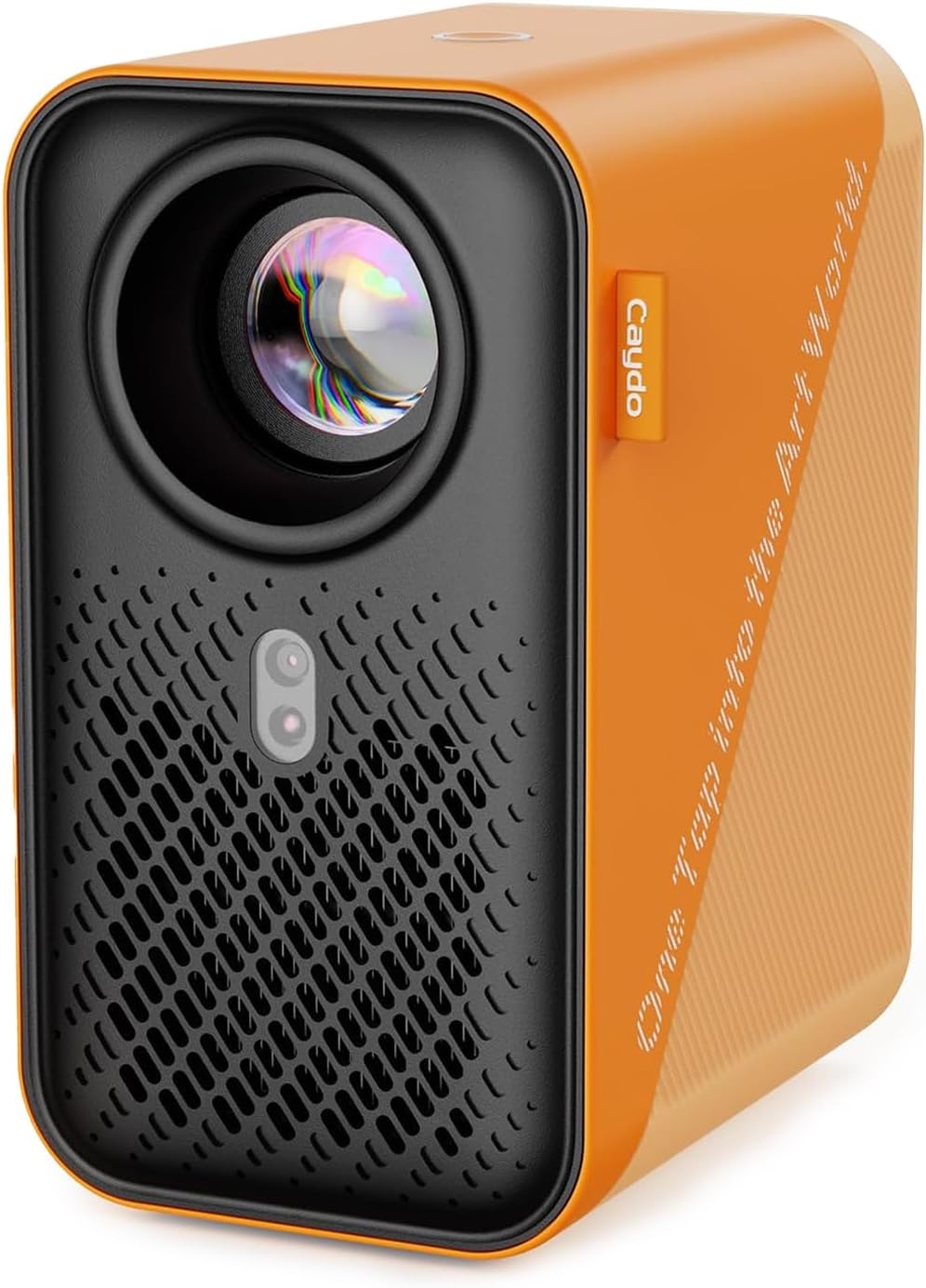
The Caydo P1 is built for artists. It projects images, designs and photos onto walls, easels, blackboards and whiteboards for tracing and sketching. Its companion drawing app includes zoom, 360-degree rotation and 3 x 3 grids, and you can transfer images by QR code or USB drive.
The listing also highlights auto focus, keystone correction and automatic screen-fit, with a projection distance starting at 3.1 feet, plus dual-band WiFi and Bluetooth. Those features matter on a wall, where you rarely have space to set a projector perfectly square.
It turns a digital painting into a hand-painted mural: design on a screen, project, trace, then paint.
Best suited for: muralists, sign painters, teachers and DIY feature-wall projects.
Key features:
- Projects onto walls, easels and boards
- Drawing app: zoom, rotation, 3 x 3 grid
- QR code or USB image transfer
- Auto focus and keystone correction
- Dual-band WiFi and Bluetooth
Pros:
- Purpose-built for tracing
- Corrects for angled setups
- Easy image transfer
Cons and limitations:
- Highest price tier here
- Works best in a darkened room
Buying consideration: Mark registration points on the wall so you can realign the projection if it gets bumped.
2. Empire Art Direct Frameless Tempered Glass Wall Art (24 x 48) — Best for printed digital art on glass
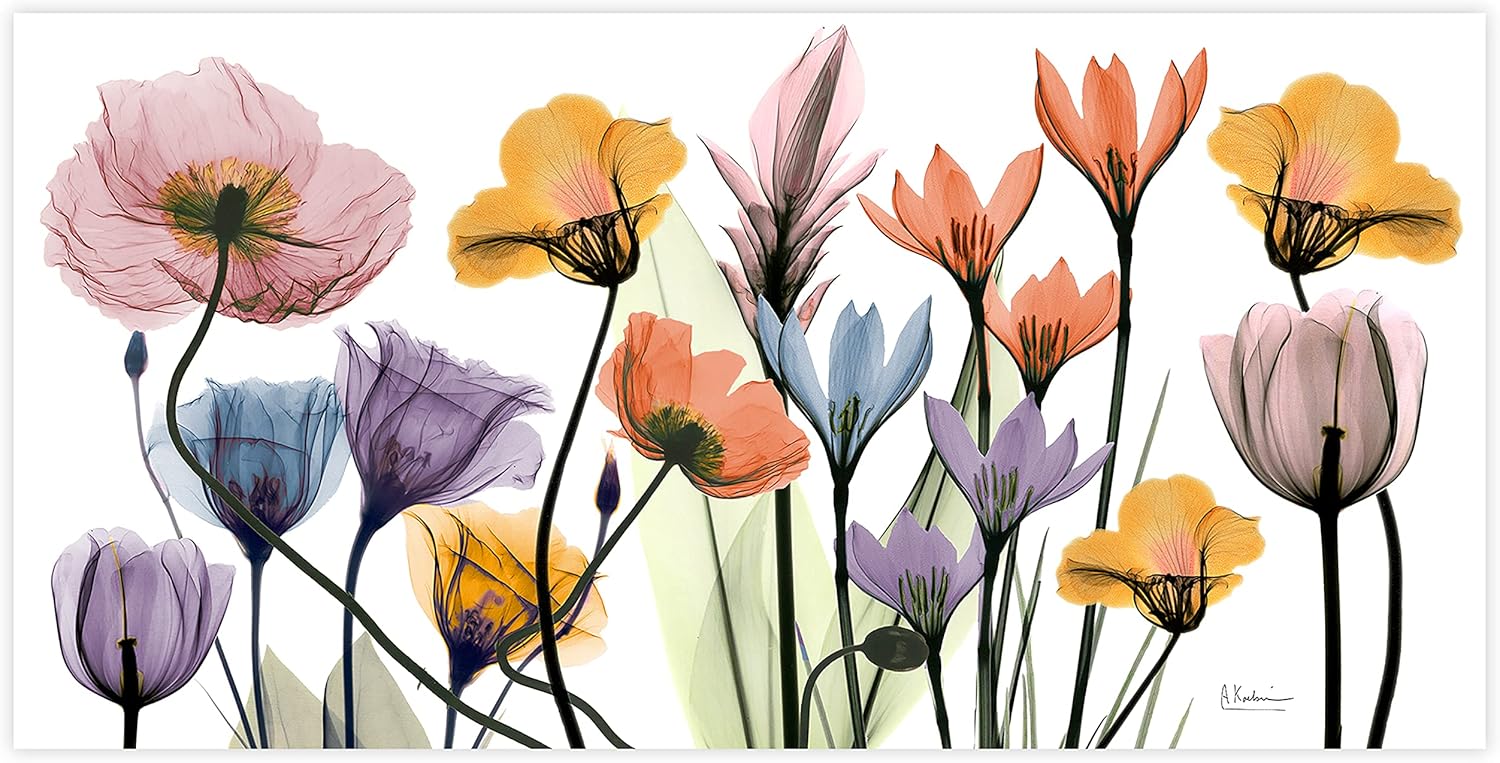
Created in collaboration with artist Albert Koetsier, this 24 x 48 inch piece shows an X-ray style image of multicolored flowers. It is a high-resolution digital print on PP paper covered by ultra-white tempered glass, with two steel hangers attached to the back.
Glass gives digital art a deep, luminous finish that suits modern interiors. It ships shrink-wrapped with styrofoam corner protection.
Best suited for: modern living rooms, entryways and offices.
Key features:
- 24 x 48 in
- HD digital print under tempered glass
- Frameless, floating look
- 2 steel hangers attached
Pros:
- Vivid, glossy finish
- Contemporary style
- Ready to hang
Cons and limitations:
- Reflective in bright rooms
- Heavier than canvas
- Price varies notably between listings
Buying consideration: Hang opposite rather than beside windows to reduce glare, and anchor both hangers securely.
3. TUMOVO 3-Panel Canvas Wall Art (60 x 40 overall) — Best for a large multi-panel digital print

TUMOVO’s set has three 40 x 20 inch canvas panels showing a CPU concept design, about 60 x 40 inches overall when hung together. The canvas is described as fade-resistant and waterproof and is hand-stretched on wooden frames with a hook on each panel. The listing notes custom images and sizes are available.
Tech-themed digital art suits home offices, gaming rooms and studios.
Best suited for: home offices, gaming rooms and large modern walls.
Key features:
- 3 panels, each 40 x 20 in
- Fade-resistant, waterproof canvas
- Hand-stretched wooden frames
- Hooks on each panel
Pros:
- Big impact
- Lightweight canvas
- Custom options per listing
Cons and limitations:
- Three panels need careful alignment
- Specific tech theme
Buying consideration: Use a level and a paper template to space the panels evenly, about 2 inches apart.
4. Uhale 10 in WiFi Digital Picture Frame (Touchscreen) — Best for a small display for rotating digital art

This 10.1 inch IPS touchscreen frame connects to WiFi and the Uhale app, so you can send photos and short videos to it. It auto-rotates between landscape and portrait and the listing highlights wide viewing angles and accurate colors.
For digital artists, it is an easy way to display your own paintings in rotation on a desk, shelf or small wall spot, or to gift a family member a frame that shows your new work.
Best suited for: digital artists sharing work, and small rotating displays.
Key features:
- 10.1 in IPS touchscreen
- WiFi with app sharing
- Auto landscape and portrait rotation
- Photos and videos up to 30 seconds
Pros:
- Change art instantly
- Easy sharing
- Compact
Cons and limitations:
- Small for a wall focal point
- Screen glow differs from printed art
Buying consideration: Lower the brightness in the evening so the frame reads as art rather than a screen.
Buying Guide: How to Choose Digital Wall Art
Choose your approach
Printed art for permanence, digital displays for variety, projectors for hand-painted murals.
Size to the wall
Large multi-panel sets and 24 x 48 pieces suit sofa walls; small frames suit shelves.
Match material to lighting
Canvas has no glare; glass and metal are vivid but reflective.
Check resolution
For custom prints of your own digital art, export at high resolution so the image stays sharp at size.
Plan hanging
Glass and multi-panel pieces need secure anchors and careful leveling.
Consider power and placement
Digital displays and projectors need outlets nearby and good WiFi.
Pros and Cons of Each Approach
| Approach | Pros | Cons |
|---|---|---|
| Printed digital art | Permanent, no power needed, wide range of materials and sizes | Fixed image; large pieces can be heavy |
| Digital display | Changeable art, shows your own work, combines with photos | Needs power and WiFi; screens can look like TVs |
| Projected, hand-painted mural | Unique, fills a whole wall, real paint texture | Takes time and skill; permanent on the wall |
Digital Wall Art Ideas by Room
Living room
A large glass or multi-panel canvas piece above the sofa. Abstract florals, landscapes and bold color fields work well with modern furniture.
Home office and gaming room
Tech, space and geometric designs on canvas, or a hand-painted accent wall with a digitally planned pattern.
Kids’ rooms
Projected murals of animals, skylines or night skies painted with washable or low-odor acrylic, so you can repaint as tastes change.
Hallways and entryways
Narrow vertical prints, or a digital frame on a console table showing family photos and digital artwork in rotation.
Bedrooms
Calm, low-contrast digital paintings on canvas, which avoids glare from glass under bedside lamps.
Supplies for Painting a Projected Mural
- Pencil, chalk or water-soluble crayon for tracing outlines.
- Interior wall paint or artist acrylic in your chosen palette.
- Wide flat brushes and small rollers for large areas, and angled and liner brushes for edges and detail.
- Painter’s tape for straight lines and geometric shapes.
- Drop cloths, a stable step stool and good lighting for when the projector is off.
- A water-based clear coat for murals in busy areas.
Turning Your Digital Painting Into Wall Art
If you create digital paintings yourself, you can print them as wall art. Work at a large canvas size in your painting app (thousands of pixels on the long edge), save a copy in a lossless format and check the print provider’s size and color requirements. Calibrating your screen helps prints match what you see. For murals, simplify the digital design into flat color areas before projecting it, because subtle digital gradients are hard to reproduce with a brush.
Caring for Digital Wall Art
Dust canvas prints with a soft, dry cloth and keep them out of direct sun to slow fading. Clean tempered glass with a soft microfiber cloth and a little glass cleaner sprayed onto the cloth, never directly onto the panel, so liquid does not seep behind the glass. For digital frames, wipe the screen gently when the device is off. Painted murals can usually be wiped with a damp cloth once they have cured and been sealed.
Common Mistakes to Avoid
- Buying art too small for the wall.
- Hanging glass art where it catches direct window glare.
- Projecting in a bright room, which makes tracing difficult.
- Printing a low-resolution digital file at large size.
- Copying a detailed digital gradient onto a wall without simplifying it first.
- Skipping wall anchors for heavy glass panels.
- Choosing a bright, glossy digital display for a bedroom, where its glow can be distracting at night.
FAQs
What is digital wall painting?
It refers to digital artwork displayed on walls, either printed on canvas, glass or metal, shown on a digital display, or used as a design that is projected and painted by hand as a mural.
How do I paint a mural from a digital design?
Create and simplify your design digitally, project it onto the wall with an art projector in a dark room, trace outlines and paint large areas first, then details.
Is glass or canvas better for digital art prints?
Glass looks vivid and glossy but reflects light; canvas is softer, glare-free and lighter.
Can I print my own digital paintings?
Yes. Export at high resolution and follow the print provider’s size and color guidelines.
Do digital picture frames work for art?
Yes, for small rotating displays. Lower brightness to make them look less like a screen.
How long does a projected mural take to paint?
It depends on size and detail. A simple single-wall design with flat color areas can take a weekend; detailed murals can take weeks. Tracing with a projector saves much of the drawing time.
Can renters do digital wall painting?
Printed digital art and digital frames work well for renters. A painted mural usually needs landlord permission and may have to be painted over when you move.
Do I need a special projector for murals?
Any projector can work, but art projectors like the Caydo P1 add tracing tools such as grids, rotation and keystone correction.
Final Recommendation
For a hand-painted mural based on a digital design, the Caydo P1 art projector is the most useful tool here. For printed digital art, choose the Empire Art Direct tempered glass panel for a glossy, modern focal point or the TUMOVO three-panel canvas set for a large, glare-free statement. If you want to show rotating digital paintings or share your own work, the Uhale WiFi frame is a simple, compact option.