Have you ever wanted to capture the breathtaking beauty of the sky in your digital art? Painting a digital sky and atmosphere can transform your artwork, adding depth, mood, and a sense of wonder.
But where do you start? How do you make clouds look soft, light feel natural, and colors blend seamlessly? In this guide, you’ll discover simple, step-by-step techniques that will help you create stunning skies, whether you’re aiming for a calm sunset or a dramatic storm.
Get ready to bring your digital skies to life and take your art to the next level. Keep reading to unlock the secrets behind painting skies that truly captivate.
Color Choices
Choosing the right colors is key to painting a believable digital sky and atmosphere. Colors set the mood and show the time of day clearly. A well-chosen palette can create depth and bring life to your sky. Understanding basic color groups helps in making smart choices for each part of the sky.
Sky Base Colors
Start with simple base colors for the sky. Blues dominate clear skies, but shades vary from deep navy to soft baby blue. Early mornings and late evenings use warm colors like orange, pink, and purple. Use smooth gradients to blend these base colors for a natural look.
Cloud Color Variations
Clouds need more than just white. Use light grays, blues, and soft yellows to add depth. Shadow areas on clouds can have cool blues or purples. Highlight areas are usually warmer, reflecting the sun’s glow. Vary cloud colors to avoid flat, unrealistic shapes.
Lighting And Highlights
Light affects all colors in the sky and atmosphere. Bright highlights show where the sun hits directly. Use warm tones like pale yellow or soft peach for these spots. Shadows should be cooler and darker. Adding subtle glows around light sources increases realism and mood.
Brush Techniques
Brush techniques are essential for painting digital skies and atmosphere. They help create depth, texture, and realism. Using the right brush and settings brings your sky to life. Each stroke shapes the mood and feel of your digital painting.
Brush Types For Skies
Soft round brushes work well for smooth gradients in the sky. They blend colors gently, mimicking natural light. Hard round brushes add sharper edges to clouds and atmospheric elements. Textured brushes create rough, natural patterns for clouds and haze. Experiment with various brushes to find what suits your style best.
Customizing Brush Settings
Adjust brush opacity to control transparency and softness. Lower opacity helps blend colors subtly. Change flow for smoother or more intense strokes. Vary brush size for details or broad strokes. Use scatter and texture settings to add randomness and natural look. Customizing brushes allows more control over the sky’s appearance.
Creating Cloud Textures
Start with a large, soft brush to block in cloud shapes. Add mid-tone colors for volume and depth. Use smaller textured brushes to add details and highlights. Smudge or blend edges softly to create fluffy cloud edges. Layer different brushes to build realistic, dynamic clouds. This technique adds life to your digital sky.
Layer Management
Managing layers properly is key to painting a digital sky and atmosphere. Layers help separate different parts of your artwork. This separation allows easy changes without affecting other elements. Using layers wisely creates depth and realism in your sky painting. It also speeds up your workflow and keeps your file organized.
Using Layers For Depth
Create multiple layers for different parts of the sky. For example, use one layer for the base color. Another for clouds, and one for light effects. This layering builds a sense of distance and space. Adjust each layer’s opacity to enhance depth. It makes the sky look natural and dynamic.
Blending Modes For Atmosphere
Blending modes change how layers interact visually. Use modes like Overlay or Soft Light to add glow and color shifts. These modes help simulate light scattering in the atmosphere. Experiment with Multiply for shadows and Screen for highlights. Blending modes add mood and atmosphere to your painting.
Organizing Elements
Keep your layers named and grouped by type. For example, group all cloud layers together. Lock layers that you don’t want to edit accidentally. Use color labels to identify important layers quickly. A tidy layer panel saves time and reduces mistakes. Organized layers help maintain a clear painting process.
Lighting Effects
Lighting effects bring life to digital skies and atmospheres. They create depth and mood. Proper lighting makes the sky appear natural and dynamic. Understanding how light interacts with clouds and air is key. This section breaks down essential lighting techniques for digital sky painting.
Simulating Sunlight
Sunlight gives the sky its brightness and warmth. Use a soft, warm color like pale yellow or light orange. Place the light source where the sun would be. Paint gradual light fades to mimic sunlight spreading. Brighten edges facing the sun for realism. Keep the light soft to avoid harsh spots.
Adding Glow And Radiance
Glow adds magic to sunrise, sunset, or twilight scenes. Use a low-opacity brush with warm tones near the sun. Blend colors outward to create a radiant halo effect. Soft glows around clouds enhance their volume. Avoid strong edges for smooth light diffusion. Small glimmers add sparkle to the atmosphere.
Shadowing Clouds
Shadows define cloud shapes and depth. Darken areas opposite the light source. Use cool colors like soft blues or purples for shadows. Blend shadows softly to keep clouds fluffy. Layer shadows to build volume and contrast. Proper shadowing makes clouds feel three-dimensional and real.
Atmospheric Details
Atmospheric details bring life and depth to digital skies. They create mood and realism. Small elements like fog, rain, and distant haze help the sky feel alive. These details guide the viewer’s eye and add a sense of space. Painting them carefully can transform your digital artwork.
Painting Fog And Mist
Fog and mist soften the scene by blurring edges. Use low-opacity brushes with light gray or white tones. Paint thin layers and blend gently to avoid harsh lines. Place fog near the ground or in valleys for natural effect. This adds mystery and depth to your sky and landscape.
Rain And Weather Effects
Rain changes the atmosphere with streaks and drops. Use a small, thin brush to paint vertical lines for rain. Add highlights on drops to make them shine. Darken clouds and lower contrast to show wet weather. Subtle reflections on surfaces enhance the rainy mood.
Horizon And Distance
The horizon marks where sky meets land or water. Colors fade and details soften as distance grows. Use lighter, less saturated colors near the horizon. Blur edges slightly to show atmospheric haze. This technique creates a believable sense of space and vastness.

Credit: www.vecteezy.com
Time And Weather
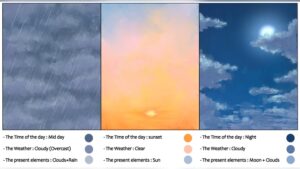
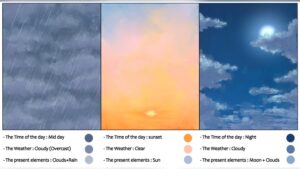
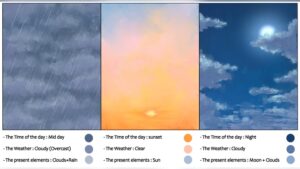
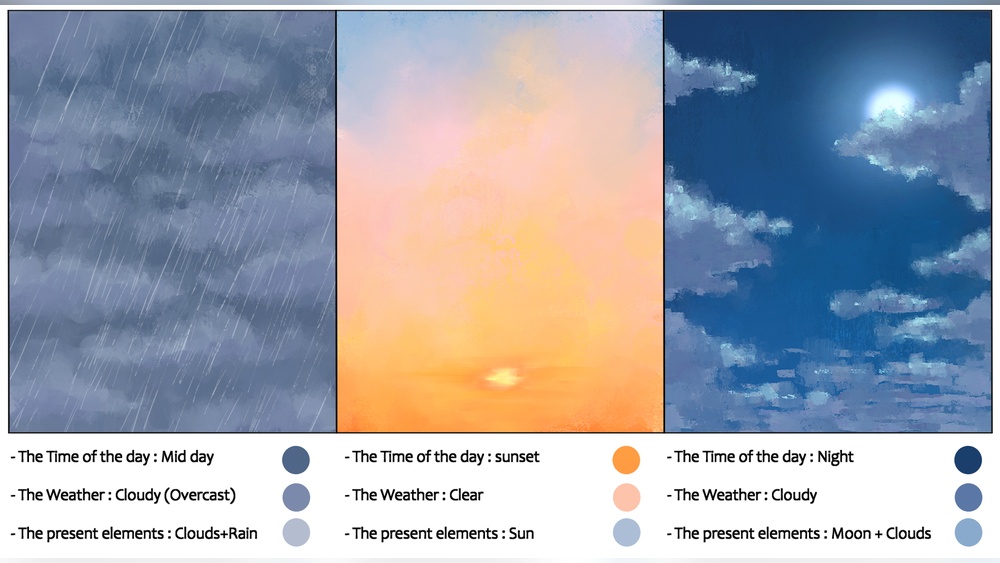
The time of day and weather greatly influence the colors and mood of the digital sky. Capturing these elements brings life and realism to your digital paintings. Different times like dawn or dusk create soft, warm tones. Stormy weather introduces dramatic contrast and texture. Clear skies offer subtle color shifts that change with light.
Dawn And Dusk Colors
Dawn and dusk have warm, glowing colors. Use soft pinks, oranges, and purples to paint these times. Blend colors smoothly for a natural look. The light is low, so shadows are long and colors are muted. Add gentle gradients to show the sky’s transition from dark to light. Highlight the horizon with brighter hues to suggest the sun’s presence.
Stormy Sky Techniques
Stormy skies have deep, moody colors. Use dark grays, blues, and sometimes greens. Layer clouds with rough, textured brushes to show turbulence. Add highlights where lightning or breaks in clouds occur. Use sharp contrasts between light and shadow to create drama. Blending should be less smooth to convey rough weather and movement.
Clear Sky Variations
Clear skies vary with time and light intensity. Early morning skies have pale blues and soft whites. Midday skies are bright blue with few clouds. Late afternoon skies warm up with hints of yellow or gold. Use smooth gradients to show the sky’s vastness. Small, soft clouds add depth without distraction. Adjust color saturation to reflect the sun’s strength.
Composition Tips
Creating a captivating digital sky and atmosphere needs smart composition. This helps your artwork feel balanced and natural. Thoughtful arrangement of elements guides the viewer’s eye and sets the mood. Here are some key tips for composing skies and atmospheres in digital painting.
Balancing Sky And Landscape
Keep the sky and landscape in harmony. Avoid letting one overpower the other. Use colors and tones that complement each other. For example, soft, light skies work well with darker landscapes. Make sure the horizon line is placed thoughtfully. It can be low to show more sky or high to focus on the land. Balance helps create a peaceful and believable scene.
Focal Points In Atmosphere
Choose where you want the viewer to look first. Bright areas, strong contrasts, or unique cloud shapes catch attention. Place these focal points using the rule of thirds. Avoid centering everything. Add subtle gradients or light rays to lead the eye naturally. Focal points add interest and depth to your sky painting.
Dynamic Cloud Arrangements
Clouds bring life and movement to your sky. Use varied shapes and sizes for a dynamic feel. Diagonal or curved cloud lines create flow and energy. Avoid placing clouds evenly; random placement feels more natural. Play with light and shadow on clouds to add volume. Dynamic clouds make your atmosphere more engaging and vivid.

Credit: www.dreamstime.com
Final Touches
The final touches in painting a digital sky and atmosphere give your artwork depth and realism. These steps enhance softness, light behavior, and small details. They make the sky feel alive and natural. Focus on blending, light effects, and refining to complete the scene.
Blending And Softening
Blend colors smoothly to avoid harsh lines. Use soft brushes to merge the sky’s hues naturally. Soften edges between clouds and sky for a gentle transition. This creates a calm and realistic atmosphere. Avoid over-blending; keep some texture for interest.
Adding Subsurface Scattering
Subsurface scattering mimics light passing through thin clouds or haze. Add subtle glows where light hits the atmosphere. Use low-opacity brushes with warm colors like pale yellow or orange. This effect adds warmth and depth. It helps the sky feel more three-dimensional.
Refining Details
Focus on small details such as distant birds, faint stars, or slight color shifts. Sharpen some cloud edges to create contrast. Add highlights on cloud tops where light strikes strongest. These details bring focus and realism to your painting. Keep adjustments subtle to maintain balance.

Credit: pngtree.com
Frequently Asked Questions
What Is The 80/20 Rule In Painting?
The 80/20 rule in painting means focusing 80% of effort on key areas and 20% on details. This balances impact and efficiency.
How To Paint Atmospheric Skies?
Start with a gradient base using blues and whites. Blend softly for smooth transitions. Add cloud shapes with light strokes. Use warm or cool colors to set mood. Highlight edges for depth and atmosphere.
What Is The 70 30 Rule In Art?
The 70 30 rule in art means dedicating 70% of your effort to creating and 30% to promoting your work.
How To Start Digital Painting As A Beginner?
Start digital painting by choosing user-friendly software and a drawing tablet. Learn to use layers and brushes. Practice basic shapes, colors, and shading. Follow tutorials and experiment regularly to improve skills and creativity.
Conclusion
Painting digital skies and atmosphere takes patience and practice. Start with simple shapes and colors. Build layers slowly to add depth and light. Use soft brushes for smooth blending effects. Study real skies for color and mood ideas. Experiment often to find your unique style.
Keep learning and enjoy the creative process. Your digital skies will improve with each attempt. Stay curious and have fun while painting!