PaintingProGuide is reader-supported. When you buy through links on this page we may earn an affiliate commission at no extra cost to you.
A drawing glove looks like the simplest accessory in digital art, yet it fixes three real problems. It lets your hand slide smoothly instead of sticking to glass or a textured tablet. It keeps sweat and skin oil off the surface, so you are not painting through smudges. And on touchscreens, a padded glove can stop your palm from being read as a touch. The best gloves for digital painting do the job your particular screen needs, and they fit well enough that you forget you are wearing one.
That last point is where many shoppers go wrong. A thin Lycra glove is perfect for a pen tablet but will not stop palm touches on an iPad, and some listings say so plainly. Below we compare seven gloves from current listings by the screen they suit, then cover fit, materials and care.
Quick answer: For iPads and touchscreens, choose a glove with a padded or layered palm: the Kortimu 3-Layer Palm Rejection Glove is the top pick, and the Holyzuel 2-pack with extra-thick palm padding is a good alternative in four sizes. For pen tablets and pen displays, a thin low-friction glove is enough, and the HUION Artist Glove is the classic. Multipacks such as the Gzingen 5-pack and OTraki 4-pack are best value.
Our Top Picks at a Glance
- Kortimu 3-Layer Palm Rejection Drawing Glove — Best for iPad and touchscreen painting
- Holyzuel Drawing Glove 2-Pack (Large) — Best padded glove with multiple size options
- HUION Artist Drawing Glove — Best basic glove for pen tablets and displays
- HUION Skeleton Artist Glove — Best for hiding wear and stains
- Gzingen 5-Pack Two-Finger Gloves — Best multipack in five colors
- OTraki 4-Pack Artist Drawing Gloves — Best budget multipack
- OTraki Pink 4-Pack Drawing Gloves — Best breathable Lycra multipack
| Product | Best For | Key Spec | Key Strength | Price Tier |
|---|---|---|---|---|
| Kortimu Palm Rejection Glove | iPad, touchscreens | 3-layer palm, 2 gloves, 3 sizes | Designed to stop palm touches | $ |
| Holyzuel 2-Pack (Large) | Touchscreens, larger hands | Extra-thick palm padding, S–XL | Sizes for most hands | $ |
| HUION Artist Glove | Pen tablets, pen displays | Lycra and nylon, free size | Low friction, anti-smudge | $ |
| HUION Skeleton Glove | Pen tablets, style | Lycra, 20 x 8 cm | Pattern hides soiling | $ |
| Gzingen 5-Pack | Value and sharing | 5 colors, 20 x 8 cm | Breathable elastic material | $ |
| OTraki 4-Pack | Budget spares | 4 gloves | Lowest cost per glove | $ |
| OTraki Pink 4-Pack | Breathable everyday gloves | Lycra, 7.7 x 20.5 cm | Light and stretchy | $ |
How We Chose
We did not wear these gloves for testing. The picks are based on Amazon listing details and specifications checked in October 2026, on how well each glove’s design suits specific digital painting surfaces, and on how widely each product is reviewed by Amazon buyers.
- Palm protection: whether the listing claims palm rejection padding or only friction reduction.
- Fit: available sizes and listed dimensions.
- Material: Lycra, nylon or spandex, and breathability.
- Value: number of gloves per pack.
- Ambidextrous design: all picks fit either hand.
Two Kinds of Drawing Gloves: Know Which You Need
Low-friction gloves are thin Lycra or nylon two-finger sleeves. They let your hand glide across a textured tablet or glass display and keep oils off the surface. They do not stop a capacitive touchscreen from sensing your palm. HUION’s listings say this directly: the glove cannot prevent accidental touching on touchscreens.
Palm rejection gloves add padding or multiple layers under the palm, designed to keep skin far enough from the screen that the device does not register it. They are aimed at iPads, Android tablets and touchscreen laptops where software palm rejection is imperfect.
If you paint on a Wacom-style screenless tablet or a pen display, the first kind is all you need. Many pen displays ignore touch entirely or let you turn touch off. If you paint on an iPad or other touchscreen, choose the second kind.
Best Gloves for Digital Painting Reviewed
1. Kortimu 3-Layer Palm Rejection Drawing Glove — Best for Touchscreens
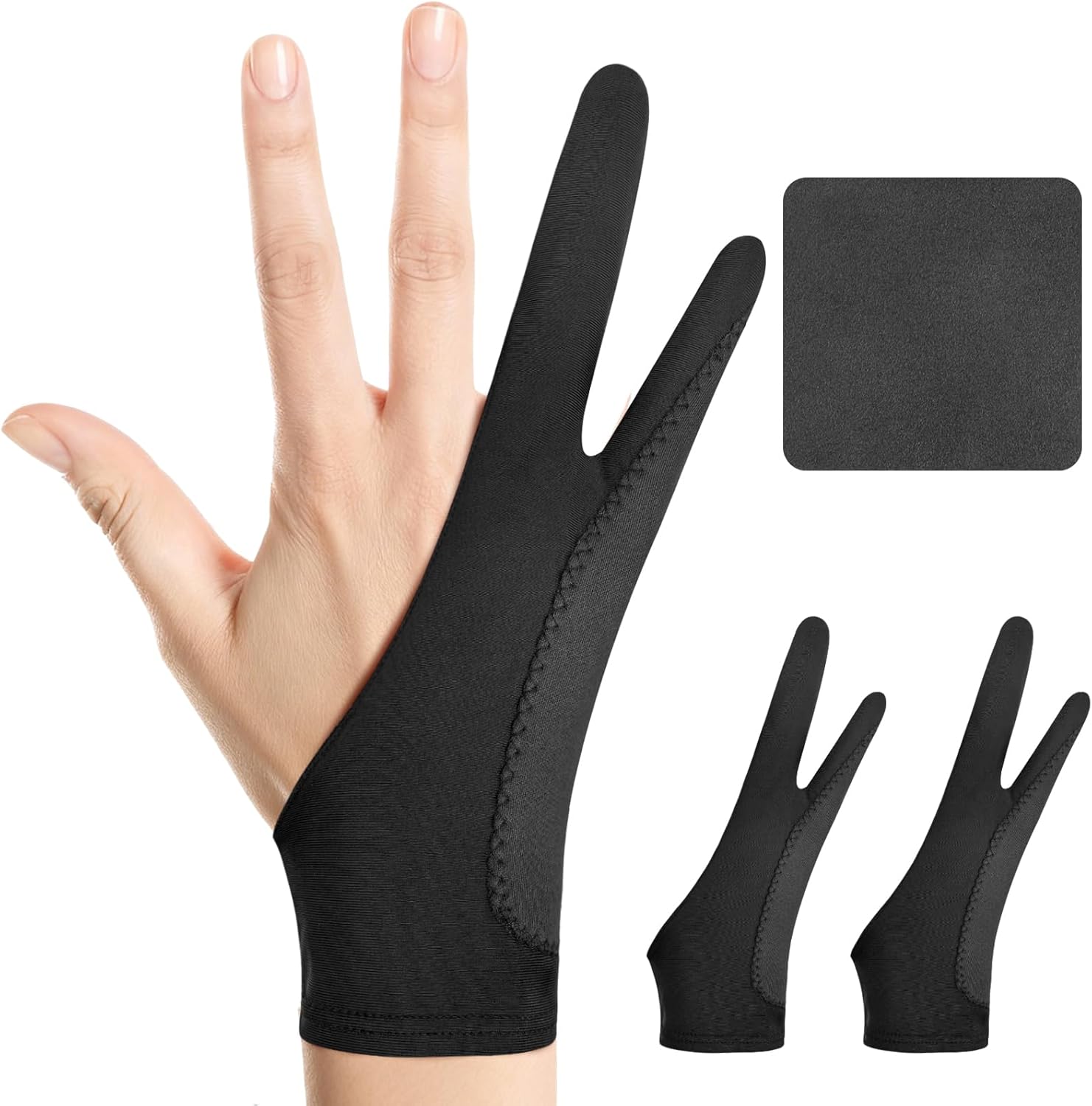
Kortimu designs this glove around a 3-layer anti-slip, anti-smudge construction that the listing says prevents accidental palm touches and keeps screens spotless. It is a two-finger design that fits either hand, made from soft, stretchy, moisture-wicking fabric. The pack contains two gloves and a cleaning cloth, and it is offered in three sizes with listed measurements: Large 3.54 x 8.46 inches, Medium 3.34 x 8.07 inches and Small 2.95 x 7.48 inches.
Best suited for: iPad and touchscreen painters who rest their hand on the screen.
Key features
- 3-layer palm design
- Two-finger, ambidextrous
- 2 gloves plus cleaning cloth
- Small, Medium and Large sizes
Pros
- Built for palm rejection
- Two gloves and a cloth included
- Size chart helps you choose
Cons
- Layers make it warmer than thin gloves
Buying consideration: Wrap a tape measure around your palm and compare to the listed widths before choosing a size.
2. Holyzuel Drawing Glove 2-Pack (Large) — Best Padded Glove in Many Sizes

Holyzuel’s glove features extra-thick padding on the palm area to prevent the palm from being sensed by the device. The listing describes a comfortable cut that is not tight or narrow, elastic material that is smooth to the touch to reduce friction, and suitability for traditional paper sketching as well as digital work. It fits either hand and comes in four sizes: S, M, L and XL. This listing is the two-pack in Large.
Best suited for: painters with larger hands or anyone who needs a size beyond the usual free-size gloves.
Key features
- Extra-thick palm padding
- Elastic, smooth material
- Four sizes available
- 2 gloves per pack
Pros
- Wide size range
- Works for paper sketching too
Cons
- Padding adds bulk
Buying consideration: If your hand falls between sizes, a slightly snug glove stays in place better than a loose one.
3. HUION Artist Drawing Glove — Best Basic Glove for Pen Tablets

HUION’s standard glove is the one many pen tablet users start with. It is soft Lycra and nylon, free size at 20 cm long and 8 cm wide, two-finger and usable on either hand. The black color resists visible soiling. The listing describes it as preventing smudges on a graphics tablet or monitor and reducing friction, and notes it cannot prevent accidental touches on touchscreens.
Best suited for: screenless pen tablets and pen displays.
Key features
- Lycra and nylon
- Free size, 20 x 8 cm
- Two-finger, ambidextrous
Pros
- Thin and cool
- Smooth glide
Cons
- Not for touchscreen palm rejection
- Single glove
Buying consideration: Buy two so one can be washed while you wear the other.
4. HUION Skeleton Artist Glove — Best for Hiding Wear

The Skeleton glove shares the same Lycra and nylon construction and 20 x 8 cm free size as HUION’s standard glove, with a black skeleton print. The listing notes the color helps hide soiling so you do not need to wash it as often. It reduces friction and smudges but, again, does not stop touchscreen palm detection.
Best suited for: pen tablet users who want a bit of personality.
Key features
- Lycra and nylon, two-finger
- Skeleton print
- Free size
Pros
- Stains less visible
- Same comfort as the standard glove
Cons
- Not for touchscreens
- One size
Buying consideration: Hiding dirt is not the same as being clean. Wash it regularly to keep oils off your tablet.
5. Gzingen 5-Pack Two-Finger Gloves — Best Multipack

Gzingen’s pack includes five gloves in red, blue, black, pink and purple. The listing describes high-elastic material with good air permeability and tensile strength, designed for graphics tablets, pen displays and monitors, and fitting the average hand size for men and women at 20 x 8 cm.
Best suited for: classrooms, households with several artists or anyone who wants spares.
Key features
- 5 gloves, 5 colors
- Breathable elastic fabric
- 20 x 8 cm, ambidextrous
Pros
- Plenty of spares
- Colors help identify whose glove is whose
Cons
- No palm padding listed
- Single size
Buying consideration: Ideal for pen tablet setups; for touchscreens, add a padded glove.
6. OTraki 4-Pack Artist Drawing Gloves — Best Budget Multipack

OTraki’s four-pack is the lowest cost per glove in this group. The listing is sparse on details beyond positioning for digital tablets and paper sketching, so treat it as a basic two-finger glove for friction and smudge control.
Best suited for: keeping spare gloves in every bag and desk drawer.
Key features
- 4 gloves
- For tablets and paper sketching
Pros
- Very low cost
Cons
- Limited listing details
- No palm rejection claim
Buying consideration: Check the product page for current sizing before buying.
7. OTraki Pink 4-Pack Drawing Gloves — Best Breathable Lycra Multipack
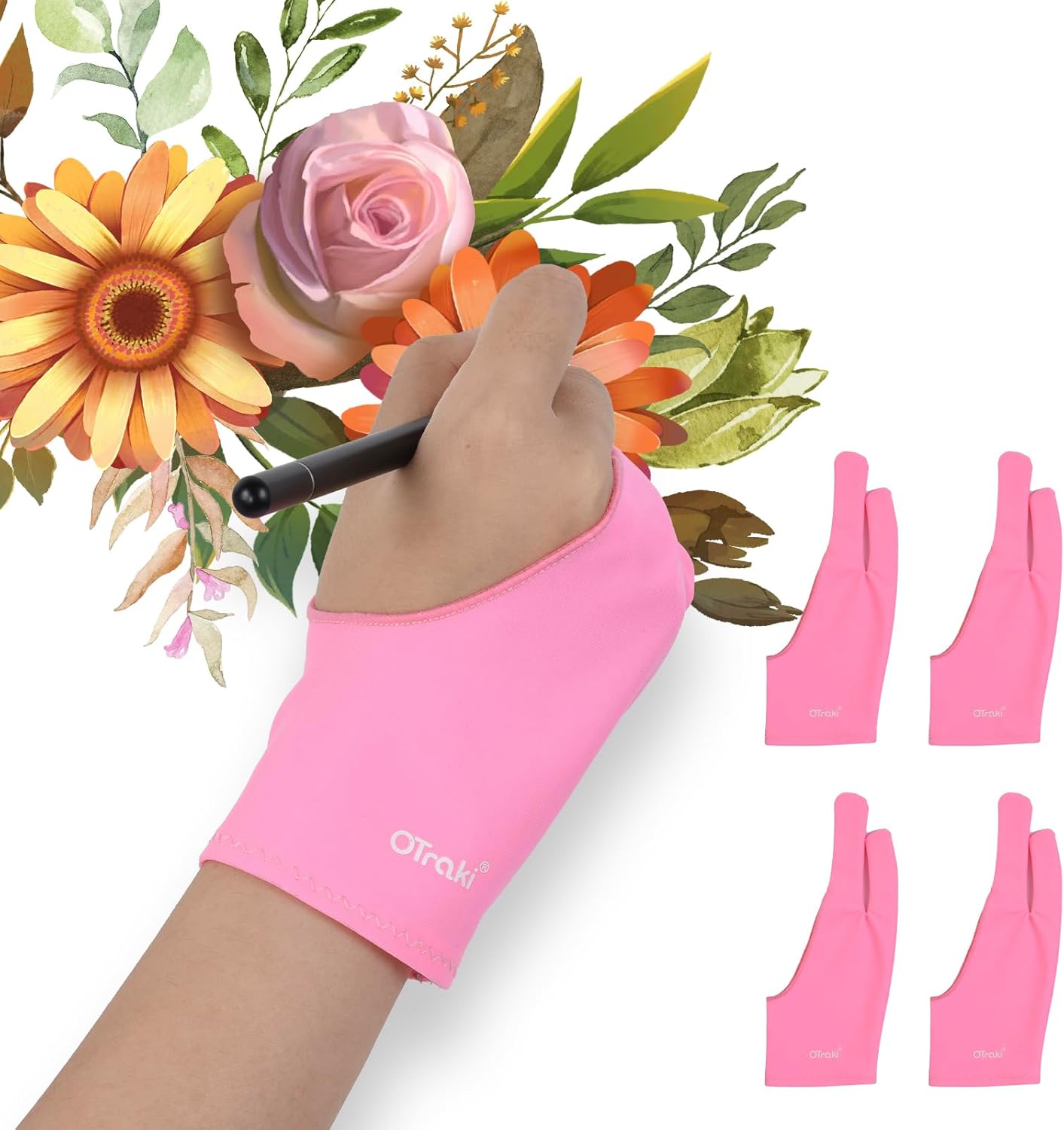
This OTraki four-pack offers more detail: gloves measuring 7.7 x 20.5 cm, two-finger design for either hand, highly elastic breathable Lycra fiber and anti-smudge protection against sweat and fingerprints. The listing is upfront that the glove cannot prevent palm detection on touchscreens, only reduce friction.
Best suited for: pen tablet and pen display users who want breathable spares.
Key features
- 4 gloves, 7.7 x 20.5 cm
- Breathable Lycra
- Two-finger, ambidextrous
Pros
- Light and breathable
- Clear listing about limitations
Cons
- Not for touchscreen palm rejection
- One size
Buying consideration: Slightly narrower than some free-size gloves; good for smaller hands.
Buying Guide: How to Choose Gloves for Digital Painting
Match the glove to your screen
Touchscreens need padded or layered palms. Pen tablets and pen displays need low-friction gloves. Buying the wrong type is the most common reason people say drawing gloves do not work.
Fit and sizing
Free-size gloves around 20 x 8 cm fit average hands. If yours are larger or smaller, choose a brand with size options, like Kortimu or Holyzuel. A glove that rides up exposes skin and defeats the purpose.
Material and breathability
Lycra and spandex stretch and glide well. Thin, breathable gloves are cooler but offer no padding; padded gloves are warmer but better for touchscreens.
Which fingers are covered
Two-finger gloves cover the ring and little finger, which rest on the surface, leaving your thumb, index and middle fingers free to hold the pen naturally. This is the standard design for good reason.
Ambidextrous design
All the gloves here fit either hand. This is useful for left-handed artists and lets you flip a glove to even out wear.
Color
Black and patterned gloves hide wear; light colors show when it is time to wash. Neither affects performance, so pick whichever keeps you honest about cleaning.
Pack size
Multipacks let you rotate gloves while others are washed and keep spares in travel kits.
How to Wear and Care for a Drawing Glove
- Slip your ring and little finger into the two finger holes; the glove should cover the outer edge of your palm where it rests on the surface.
- Wash by hand in cool water with mild soap and air dry. Heat can damage elastic fibers.
- Replace gloves when they stretch out or pill, since rough fabric can drag.
- Clean the screen periodically with a microfiber cloth even when wearing a glove.
Gloves Plus Software: Getting Palm Rejection Right
A glove works best alongside your device’s own settings rather than instead of them. On iPads, most painting apps offer a setting that ignores finger touches for drawing while still allowing gestures, which, combined with a stylus that supports palm rejection, solves most problems. On Android tablets, look for a “stylus only” or “palm rejection” option in your app. On touchscreen laptops and some pen displays, you can disable touch input in the driver or system settings while painting.
If you still see stray marks after adjusting those settings, a padded glove is the next step. It physically separates skin from glass, so the screen has nothing to sense. If you use a passive stylus or brush stylus that relies on touch input, though, palm rejection becomes much harder for the device, because it cannot tell the stylus and your palm apart by technology alone. A padded glove is especially valuable in that case.
Left-handed painters
Left-handed artists often rest more of their hand on the canvas area, especially when working from left to right. Ambidextrous two-finger gloves like all of those reviewed here work the same on either hand, and a padded glove protects the larger contact area that many left-handers have.
Do You Need a Glove at All?
Not every painter does. If your device’s palm rejection is reliable and your hands stay dry, you may never miss one. But gloves are inexpensive, and they solve a surprisingly common annoyance: the stop-start feeling of a hand that grips the surface. Many painters who try one keep using it for the smoother glide alone. Pair a glove with good technique and subjects that reward long, flowing strokes, such as our digital waves and ocean guide.
Common Mistakes to Avoid
- Using a thin glove to stop iPad palm touches. Choose a padded one.
- Wearing a glove that is too loose. It slides and exposes skin.
- Never washing gloves. Oils transfer back to the screen.
- Machine drying. Heat ruins elasticity.
- Ignoring device settings. Turn on your app’s palm rejection or stylus-only mode as well.
- Keeping worn-out gloves. Pilled fabric adds friction.
FAQs
Do drawing gloves prevent palm touches on iPad?
Padded or layered gloves, like the Kortimu and Holyzuel, are designed to. Thin Lycra gloves from HUION and OTraki state that they do not prevent touch detection; they only reduce friction and smudges.
Which hand do I wear a drawing glove on?
Your drawing hand. All the gloves here are ambidextrous, so they fit left or right.
Why do drawing gloves only have two fingers?
The ring and little fingers rest on the surface while you draw. Leaving the thumb, index and middle fingers bare keeps your pen grip natural.
What size drawing glove should I get?
Free-size gloves around 20 x 8 cm fit most hands. If yours are larger or smaller, choose a glove with size options like Kortimu (S to L) or Holyzuel (S to XL).
Are drawing gloves useful for traditional art?
Yes. Several listings, including Holyzuel, mention paper sketching, where gloves stop your hand smudging graphite or charcoal.
How often should I wash a drawing glove?
Every few sessions, or sooner if you notice smudges on the screen. Hand wash and air dry.
Final Recommendation
Start with your screen. On an iPad or touchscreen, the Kortimu 3-layer glove is the best choice, with the Holyzuel padded 2-pack as an alternative if you need a larger or smaller size. On a pen tablet or pen display, the HUION Artist Glove or its Skeleton variant is all you need. For spares and shared studios, the Gzingen 5-pack and the two OTraki 4-packs keep a clean glove within reach for very little money.