
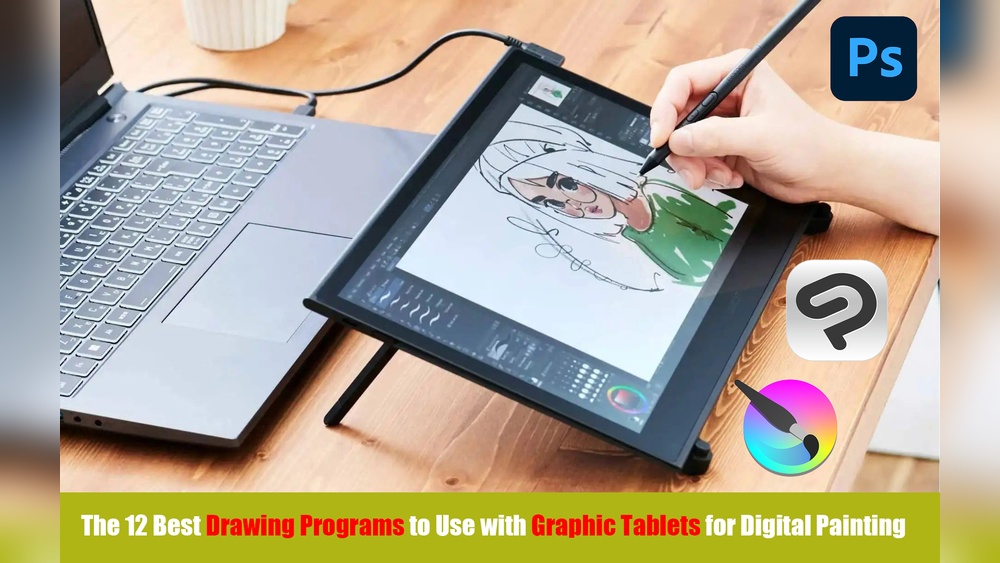
Quick answer: You can do digital painting without a tablet by using a mouse with shape-based techniques (lasso fills, selections, gradients and the pen or path tool), painting with your finger or a capacitive stylus on a phone or touchscreen laptop, or scanning traditional sketches and coloring them digitally. These methods work best for stylized, flat, vector-like or lineless art. For expressive, pressure-based brushwork, a basic pen tablet eventually makes painting much easier.
Not having a drawing tablet is a common reason people put off trying digital art. It does not have to be. Many techniques used by professional illustrators rely on selections, shapes and fills rather than freehand pressure strokes, and those work perfectly well with a mouse or trackpad. This guide explains how to do digital painting without a tablet, which styles suit each input method, and how to set up your software so you are working with your tools instead of against them.
If you later decide you want pressure sensitivity, our guide to the best tablets for digital painting compares entry-level and professional options.
What You Lose Without a Tablet (and What You Don’t)
A tablet’s main advantages are pressure sensitivity (line width and opacity vary with pressure) and natural hand movement. Without one, you lose easy tapering strokes and fluid freehand painting. You do not lose:
- The ability to create clean, precise shapes
- Color theory, value and composition skills
- Layers, blend modes, gradients and adjustments
- Vector and path tools
- The ability to produce finished, professional-looking images in suitable styles
In some styles, such as flat illustration, geometric art and pixel art, a mouse can actually be more precise than a pen.
Input Options Without a Tablet
| Input | Strengths | Weaknesses | Best styles |
|---|---|---|---|
| Mouse | Precise clicks, great for selections and paths | Awkward for freehand curves | Flat, vector, lineless, pixel art |
| Trackpad | Built into laptops; gestures for zoom and pan | Less precise than a mouse for drawing | Shape-based work, adjustments |
| Finger on phone/tablet | Direct, intuitive | Imprecise; finger blocks view | Loose painting, sketches, abstract |
| Capacitive stylus | Cheap, more precise than finger | Usually no pressure | Sketching, lineless painting |
| Touchscreen laptop with pen support | Some support active pens | Varies by model | Most styles, if pen supported |
| Scanner or phone camera | Use traditional drawing skills | Extra step | Line art colored digitally |
Software Setup for Mouse Painting
Any major program works: Krita, GIMP, Photoshop, Affinity, Clip Studio Paint, or vector programs like Inkscape and Illustrator. A few settings make a mouse much more usable.
- Turn on stroke stabilization. Krita has Stabilizer mode; Clip Studio has Stabilization; Photoshop has Smoothing. Higher values turn shaky mouse lines into smooth curves.
- Use brush dynamics tied to speed or fade. Some programs can taper strokes by speed or distance, imitating pressure. Krita’s brush editor, for instance, lets you link size or opacity to sensors like Speed or Fade instead of Pressure.
- Learn keyboard shortcuts. Your other hand does the work a tablet’s express keys would: brush size, undo, eyedropper, zoom.
- Lower mouse sensitivity in your operating system settings for more control when drawing small details.
- Use a large mouse pad and, if possible, a comfortable, precise mouse.
How to Do Digital Painting Without a Tablet: Core Techniques
1. Lasso fill and selection painting
This is the most important technique. Instead of painting strokes, you draw a shape with the lasso or polygonal lasso and fill it. Polygonal lasso uses clicks to create straight segments, which are easy with a mouse. For curves, click many short segments.
Once a shape is selected, you can paint inside it with a large soft brush or gradient, and the edges stay clean. Build entire illustrations this way: sky shape, mountain shape, tree shape, then shading shapes within each.
2. Pen and path tools
Vector-style paths (the Pen tool in Photoshop or Illustrator, the Bezier Curve tool in Krita, Paths in GIMP) let you click points and drag handles to create perfect curves. Convert paths to selections and fill them, or stroke paths with a brush to create smooth lines with tapering. This is how many clean, professional illustrations are made, even by artists with tablets.
3. Gradients
Gradients do much of the shading work a pressure brush would. Use linear gradients for skies and flat planes, radial gradients for spheres and glows, and gradient maps for color mood. Inside a selection, a gradient can model form quickly.
4. Soft brushes for shading
Large, soft airbrushes are forgiving with a mouse. Use them at low opacity to build up shadows and highlights gradually. Combined with clipping masks or alpha lock, this gives smooth, controlled shading.
5. Shape-based lineless painting
Lineless art defines forms by color and value edges instead of outlines, which suits selection-based workflows. Build shapes with lasso fills, shade with clipped layers, and refine edges with a smudge or blur tool where needed.
6. Vector illustration
Vector programs are naturally mouse-friendly. Shapes, paths, gradients and boolean operations (combining and cutting shapes) let you create anything from flat character illustrations to detailed landscapes.
7. Pixel art
Pixel art is placed pixel by pixel, which is a natural fit for mouse clicks. Free and paid tools are dedicated to it, and most painting programs can do it with a 1-pixel hard brush and grid enabled.
A Step-by-Step Mouse Painting Workflow
- Sketch or trace. Rough out your composition with a basic brush and high stabilization, or draw on paper and photograph it.
- Block in shapes. On separate layers, use lasso fills to create flat shapes for each major element.
- Lock and shade. Turn on alpha lock or add clipped layers. Use a soft brush or gradient inside each shape for shadows.
- Add hard shadow shapes. Use the polygonal lasso for cast shadows and fill with a darker color.
- Highlights. Add small, crisp highlight shapes with the lasso, and soft glows with an airbrush on Screen or Add layers.
- Texture. Apply texture brushes by clicking (stamping) rather than dragging, or overlay photo textures at low opacity.
- Adjust. Use levels, curves and color balance to unify the image.
Worked Example: A Mountain Landscape With Only a Mouse
To see how these techniques combine, here is a simple landscape built entirely from shapes.
Sky. On the bottom layer, drag a linear gradient from a pale peach at the horizon to a soft blue at the top. That is the whole sky, done in one motion.
Far mountains. New layer. With the polygonal lasso, click a jagged ridge line across the canvas, close the selection along the bottom, and fill with a light, desaturated blue-gray. Distant forms are lighter and cooler, so this immediately reads as far away.
Middle mountains. Another layer, another jagged selection slightly lower, filled with a darker, slightly more saturated blue-green. Turn on alpha lock and use a large soft brush at low opacity to lighten the side facing the sun.
Foreground hill. A smooth curve made with a path tool, converted to a selection, filled with a deep green. Add a gradient inside it, darker at the bottom.
Trees. Make one simple pine tree shape with the polygonal lasso, fill it dark, then copy and paste it several times, scaling and flipping each copy so they do not look identical.
Light and finish. Add a soft glow near the horizon on a layer set to Screen, then use Curves to deepen the darks slightly. The whole piece needs no freehand strokes at all, yet reads as a complete, atmospheric landscape.
Mouse-Friendly Practice Exercises
- Recreate a flat-design poster using only lasso fills and gradients.
- Trace the main shapes of a photo with the path tool, then color it from memory.
- Make a 32 x 32 pixel art icon of a household object.
- Paint five spheres with different light directions using only selections and soft brushes.
Scan-and-Color: Using Paper as Your Tablet
If you draw well on paper, combine traditional and digital work:
- Draw your line art on smooth paper with ink or a dark pencil.
- Scan it, or photograph it in even light with your phone held parallel to the paper.
- In your software, use Levels or Curves to make paper pure white and lines dark.
- Set the line layer to Multiply.
- Color underneath on new layers using fills and selections.
This method keeps the expressive quality of hand-drawn line while letting you use digital color.
Painting With Your Finger or a Capacitive Stylus
If you have a phone or touchscreen device, painting apps let you work directly on the screen. Without pressure, use apps with simulated pressure or speed-based tapering. Painting loosely with big brushes and then refining with selections works well. A disc-tip capacitive stylus gives noticeably more precision than a finger and costs little.
Finger painting is also a good way to loosen up. Because fine control is limited, you naturally focus on big shapes, color and value rather than detail, which is exactly what many beginners need to practice. Try painting quick color studies of sunsets, fruit or simple interiors with a large brush and no zooming, then refine only the focal point with a selection or a smaller brush at the end.
How to Use a Drawing Tablet Without a Screen
If you are considering your first tablet, you will likely see “screenless” pen tablets, which are the most affordable entry point. You draw on a pad on your desk while looking at your monitor. It feels strange for the first few days because your hand and eyes are in different places, but most people adapt with practice.
- Map the tablet area to your full screen or one monitor in the driver settings.
- Practice simple lines, circles and shapes for 10 minutes daily.
- Keep the tablet centered in front of you, aligned with the monitor.
- Use the pen for pointing and clicking in everyday tasks to speed up adaptation.
Some newer tablets can connect to phones or work as standalone devices. Whether you need a screenless tablet, a screen tablet, or one that works without a computer depends on your budget and workflow; our tablet buying guide for digital painters breaks down those categories.
Pros and Cons of Painting Without a Tablet
| Pros | Cons |
|---|---|
| No extra cost | Freehand strokes are harder |
| Builds precise shape design skills | Slower for painterly styles |
| Great for vector, flat and pixel art | No natural pressure variation |
| Forces strong understanding of value and shape | Can cause wrist strain if posture is poor |
Avoiding Strain
Mouse painting involves many small, repetitive movements. Keep your wrist straight, move from the forearm, take short breaks every 20 to 30 minutes, and consider an ergonomic mouse. If you feel ongoing pain, reduce session length and review your desk setup.
Common Mistakes
- Trying to paint like with a tablet. Forcing freehand strokes with a mouse leads to frustration. Use shape-based techniques.
- Ignoring stabilization. Turn it up for lines.
- Too many small brush strokes. Use selections and gradients for large areas.
- Skipping fundamentals. Input method does not fix weak values or composition.
- Not using the keyboard. Shortcuts are half of efficient mouse painting.
FAQs
Can you do digital art without a drawing tablet?
Yes. Mouse-friendly techniques like lasso fills, path tools, gradients and vector shapes can produce finished, professional-looking art.
What is the best software for drawing with a mouse?
Vector programs like Inkscape or Illustrator are very mouse-friendly. Krita, GIMP, Photoshop and Clip Studio also work well with stabilization and selection tools.
How do you use a drawing tablet without a screen?
You draw on the pad while watching your monitor. Map the tablet to your screen, practice basic shapes daily, and use the pen for everyday navigation to adapt faster.
Is a phone good for digital painting without a tablet?
Yes. Painting apps on phones work with a finger or capacitive stylus, and many support simulated pressure.
Are there drawing tablets for beginners that work without a computer?
Some tablets connect to Android phones, and standalone tablets with built-in screens exist. Check device compatibility carefully before buying.
Is a cheap tablet better than no tablet?
For pressure-based painting, even an entry-level pen tablet is usually a significant improvement over a mouse. For vector or pixel art, a mouse can be enough.
Next Step
Digital painting without a tablet is entirely possible when you lean on selections, paths, gradients and shape-based styles. These methods build real skills that remain valuable even after you get a pen. When you are ready to add pressure sensitivity, start with our comparison of pen tablets and pen displays for every budget.


4 Comments