
PaintingProGuide is reader-supported. When you buy through links on this page we may earn an affiliate commission at no extra cost to you.
The best digital painting course is rarely the one with the most hours of video. It is the one that teaches the fundamentals your current work is missing, in the software you actually own, in a format you will finish. That sounds obvious, yet most people searching for a course buy a sprawling “complete” bundle, watch a tenth of it and conclude they lack talent. This guide explains how to pick a course that fits, what a worthwhile curriculum covers, and how to structure your own learning around it.
At the end we list five books that make strong companions to any digital painting course. We cannot recommend specific paid courses from product listings, so the first half of this page is about evaluating courses yourself; the second half covers printed references that cover the same ground at your own pace.
Quick answer: Choose a digital painting course by its fundamentals, not its software. A good course teaches value, edges, color temperature and form before brushes and filters, offers critique or at least assignments with model answers, and matches your software (Procreate, Clip Studio Paint, Photoshop or Krita). For self-paced study, pair the course with Artists’ Master Series: Color and Light for theory and a software-specific guide such as Beginner’s Guide to Digital Painting in Clip Studio Paint or Drawing Digital for the iPad.
What a Digital Painting Course Should Teach
Digital painting is painting first and digital second. The software removes drying time and material cost, but it does not supply the skills that make an image read. Any course worth paying for spends most of its time here:
- Value structure: organizing an image into a few clear light and dark groups before adding detail.
- Edges: when to leave a transition hard, soft or lost, which is where most beginner digital work looks “plastic.”
- Form and light: how light falls across simple volumes, how shadows terminate, how reflected light behaves.
- Color temperature and saturation: warm against cool, and why muted colors make saturated accents work.
- Composition and focal points: leading the eye, cropping and negative space.
- Workflow: thumbnails, value study, color study, render, polish; and how layers, masks and adjustment tools serve each stage.
- Brush discipline: doing most of the work with a few brushes rather than collecting hundreds.
If a course outline leads with “100 custom brushes included” or “master every filter,” and fundamentals appear as a single early lesson, it is a software tutorial, not a painting course. Both have a place, but only one makes you a better painter.
Types of Digital Painting Course
Self-paced video libraries
Subscription platforms and marketplace courses offer large catalogs at low cost. They suit disciplined learners who already know what they need. The weakness is the absence of feedback: you can finish every lesson and still repeat the same mistakes because nobody has pointed them out.
Instructor-led courses with critique
Term-based online schools run cohorts with weekly assignments and recorded or live critique. They cost more and demand a fixed schedule, but feedback is the fastest way to improve. If you can afford one such course, make it a fundamentals course rather than a software one.
Software-specific tutorials
Procreate, Clip Studio Paint, Photoshop and Krita all have dedicated courses. These are useful for the first two weeks with a new app and for specific features such as animation, perspective rulers or color management. They are not a substitute for learning to paint.
Free resources
Video platforms host an enormous amount of good instruction, including full fundamentals series from working artists. The cost is curation time: you must assemble your own curriculum and resist jumping between teachers with conflicting methods.
Books
Printed guides remain the most efficient way to absorb theory such as color and light, because you can study a diagram as long as you need and return to it later. They pair well with any of the formats above, which is why we list five below.
How to Evaluate a Course Before Paying
- Read the full outline. Count how many lessons address value, edges, color and form versus tools and brushes. Fundamentals should dominate.
- Look at the instructor’s finished work. You will learn their habits. If their work does not look like where you want to go, keep searching.
- Check for assignments. Watching painting is not practicing painting. A course with exercises, even without critique, beats a lecture series.
- Confirm the software version. Interfaces change. A course recorded on an old version of Procreate or Photoshop will slow you down with mismatched menus.
- Match the genre. Character, environment, matte painting, illustration for print and concept art have different workflows. A landscape course will not teach skin.
- Estimate the real time cost. Thirty hours of video typically needs sixty to ninety hours of practice to absorb. Pick something you can complete in two or three months.
- Check refund terms. Most platforms allow a trial period; use it to watch the fundamentals section first.
A Practical Study Plan Around Any Course
Whatever course you choose, structure practice so the lessons stick:
- Daily studies of 20 to 40 minutes. Small grayscale value studies of photographs or master paintings build more skill than one long weekend session.
- One finished piece per lesson block. Apply the specific idea you just learned, and nothing else, to a complete image.
- Limit your brushes. A hard round, a soft round, a textured flat and a smudge or blend tool cover most work. Add brushes only when a lesson calls for one.
- Keep a flaw list. After each piece, write down the two biggest problems. Choose your next lesson or study to address them.
- Seek feedback elsewhere if the course has none. Critique communities and forums exist for every major software.
Our guide on how to practice digital art expands this into a weekly routine.
Our Top Book Picks at a Glance
- Artists’ Master Series: Color and Light — Best companion for color and light theory
- Beginner’s Guide to Digital Painting in Clip Studio Paint — Best for Clip Studio Paint users
- Drawing Digital: The complete guide for learning to draw and paint on your iPad — Best for iPad beginners
- A Guide to Digital Painting in Procreate: Landscapes & Plein Air — Best for Procreate landscape painters
- The Digital Matte Painting Handbook — Best for aspiring matte and environment artists
| Product | Best For | Key Spec | Key Strength | Price Tier |
|---|---|---|---|---|
| Artists’ Master Series: Color and Light | Theory for any software | Hardcover from 3dtotal Publishing | Focused on the hardest fundamentals | $$$ |
| Beginner’s Guide to Digital Painting in Clip Studio Paint | Clip Studio Paint users | Tutorials by professional artists, 3dtotal | Software-specific walkthroughs | $$ |
| Drawing Digital | iPad beginners | Paperback by Lisa Bardot | Covers drawing and painting on iPad | $ |
| A Guide to Digital Painting in Procreate: Landscapes & Plein Air | Procreate landscape work | Paperback, 3dtotal Publishing | Genre and software focused | $$ |
| The Digital Matte Painting Handbook | Matte and environment art | By David B. Mattingly, foreword by Harrison Ellenshaw | Industry-specific workflow | $$$ |
How We Chose
We selected these books from their Amazon listing titles, authors and publishers as checked in October 2026, judged how directly each title addresses the gaps a digital painting course leaves, and considered how widely each is reviewed by Amazon buyers. We have not reviewed the page contents ourselves, so descriptions below are limited to what the titles and publisher information state. Price tiers ($ budget, $$ mid-range, $$$ premium) replace exact prices.
Selection criteria:
- Relevance to digital painting: titles about traditional media were left out.
- Fundamentals coverage: at least one pick had to address color and light directly.
- Software spread: Clip Studio Paint, Procreate and iPad workflows are each represented.
- Publisher track record: 3dtotal Publishing specializes in digital art instruction.
Books That Help with a Digital Painting Course
1. Artists’ Master Series: Color and Light — Best Companion for Color and Light Theory

Color and light are the two subjects most digital painting courses rush, and the two that most often separate amateur work from professional. This hardcover from 3dtotal Publishing, part of the publisher’s Master Series, is dedicated entirely to them. For a student working through any video course, a printed reference on these topics is the single most useful addition, because the concepts need to be studied slowly and revisited.
It is software-agnostic, which is a strength: the principles apply whether you paint in Procreate, Photoshop or Krita, and equally to traditional media.
Best suited for: intermediate students whose paintings look flat or muddy and who want theory they can return to.
Key features:
- Hardcover reference focused on color and light
- Part of 3dtotal’s Artists’ Master Series
- Not tied to one software
Pros:
- Addresses the hardest fundamentals directly
- Useful across media
Cons/limitations:
- Highest price tier of the books here
- Theory-heavy; not a software tutorial
Buying consideration: Buy it alongside a course, not instead of one; it answers the “why” that video demonstrations skip.
2. Beginner’s Guide to Digital Painting in Clip Studio Paint — Best for Clip Studio Paint Users

Clip Studio Paint has a large user base among illustrators and comic artists, yet fewer structured courses than Photoshop or Procreate. This 3dtotal title, featuring tutorials by professional artists including Devin Elle Kurtz, fills that gap for beginners who want to learn painting workflow inside the software they already use.
The “Beginner’s Guide” series format typically walks from interface basics through complete step-by-step paintings, which makes it a reasonable stand-in for a software-specific video course.
Best suited for: new Clip Studio Paint users who want painting instruction in their own software.
Key features:
- Clip Studio Paint specific
- Tutorials by professional artists
- Beginner-level entry point
Pros:
- Covers a software with fewer course options
- Mid-range price tier
Cons/limitations:
- Interface details may lag current software versions
- Less useful for Procreate or Photoshop users
Buying consideration: Pair it with a fundamentals resource; a software guide teaches the tool, not the eye.
3. Drawing Digital — Best for iPad Beginners

Lisa Bardot’s paperback is subtitled as a complete guide to learning to draw and paint on the iPad, which makes it the natural pick for people whose entire digital setup is a tablet and a stylus. The iPad has become the most common entry point into digital painting, and much of the frustration beginners feel comes from not knowing how to set up canvases, layers and brushes for a touch workflow.
Its lowest price tier among the books here also makes it an easy add-on to an online course.
Best suited for: absolute beginners painting on an iPad.
Key features:
- iPad-focused drawing and painting guide
- Paperback format
- Aimed at learners starting from scratch
Pros:
- Lowest price tier
- Matches the most common beginner hardware
Cons/limitations:
- Not intended for desktop software users
- Beginner scope only
Buying consideration: Check which iPad apps the book covers against the one you own before ordering.
4. A Guide to Digital Painting in Procreate: Landscapes & Plein Air — Best for Procreate Landscape Painters

Genre focus is where books often beat general courses. This 3dtotal paperback narrows to landscapes and plein air painting in Procreate, a combination that suits painters who sketch outdoors on an iPad and want to turn those sketches into finished pieces.
Plein air discipline, working fast from observed light, is one of the best training methods for digital painters, because it forces decisions about value and color temperature that studio work can postpone.
Best suited for: Procreate users interested in landscape, environment and outdoor sketching.
Key features:
- Procreate-specific
- Landscape and plein air focus
- Published by 3dtotal
Pros:
- Genre and software matched
- Encourages observational practice
Cons/limitations:
- Narrow subject; not for character artists
- Procreate only
Buying consideration: If your goal is characters or illustration, choose the Color and Light title instead and look for a genre-specific course.
5. The Digital Matte Painting Handbook — Best for Aspiring Matte and Environment Artists
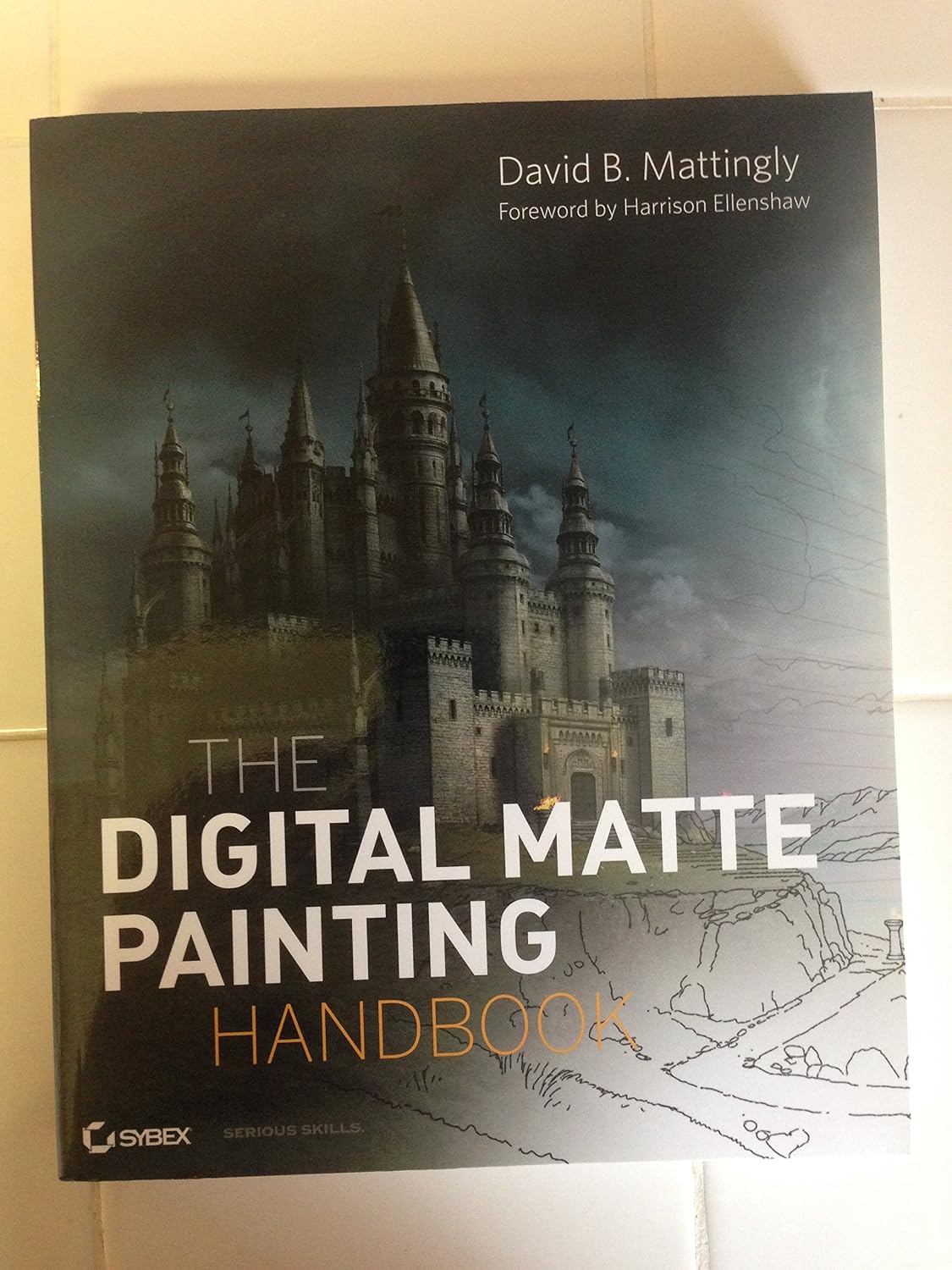
Matte painting is a specialized branch of digital painting used in film and games to create environments, and David B. Mattingly’s handbook, with a foreword by Harrison Ellenshaw, is a long-standing reference for it. The discipline combines painting, photo integration and perspective, and a course aimed at general illustration will not cover it.
This is the most specialized title here and the second-highest price tier, so it is for readers who already know they want to work in environments for screen.
Best suited for: students aiming at film, game or visual-effects environment work.
Key features:
- Dedicated to digital matte painting
- Author with industry background; foreword by Harrison Ellenshaw
- Covers an area general courses omit
Pros:
- Industry-specific workflow
- Fills a gap in most curricula
Cons/limitations:
- Narrow audience
- Software references may be dated
Buying consideration: Treat it as a specialization after fundamentals, not a starting point.
Buying Guide: How to Choose a Digital Painting Course
Start from your weakest fundamental
Look at your last five paintings and name the recurring problem: flat values, muddy color, stiff edges, poor composition. Buy the course that addresses it. A course that fixes your actual weakness is worth more than a broader one.
Match your software and hardware
A Procreate course on an iPad is a different experience from a Photoshop course on a desktop with a pen display. Learn in the setup you will keep using; switching tools mid-course doubles the learning load.
Prefer feedback when you can afford it
Critique shortens the path more than any amount of extra video. If a cohort course is out of reach, choose a self-paced course with assignments and join a critique community.
Check the instructor’s teaching, not only their art
Watch free previews. Some excellent painters explain poorly; some modest painters teach brilliantly. You need the latter.
Set a finishing deadline
Choose a course you can complete, including practice, within about three months. Longer than that and most students drift.
Budget for references
A good book on color and light, plus a software guide, costs a fraction of most courses and answers questions a video cannot pause to explain.
Plan the next step
After fundamentals, specialize: environments, characters, matte painting or illustration. Pick a second course or book in that direction rather than another general one.
Practice Projects to Pair with a Course
Apply each lesson to a focused subject. Our tutorials on painting digital waves and ocean and painting digital night scenes each isolate a single lighting problem. If you are still deciding on hardware, digital painting without a tablet explains what is possible with a mouse or a phone while you save for a pen tablet.
Common Mistakes to Avoid
- Buying a brush pack instead of a course. Brushes do not fix values.
- Choosing a course for its length. More hours means more time before you finish.
- Watching without painting along. Pause and reproduce every demonstration.
- Switching instructors every week. Conflicting methods stall progress; finish one course first.
- Learning on software you will abandon. Pick your long-term app before enrolling.
- Skipping grayscale. Painting in color before values are solid hides the real problems.
FAQs
Do I need to learn traditional drawing before a digital painting course?
Not before, but alongside. Drawing fundamentals such as proportion, perspective and gesture carry straight into digital work, and most good digital painting courses assume some drawing ability.
Which software should a beginner learn digital painting in?
Whichever you already own or can afford. Procreate on iPad, Clip Studio Paint and Krita (free) are all capable. Fundamentals transfer; interface knowledge does not, so avoid switching mid-course.
Are free digital painting courses good enough?
Free video instruction can be excellent, but you must build your own curriculum and find your own critique. Paid courses mainly buy structure and, at the higher end, feedback.
How long does it take to get good at digital painting?
Consistent daily practice of 30 to 60 minutes produces visible improvement in a few months and solid competence over one to two years. Courses accelerate the process but do not replace the hours.
Is a book as useful as a video course?
For theory such as color and light, books are often better because you can study diagrams at your own pace. For workflow and brush handling, video shows timing and pressure that print cannot.
Should I buy a software course or a fundamentals course first?
Spend a week with free software tutorials to learn the interface, then invest in fundamentals. Software knowledge is quick to acquire; painting skill is not.
Final Recommendation
Pick a course that spends most of its time on value, edges, color and form in the software you will keep using, and that includes assignments or critique. Support it with a printed reference: Artists’ Master Series: Color and Light for every student, plus a software-specific guide where it fits: Beginner’s Guide to Digital Painting in Clip Studio Paint for Clip Studio users, Drawing Digital for iPad beginners, or A Guide to Digital Painting in Procreate: Landscapes & Plein Air for outdoor landscape work. Reserve The Digital Matte Painting Handbook for the point where you specialize in environments for film and games.



One Comment