PaintingProGuide is reader-supported. When you buy through links on this page we may earn an affiliate commission at no extra cost to you.
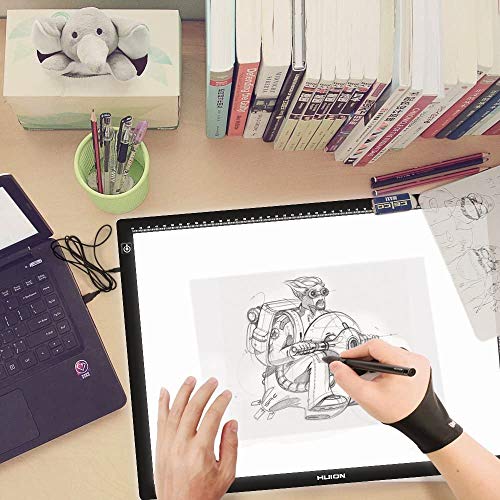
A drawing glove for tablets solves a small problem that becomes a big one over a long session. Your palm drags across the screen or pen pad, picks up friction, leaves sweat and oil smudges, and on touchscreens can trigger stray marks. A two-finger artist glove covers the side of your hand and the ring and little fingers, so your hand glides smoothly while your thumb, index and middle fingers stay free to hold the stylus.
The best drawing glove for tablets is thin, stretchy, breathable and sized correctly. Thickness and sizing matter more than brand. Below we compare seven gloves currently listed on Amazon, from tablet makers Huion, Wacom and XPPen to multi-pack options, and explain what a glove can and cannot do for palm rejection.
Quick answer: The HUION Artist Drawing Glove is the best all-round pick: a thin Lycra and nylon two-finger glove that fits either hand and is one of the most widely reviewed gloves on Amazon. If you want a more eco-friendly glove with an exposed fingertip for typing, choose the Wacom Artist Drawing Glove. For a snugger fit on iPad, the Kortimu 3-Layer Glove comes as a two-pack in three sizes.
Our Top Picks at a Glance
- HUION Artist Drawing Glove — Best overall drawing glove for tablets
- Wacom Artist Drawing Glove — Best for typing and touchscreen access
- Kortimu 3-Layer Artist Glove, 2-Pack — Best for iPad users who want a sized fit
- XPPen Artist Drawing Glove (S, M, L) — Best sized option from a tablet maker
- HUION Skeleton Artist Glove — Best for a bit of personality
- OTraki 4-Pack Artist Drawing Gloves — Best multi-pack for spares and classrooms
- SRHVJ Drawing Glove — Best ultra-budget single glove
| Product | Best For | Key Spec | Key Strength | Price Tier |
|---|---|---|---|---|
| HUION Artist Glove | Everyday use | Lycra and nylon, free size | Thin, widely trusted | $ |
| Wacom Drawing Glove | Typing and touch | Recycled polyester and spandex, one size | Exposed fingertip design | $ |
| Kortimu 2-Pack | iPad palm rejection | Three-layer, S/M/L | Anti-slip, breathable, two gloves | $ |
| XPPen Artist Glove | Sized fit | Elastic cloth, S/M/L | Choose your exact size | $ |
| HUION Skeleton Glove | Style with function | Lycra, skeleton print | Same build as HUION classic | $ |
| OTraki 4-Pack | Spares, classrooms | Four gloves | Low cost per glove | $ |
| SRHVJ Glove | Lowest cost | Single ambidextrous glove | Cheapest entry | $ |
How We Chose
The picks are based on the Amazon listing details and specifications checked in October 2026, how well each glove’s material, sizing and design fit long digital drawing sessions, and how widely each glove is reviewed by Amazon buyers. Two of the budget options have very little listing detail, so we kept their descriptions to what the titles state.
Our criteria:
- Material and thickness: thin, stretchy fabrics that reduce friction without bulk.
- Fit and sizing: one-size versus small, medium and large options.
- Ambidextrous design: whether the glove works on both left and right hands.
- Breathability: comfort over hours of use.
- Value: single glove versus multi-packs.
What a Drawing Glove Can and Cannot Do
A glove reduces friction and stops skin oils from smudging the screen. On screenless pen tablets and pen displays that do not use touch, that is all you need. On touchscreen devices such as an iPad or a pen display with touch enabled, the operating system’s palm rejection does most of the work. Several listings, including Huion’s, state plainly that the glove cannot prevent accidental touches on a touchscreen; it simply reduces friction. If stray marks are your main problem, check your palm rejection settings or disable touch while drawing, and use the glove for comfort.
Best Drawing Gloves for Tablets Reviewed
1. HUION Artist Drawing Glove, One Size, Left or Right Hand — Best for Everyday Use

The Huion glove is the default choice for a reason: it is inexpensive, thin and among the most widely reviewed drawing gloves on Amazon. It is made from soft Lycra and nylon, measures about 20 cm long and 8 cm wide, and uses a two-finger design that fits either hand.
Huion positions it to prevent smudges on graphics tablets and displays while reducing friction. The black color hides dirt, so it does not need frequent washing. The listing is honest that it will not stop accidental touch input on touchscreens.
Best suited for: most artists using pen tablets, pen displays or iPads who want a thin, reliable glove.
Key features:
- Two-finger, ambidextrous design
- Soft Lycra and nylon
- About 20 x 8 cm, free size
- Black, dirt-resistant
Pros:
- Thin and flexible
- Very widely reviewed
- Low price
Cons and limitations:
- One size may be loose on small hands
- Does not provide touch palm rejection
Buying consideration: if you have small hands, consider a sized glove like XPPen or Kortimu instead.
2. Wacom Artist Drawing Glove, One Size — Best for Typing and Touchscreen Access

Wacom’s glove adds a useful twist: an exposed fingertip design that lets you use touchscreen gestures and type on a keyboard without taking the glove off. That matters if you switch constantly between drawing and shortcuts.
It is made of 90 percent recycled material, a recycled polyester and spandex blend, and measures about 7.6 by 3.3 inches. It is ambidextrous and one size fits most. Wacom highlights reduced friction for comfort over hours and fewer smudges on the screen.
Best suited for: artists who use keyboard shortcuts and touch gestures while drawing, and buyers who want recycled materials.
Key features:
- Exposed fingertip design
- 90 percent recycled polyester and spandex
- Ambidextrous, one size
- About 7.6 x 3.3 inches
Pros:
- Easy typing and touch access
- Eco-friendly material
- From a leading tablet brand
Cons and limitations:
- Pricier than Huion
- Single size only
Buying consideration: measure your hand; at 3.3 inches wide it may run snug on very large hands.
3. Kortimu Artist Drawing Glove, 3-Layer Palm Rejection, 2-Pack — Best for iPad Users Who Want a Sized Fit
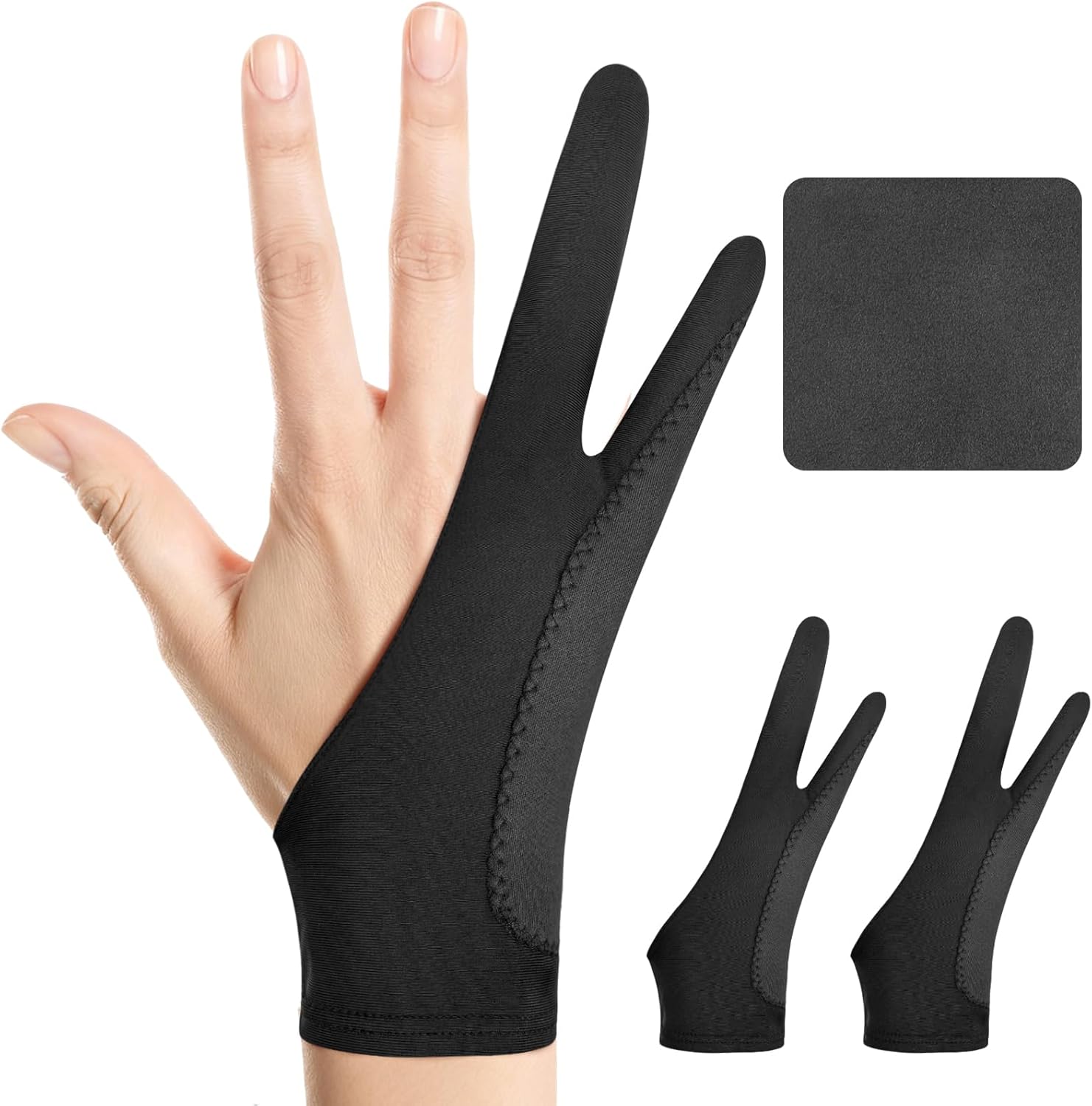
Kortimu offers its glove in three sizes, small (2.95 x 7.48 inches), medium (3.34 x 8.07 inches) and large (3.54 x 8.46 inches), and includes two gloves plus a cleaning cloth. The listing describes a three-layer anti-slip design for better grip and fewer accidental touches with stylus use on iPads and drawing tablets.
The fabric is described as soft, stretchy, breathable and moisture-wicking for long sessions, and stain-resistant. Having a spare glove is convenient when one is in the wash.
Best suited for: iPad and tablet artists who want a sized fit and a spare.
Key features:
- Two gloves plus cleaning cloth
- Three sizes available
- Three-layer anti-slip design
- Breathable, moisture-wicking fabric
Pros:
- Sized fit
- Spare included
- Breathable for long sessions
Cons and limitations:
- Thicker layered design may feel bulkier than single-layer gloves
- Touch prevention still depends on device palm rejection
Buying consideration: choose your size by the listed measurements, not by your usual glove size.
4. XPPen Artist Drawing Glove, 2-Finger, Size M — Best for Sized Fit From a Tablet Maker

XPPen makes its glove in small, medium and large, so you can choose a fit instead of hoping one size works. The listing describes a highly elastic, breathable cloth that is skin-friendly and stops smudging while allowing an easier glide.
It fits both right and left hands and comes in black to hide dirt. It is a straightforward, well-reviewed alternative to Huion for anyone whose hand is noticeably smaller or larger than average.
Best suited for: artists who want a properly sized glove from an established tablet brand.
Key features:
- Two-finger, ambidextrous
- Sizes S, M and L
- High-elastic, breathable fabric
- Black, dirt-resistant
Pros:
- Sized options
- Comfortable stretch
- Low price
Cons and limitations:
- Size must be chosen carefully
- Basic single-layer design
Buying consideration: this listing is size M; check you have selected the right size variant before ordering.
5. HUION Skeleton Artist Glove — Best for Style With Function

This is the same basic two-finger Lycra and nylon glove as the standard Huion model, about 20 by 8 cm, with a black skeleton-bone print. It is designed to prevent smudges and reduce friction on graphics tablets and monitors.
Like its plain sibling, the listing notes that it cannot prevent accidental touches on touchscreens. If you want the proven Huion fit with a bit of character, this is it.
Best suited for: artists who like the Huion glove and want a more playful look.
Key features:
- Two-finger, ambidextrous
- Lycra and nylon
- Skeleton print
- About 20 x 8 cm
Pros:
- Same build as the popular Huion glove
- Fun design
- Inexpensive
Cons and limitations:
- Costs slightly more than the plain version
- One size
Buying consideration: functionally the same as the plain Huion; buy whichever look you prefer.
6. OTraki 4-Pack Artist Drawing Gloves — Best for Spares and Classrooms

OTraki sells its two-finger artist gloves in a four-pack, and the title notes they suit digital tablets and paper sketching. That pairs well with traditional pencil and charcoal work too, where a glove prevents your hand from smearing graphite.
The listing provides little detail beyond the title, but its very large number of buyer reviews suggests it is a popular, established option. A multi-pack makes sense for classrooms, shared studios or simply having clean gloves on rotation.
Best suited for: students, teachers and artists who want spares or use gloves for both digital and paper work.
Key features:
- Four gloves per pack
- For digital tablets and paper sketching
Pros:
- Low cost per glove
- Spares for washing rotation
- Very widely reviewed
Cons and limitations:
- Limited listing detail on materials and sizes
Buying consideration: check the size chart in the listing images before ordering for children or very large hands.
7. SRHVJ Drawing Glove, Left or Right Hand — Best for Lowest Cost

If you just want to try a drawing glove for the least money, this single SRHVJ glove fits left or right hands and is listed for digital drawing tablets, iPad and paper sketching.
There is minimal detail on materials or sizing, so treat it as a trial purchase. If you like using a glove, upgrading to a sized or brand-name glove later is inexpensive.
Best suited for: anyone curious whether a glove helps before spending more.
Key features:
- Single ambidextrous glove
- For tablets, iPad and paper
Pros:
- Lowest price here
- Low-risk trial
Cons and limitations:
- Little listing detail
- Fewer buyer reviews
Buying consideration: buy this to test the idea; buy a sized glove if you decide you like drawing with one.
Buying Guide: How to Choose a Drawing Glove for Tablets
Fit and Size
A glove should be snug enough not to bunch under your palm, but not so tight that it restricts movement. One-size gloves fit most adults; sized gloves suit small or large hands. Compare the listed width and length with your hand.
Material and Thickness
Lycra, nylon and spandex blends stretch and glide well. Thinner gloves give a more natural feel; layered gloves can feel more cushioned. Avoid thick cotton gloves, which bunch and trap heat.
Finger Design
The standard two-finger design covers the ring and little fingers, leaving your drawing fingers free. Gloves with exposed fingertips, like Wacom’s, make typing and touch gestures easier.
Ambidextrous or Handed
Most gloves here work on either hand, which is convenient for left-handed artists and lets you flip the glove to even out wear.
Breathability
Long sessions make hands warm. Breathable, moisture-wicking fabrics keep your hand from sticking to the surface and feeling clammy.
Device Type
On screenless tablets, a glove mostly adds comfort and glide. On screens, it also keeps the display clean. On touchscreens, pair it with good palm rejection settings.
Washing and Spares
Gloves get grubby. Hand wash in cool water and air dry. A two-pack or four-pack means you always have a clean glove available.
Drawing Glove vs Matte Screen Protector
Many artists weigh a glove against a matte or paper-texture screen protector, but the two solve different problems. A protector changes how the pen tip feels, adding bite and control to slick glass, and it reduces glare. A glove changes how your hand feels, cutting friction between your palm and the surface. Neither replaces the other.
A textured protector actually increases friction for your hand as well as the pen, which is why many people who add one also start wearing a glove. If you use a screenless pen tablet, the surface is already textured, so a glove is the only upgrade that applies. On an iPad or pen display, start with the glove because it is cheaper and reversible, then add a protector only if the pen feels too slippery.
One more benefit is often overlooked: posture. When your hand glides freely, you are less tempted to lift your wrist and draw from the fingers, which tends to make lines shaky. Drawing from the elbow and shoulder with a resting, gliding hand gives smoother, longer strokes.
More Help With Your Tablet
A glove is only one part of a comfortable setup. Our drawing tablet setup guide covers drivers, pressure, screen mapping and ergonomics. Once you are set up, practice glide and pressure control with projects like painting digital waves and ocean scenes.
Common Mistakes to Avoid
- Expecting a glove to fix touchscreen stray marks instead of adjusting palm rejection.
- Buying a glove that is too loose, so fabric bunches under your hand.
- Choosing thick fabric that feels clumsy and traps heat.
- Never washing the glove, so it transfers oils back onto the screen.
- Wearing the glove on the wrong fingers; it should cover the ring and little fingers.
- Ignoring sizing charts for children or very large hands.
FAQs
Do drawing gloves really help on a tablet?
Yes. They reduce friction so your hand glides smoothly, prevent sweat and oil smudges, and make long sessions more comfortable. They do not replace your device’s palm rejection on touchscreens.
Does a drawing glove prevent palm touches on an iPad?
Not by itself. iPad palm rejection handles most stray touches when you use an Apple Pencil. A glove helps with friction and smudges. Some layered gloves claim to reduce accidental touches, but results depend on the device.
Which hand do I wear a drawing glove on?
Wear it on your drawing hand, with the ring and little fingers through the two finger holes. Most gloves are ambidextrous, so they work for left- or right-handed artists.
What size drawing glove should I get?
Compare the listed width and length to your hand. One-size gloves fit most adults. If your hand is small or large, choose a sized glove such as XPPen or Kortimu.
How do I clean a drawing glove?
Hand wash in cool water with mild soap, rinse well and let it air dry. Avoid high heat in a dryer, which can damage stretch fibers.
Can I use a drawing glove for traditional drawing?
Yes. A glove prevents your hand from smudging pencil, charcoal or pastel on paper, and keeps skin oils off the surface.
Final Recommendation
For most artists, the HUION Artist Drawing Glove is the simplest, best-proven choice. Choose the Wacom glove if you type or use touch gestures often and like recycled materials, or the Kortimu two-pack if you want a sized fit with a spare for iPad work. XPPen is the pick for a sized glove from a tablet brand, the HUION Skeleton adds style, the OTraki four-pack suits classrooms, and the SRHVJ glove is a cheap way to see whether you like drawing with one at all.