Are you ready to bring your digital art to life with realistic rocks and stones? Painting digital rocks and stone might seem tricky at first, but with the right techniques, you can create stunning textures and shapes that make your artwork pop.
Whether you’re designing a natural landscape, a fantasy scene, or adding details to your game assets, mastering how to paint rocks digitally will give you a powerful skill that sets your work apart. In this guide, you’ll discover simple steps and expert tips that make the process easy and enjoyable.
Keep reading, and you’ll soon be painting rocks that look so real, viewers will feel like they can reach out and touch them!
Materials And Tools
Before you start painting digital rocks and stones, gathering the right materials and tools is crucial. These elements form the base of your creative process. The right setup helps you paint textures and shapes accurately. It also saves time and improves your final artwork. Below, explore the key tools and materials needed for digital rock painting.
Choosing Software
Select software that suits your skill level and style. Popular options include Adobe Photoshop, Clip Studio Paint, and Procreate. Each offers unique tools for texture and brush control. Some software provides easy layering and blending options. Choose one that feels comfortable for painting detailed stone textures. Your choice impacts the ease and quality of your digital rocks.
Essential Brushes
Brush selection is vital for realistic rock textures. Use textured brushes that mimic rough stone surfaces. Soft round brushes work well for smooth shading. Hard brushes help define edges and cracks. Experiment with custom brushes made for rocks and stones. Adjust brush opacity and size for better control. Good brushes bring your digital rocks to life.
Setting Up Your Canvas
Start with a canvas size that fits your project needs. A larger canvas allows more detail but needs more memory. Set the resolution to at least 300 dpi for clear images. Use layers to separate different parts of your painting. This makes editing easier and non-destructive. Organize your canvas with reference images or sketches. Proper setup guides your workflow smoothly.
Basic Rock Shapes
Understanding basic rock shapes is essential for painting digital rocks and stones. These shapes form the foundation of your artwork. Simple shapes help break down complex rock forms into easy-to-manage parts. This process improves accuracy and speed in digital painting.
Mastering basic rock shapes allows you to add detail with confidence. It also helps create realistic and believable textures. Start by focusing on the general silhouette, then work on light and shadow to add depth.
Sketching Silhouettes
Begin by sketching simple rock silhouettes. Use bold, clear shapes to capture the overall form. Avoid details at this stage. Concentrate on the rock’s outline and size. Silhouettes help you see the rock’s unique shape clearly. Keep these shapes irregular to mimic natural rocks.
Simplifying Forms
Break the silhouette into smaller, simple forms. Use basic shapes like cubes, cylinders, and spheres. These shapes represent different rock faces and edges. Simplifying makes shading and texturing easier. It also helps maintain the rock’s structure. Work on one shape at a time before combining them.
Light And Shadow Basics
Identify the light source early in your painting. This step is key to creating volume. Light hits the rock’s surfaces facing the source. Shadows form on the opposite sides. Use soft shadows for rounded rocks and hard shadows for sharp edges. This contrast gives rocks a three-dimensional look.
Texture Creation
Texture creation is key for painting digital rocks and stones. It adds realism and depth to your artwork. Without texture, rocks look flat and lifeless. Creating texture means mimicking the roughness, cracks, and tiny details found on real stones.
Each rock has unique patterns and surface qualities. Capturing these features makes your digital painting believable. Focus on different tools and techniques to build textures layer by layer. This process enhances the overall look of your digital rocks.
Using Custom Brushes
Custom brushes simulate natural rock textures easily. They help paint rough surfaces or grainy details quickly. Choose brushes with irregular shapes for best results.
Experiment with brush settings like opacity and size. These control texture intensity and variation. Use brushes that imitate cracks, bumps, and small stones.
Brushes with scatter or noise effects add randomness. This prevents repetitive patterns and keeps the rock surface natural. Custom brushes save time and improve texture quality.
Adding Surface Details
Surface details bring life to digital rocks. Add small cracks, chips, and crevices to the painting. These imperfections create interest and realism.
Use a fine brush to draw tiny lines and shapes. Blend these details softly for smooth transitions. Layer details gradually to avoid harsh edges.
Include color variations like moss or dirt patches. These add character and hint at the environment. Surface details make your digital stones more believable.
Creating Roughness And Smoothness
Rocks have areas that are rough and others that are smooth. Represent this contrast to add depth. Rough textures appear on edges or weathered parts.
Smooth surfaces reflect light differently. Use softer brushes and gentle blending for these areas. Change brush hardness to switch between rough and smooth textures.
Work in layers. Start with a rough base, then soften parts selectively. This technique mimics natural stone surfaces well. Balance roughness and smoothness for a realistic finish.
Credit: steemit.com
Color And Tone
Color and tone bring life to digital rocks and stone. They show texture, depth, and material. Choosing the right colors and tones creates a natural feel. It also helps to separate different parts of the rock. Careful use of light and dark tones gives a 3D effect.
Selecting Color Palettes
Start by picking colors that match the rock type. Earthy browns, grays, and muted greens work well. Use a limited palette to keep the painting realistic. Test colors on a small area first. This helps to see how they blend together. Avoid too bright or unnatural colors for rocks.
Layering Colors
Apply colors in thin layers for depth. Begin with a base color that covers the whole rock. Add mid-tone layers to build texture and shape. Use a soft brush to blend layers smoothly. Layering helps to create subtle color shifts. These shifts make the rock look less flat and more natural.
Using Highlights And Shadows
Highlights show where light hits the rock. Use a lighter color on raised surfaces. Shadows mark the parts hidden from light. Apply darker tones in crevices and under overhangs. This contrast gives the rock a solid form. Balance highlights and shadows carefully for realism.
Lighting Techniques
Lighting plays a crucial role in painting digital rocks and stone. It brings depth and realism to your artwork. Correct lighting helps to highlight the texture and shape of the rocks. Without good lighting, the rocks may look flat and lifeless. Understanding lighting techniques is key to creating believable digital stones.
Determining Light Source
Start by choosing a clear light source direction. This decides where the light hits the rock and where shadows fall. The light source can be natural, like the sun, or artificial, like a lamp. Always keep the light consistent throughout your painting. This keeps the rock’s form logical and believable.
Painting Planes And Facets
Break the rock surface into simple planes or facets. Each plane faces a different direction. Paint the planes based on how much light they receive. Planes facing the light should be brighter. Planes turned away should be darker. This method adds volume and structure to the rock.
Adding Ambient Occlusion
Ambient occlusion means shadows in tight spaces where light is blocked. Paint soft shadows where rock surfaces meet or overlap. These shadows create depth and realism. Use a dark but soft brush to add these subtle shadows. Ambient occlusion helps the rock feel grounded and solid in your scene.
Advanced Detailing
Advanced detailing brings digital rocks and stones to life. It adds depth and realism. Small touches create natural, textured surfaces. These details make your art stand out. Focus on fine elements that mimic real stone surfaces.
Cracks And Crevices
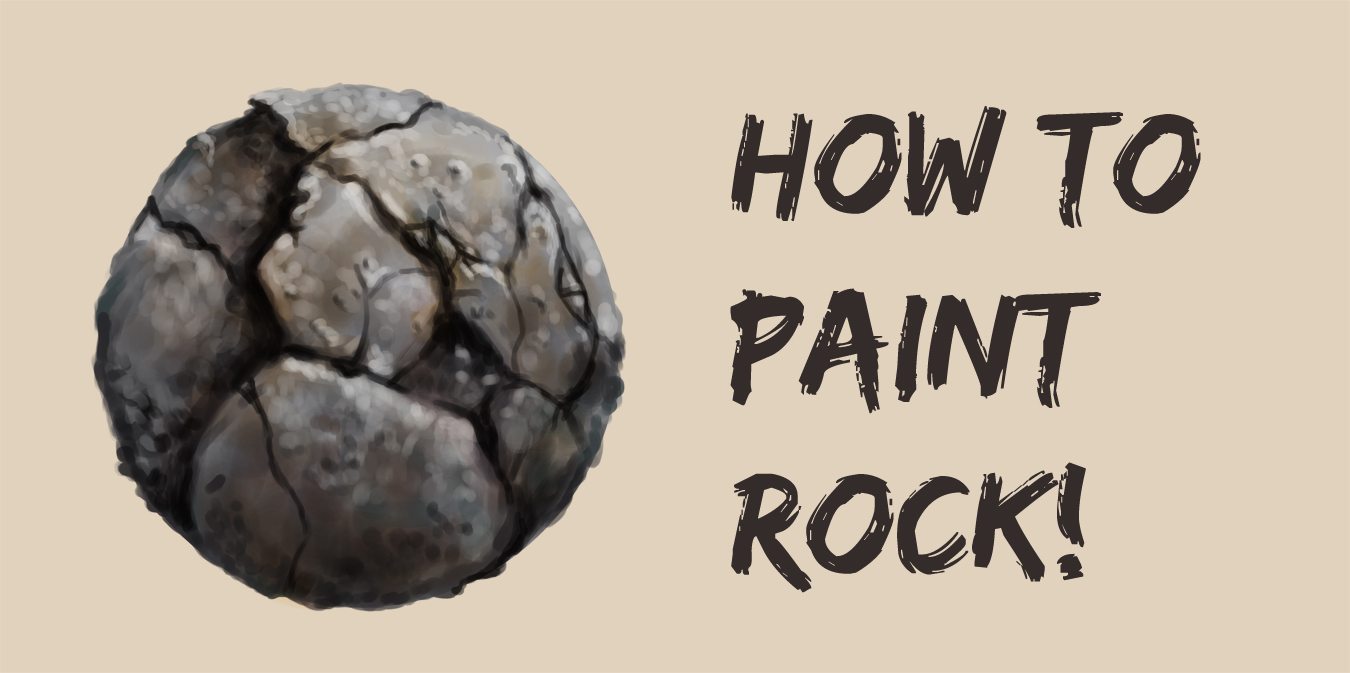
Cracks and crevices add character to rocks. Use a fine brush to paint thin, irregular lines. Vary their thickness for a natural look. Darker shades inside cracks create depth. Blend softly around edges to avoid harsh lines. These small imperfections give your rocks realism.
Moss And Lichen Effects
Moss and lichen bring color and life to stones. Use green and yellow tones with a soft brush. Dab gently to form irregular patches. Add lighter highlights on top to show light. Use a textured brush or sponge effect. This simulates the natural growth on rocks.
Weathering And Erosion
Weathering shows the rock’s history and age. Paint worn edges with lighter, faded colors. Use rough brush strokes to mimic erosion. Add small pits and surface scratches for texture. Blend colors to simulate dirt and dust layers. This technique makes rocks feel old and natural.
Stylized Vs Realistic
Painting digital rocks and stones involves choosing a style that fits your vision. Stylized and realistic approaches offer unique looks and challenges. Understanding their differences helps you decide how to paint your digital rocks. This section explains key features of each style and shares painting tips for both.
Key Differences
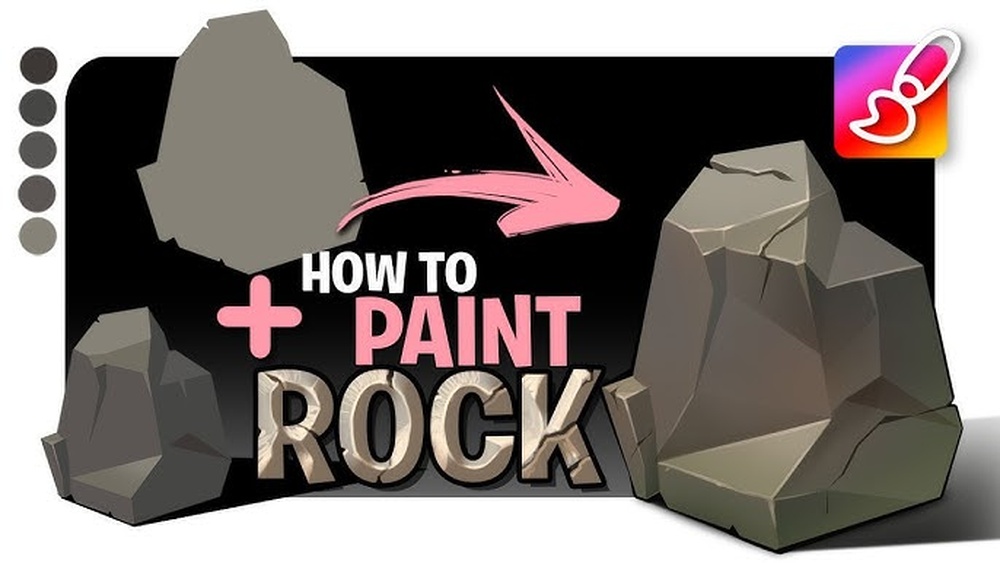
Stylized rocks use simple shapes and bold colors. They often exaggerate forms for a fun or cartoonish feel. Realistic rocks focus on natural details and textures. They aim to mimic how stones appear in real life. Stylized art looks more graphic and clean. Realistic art shows roughness, cracks, and subtle color shifts.
Techniques For Stylization
Start with basic shapes to block out the rock form. Use flat colors with sharp edges for contrast. Add shadows in large, simple patches. Avoid fine textures and tiny details. Play with bright or unusual colors to create interest. Use thick outlines or soft gradients to enhance the style. Keep the design clear and easy to read.
Maintaining Realism
Observe real stones to capture texture and color variety. Use soft brushes to blend colors smoothly. Paint small cracks and bumps to add detail. Apply subtle highlights and shadows to show depth. Layer different tones for a natural look. Avoid sharp edges; rocks usually have rounded, worn shapes. Use reference photos to guide your work.

Credit: www.youtube.com
Common Mistakes
Painting digital rocks and stones can be tricky. Many beginners make common mistakes that reduce the realism and impact of their art. Avoiding these errors helps create more natural and believable textures. Focus on key areas to improve your work and make your rocks stand out.
Overworking Textures
Adding too many details can overwhelm the rock’s surface. Overworking textures makes the rock look noisy and unnatural. Keep the texture simple and let some areas stay smooth. Use subtle variations to suggest roughness without cluttering the image. Balance detail and simplicity for a better result.
Ignoring Light Direction
Light affects how rocks appear in a scene. Ignoring light direction makes your painting look flat and confusing. Always decide where the light source is before shading. Highlight the parts facing the light and darken the shadowed areas. This adds depth and volume to your stones.
Flat Color Pitfalls
Using one flat color kills the rock’s realism. Real stones have multiple hues and tones. Add color variations within the rock, like patches of brown, gray, or green. These small shifts bring life and texture to your painting. Avoid large areas of uniform color to keep your art interesting.
Practice Exercises
Practice exercises help build confidence and skill in digital rock painting. They train your eye to see shapes, values, and textures clearly. Regular practice sharpens your observation and painting techniques. These exercises are simple and focus on core elements.
Quick Rock Sketches
Start by drawing quick rock shapes in different sizes. Use simple lines to capture the form fast. Don’t worry about details yet. Focus on the overall shape and structure. This exercise improves your ability to see and capture rock forms. Try sketching for 5 to 10 minutes daily.
Value Studies
Paint your rocks using only black, white, and gray tones. This helps you understand light and shadow. Block in the main light areas and dark shadows. Keep the shapes clear and simple. Value studies train you to create depth without color. They make your rocks look more solid and real.
Texture Swatches
Create small patches of different rock textures. Experiment with rough, smooth, cracked, or grainy surfaces. Use various brushes and strokes to mimic real stone. These swatches help you learn how to add texture quickly. Practice until you can paint textures that feel natural and varied.

Credit: haseebkhan.artstation.com
Resources And References
Gathering the right resources and references is key to painting digital rocks and stone effectively. Good materials inspire creativity and improve skills. They provide a solid foundation for your digital artwork. Below are essential resources to help you paint rocks with confidence and accuracy.
Photo References
Photo references give you real-world examples of rocks and stones. Use photos showing different textures, shapes, and lighting. Study how light hits the surfaces and how shadows form. Collect images from nature, geology sites, or texture libraries. These references help you understand details and colors better.
Brush Packs
Brush packs designed for digital painting add texture and detail easily. Look for brushes that mimic rock surfaces, cracks, and rough edges. Use them to create natural-looking stone textures quickly. Many artists share free or affordable brush packs online. Experiment with various brushes to find what suits your style best.
Tutorials And Communities
Tutorials guide you step-by-step through painting techniques. Watch videos or read articles focused on digital rock painting. Follow along to learn shading, texturing, and coloring methods. Join art communities online to share your work and get feedback. These groups offer support and helpful tips from fellow artists.
Frequently Asked Questions
What Tools Are Best For Painting Digital Rocks?
Use a pressure-sensitive stylus and tablet for detailed control. Software like Photoshop or Procreate offers great brushes and texture options for digital rock painting.
How Do I Create Realistic Stone Textures Digitally?
Start with a base color, then add layers of shading and highlights. Use textured brushes and blend colors to mimic natural stone surfaces realistically.
What Lighting Techniques Enhance Digital Rock Painting?
Identify your light source early and paint shadows accordingly. Use contrast between light and dark areas to give rocks depth and a 3D appearance.
How Can I Simplify Rock Shapes For Digital Painting?
Begin by sketching basic geometric forms like cubes and spheres. This helps define planes and shadows, making painting easier and more accurate.
Conclusion
Painting digital rocks and stones becomes easier with practice and patience. Start with simple shapes, then add light and shadow for depth. Use texture brushes to create a natural look. Experiment with colors to find what fits your style best.
Remember, each rock tells a story through your art. Keep refining your skills and enjoy the creative process. Your digital stones will soon look realistic and unique. This guide helps you build a strong foundation in digital rock painting. Keep practicing, and your artwork will continue to improve every day.