PaintingProGuide is reader-supported. When you buy through links on this page we may earn an affiliate commission at no extra cost to you.
Digital painters tend to obsess over monitors and pens and forget the room around them. Yet lighting changes how you see your screen more than most people realize. Paint in a dark room and your colors drift too dark and too saturated, because your eyes adapt to the bright screen. Paint with a lamp shining onto the display and glare washes out shadows. The best lighting for digital painting is soft, steady ambient light around the screen, with a neutral color temperature and no reflections on the panel.
This guide covers the lighting setup that supports accurate digital color, then reviews six adjustable LED lamps that can deliver it, from a wide-bar desk light to a budget clip lamp. Every lamp here can be dimmed and most let you switch color temperature, which matters more than raw brightness.
Quick answer: For a full digital painting desk, the Micomlan dual-head architect lamp is the best pick: CRI 95, a daylight setting, seven pivot points to aim light away from your screen and a sturdy metal clamp. If you want wide, even light across a large desk, the SEOUFRDZ 23.6-inch wide LED lamp lists CRI 95+. On a budget, the Foneso clip-on lamp offers a 6500K mode with 10 dimming steps.
Our Top Picks at a Glance
- Micomlan Dual-Head Architect Desk Lamp — Best overall lighting for a digital painting desk
- SEOUFRDZ 23.6″ Wide LED Workspace Lamp — Best wide, even light for large desks
- OttLite Clip-On LED Easel Lamp — Best for hybrid digital and traditional artists
- TobeBright Clip-On LED Light with Remote — Best adjustable clip light with remote
- LytLStrox Clip-On LED Art Light — Best compact gooseneck light
- Foneso Clip-On LED Desk Lamp — Best budget lamp for ambient light
| Product | Best For | Key Spec | Key Strength | Price Tier |
|---|---|---|---|---|
| Micomlan Architect | Full desk setup | CRI 95, 4 color modes, dual heads | 7 pivots, wide clamp | $$ |
| SEOUFRDZ Wide Bar | Large desks | 23.6-inch bar, CRI 95+ | Even light, weighted base | $$ |
| OttLite Easel Lamp | Hybrid artists | 12.6-inch diffused shade, CRI 95+ | 16.6-inch flexible neck | $$$ |
| TobeBright Clip | Easy adjustment | 3000K/4000K/6000K, CRI 85+ | Remote and memory | $$ |
| LytLStrox Clip | Small spaces | 3000K/4000K/6000K, CRI >85, 300 lm | 360-degree gooseneck | $$ |
| Foneso Clip | Budget ambient | 3000K/4500K/6500K, 10 levels | Low cost, USB powered | $ |
How We Chose
We did not measure these lamps or use them in a studio. Picks are based on Amazon listing details and specifications checked in October 2026, how well each lamp’s color rendering, color temperature options, dimming and positioning suit a digital painting desk, and how widely each product is reviewed by Amazon buyers. An easel-mounted clip lamp with CRI 90+ also appeared in our search; it is aimed at canvas painters, so we cover the OttLite as the easel option instead because its listing includes desk use.
- Neutral color option: a setting near daylight (around 5000K to 6500K) to match how screens display white.
- Color rendering (CRI): 90 or above helps when you work from printed references or sketch traditionally.
- Dimming: multiple brightness levels to match your screen brightness.
- Positioning: arms, goosenecks or wide bars that let you light the desk without hitting the screen.
- Flicker-free claims: important for long sessions.
How Lighting Affects Digital Color
Your monitor emits its own light, so you do not need a lamp to see the screen. What room lighting does is set your eyes’ adaptation. In a dark room, the screen looks brighter than it really is, so you tend to paint values too dark; viewers on bright phones then see muddy shadows. In a very bright room, you push the screen brightness up and paint too light. Moderate, even ambient light lets you set the monitor to a comfortable level and judge values more like your audience will.
Color temperature matters too. The sRGB standard most screens target uses a white point called D65, close to daylight at roughly 6500K. If your room is lit with warm 2700K bulbs, your eyes adapt to yellow and the screen’s white looks cold and blue, which can nudge you into warming every painting. A lamp set to a neutral or daylight mode keeps your eyes closer to the screen’s white point. You can read more about how value mistakes show up in practice in our guide to painting digital night scenes.
The Ideal Digital Painting Lighting Setup
- Avoid direct light on the screen: aim lamps at the desk or wall, not the panel.
- Light from the side or behind: position lamps to the side, or use soft light on the wall behind the monitor (bias lighting) to reduce contrast strain.
- Match temperatures: choose a neutral or daylight lamp setting close to your monitor’s white point.
- Keep it dim and even: ambient light should be noticeably dimmer than the screen, without hot spots.
- Control windows: sheer curtains stop changing daylight from shifting your perception through the day.
Best Lighting for Digital Painting Reviewed
1. Micomlan Dual-Head LED Architect Desk Lamp — Best for a full digital painting desk

Micomlan’s architect lamp uses two light heads on a swing arm with 7 rotating parts, which is exactly what a digital desk needs: you can light your keyboard, pen tablet and reference sketches while angling everything away from the monitor. The listing gives a CRI of 95, four color temperature modes from warm white to daylight, and five brightness levels in each.
The ultra-wide metal clamp with a silicone pad fits desk edges up to 2.5 inches, and the body is aluminum for heat dissipation. A memory function restores your last setting, and an auto-off timer is included.
Best suited for: Digital painters with a dedicated desk who want flexible, high-CRI light that stays off the screen.
Key features:
- Dual light heads
- CRI 95
- 4 color modes including daylight, 5 brightness levels
- 7 rotating joints
- Metal clamp for desks up to 2.5 inches
Pros:
- Highly adjustable positioning
- Daylight mode near screen white point
- Sturdy clamp and aluminum build
Cons and limitations:
- Long arm takes space behind the desk
- Only 5 brightness levels
- Clamp needs a flat desk edge
Buying consideration: Point both heads down at the desk surface in front of the monitor; never toward the screen.
2. SEOUFRDZ 23.6-Inch Wide LED Workspace Lamp — Best for wide, even light for large desks

A single bulb creates hot spots; a long light bar spreads light evenly. SEOUFRDZ’s 23.6-inch bar is designed to illuminate a whole desk, including monitors, documents and tools, according to the listing, with 95+ CRI LEDs for natural color.
A heavy metal base keeps it freestanding and stable, and the arm adjusts to position the light. The listing gives dimensions of about 6.85 x 23.62 x 25 inches and a weight of 4.89 pounds.
Best suited for: Artists who combine a pen display, sketchbook and references on one wide desk.
Key features:
- 23.6-inch LED bar
- CRI 95+
- Weighted metal base
- Adjustable structure
- About 25 inches tall
Pros:
- Very even coverage
- High CRI for references
- No clamp needed
Cons and limitations:
- Large footprint
- Color temperature options not detailed in the listing
- Heavier to move
Buying consideration: Set the bar high and slightly in front of the monitor, angled down, so it lights the desk but not the screen face.
3. OttLite Clip-On LED Easel Lamp — Best for hybrid digital and traditional artists

Many digital painters still sketch on paper or paint traditionally. OttLite’s clip-on lamp is designed for easels but also suits computer desks and shelves, per the listing. It has a 12.6-inch shade with a diffuser for smooth, uniform light, a flexible 16.6-inch neck and a spring-loaded clip.
OttLite’s ClearSun LEDs are listed with a 95+ CRI and are designed to match the spectrum of the sun. The brand claims reduced eyestrain; we report that as the manufacturer’s claim.
Best suited for: Artists who move between a sketchbook or easel and a digital setup.
Key features:
- 12.6-inch diffused LED shade
- CRI 95+ listed
- 16.6-inch flexible neck
- Spring-loaded clip
- Natural daylight spectrum claim
Pros:
- Diffused light avoids hot spots
- High CRI
- Works on easels and desks
Cons and limitations:
- Highest price tier here
- Dimming and color modes not detailed
- Clip mounts need a suitable edge
Buying consideration: Clip it to a shelf above and to the side of your monitor to light paper references without screen glare.
4. TobeBright Clip-On LED Easel Light with Remote — Best for easy adjustment during sessions

TobeBright offers three color modes (3000K warm, 4000K natural, 6000K cool), 10 dimming levels plus smooth dimming, and both an in-line controller and a remote. The listing describes a 360-degree gooseneck and a clip that fits surfaces from 0.4 to 2 inches thick.
The remote is useful for digital painters because you can match ambient light to your screen without leaning across the desk. It is USB powered with a 4.9-foot cord and needs your own 5V 2A adapter for wall power; the remote takes AAA batteries, not included. CRI is listed as 85+.
Best suited for: Artists who adjust lighting often across the day or between day and night sessions.
Key features:
- 3000K, 4000K, 6000K modes
- 10 brightness levels plus smooth dimming
- Remote and in-line control
- 360-degree gooseneck
- CRI 85+
Pros:
- Remote control
- Fine dimming
- Memory of last setting
Cons and limitations:
- CRI below 90
- Needs separate USB adapter
- Remote batteries not included
Buying consideration: Use the 6000K setting for color work and switch to warmer modes only when you are sketching or reading.
5. LytLStrox Clip-On LED Art Light — Best for small spaces
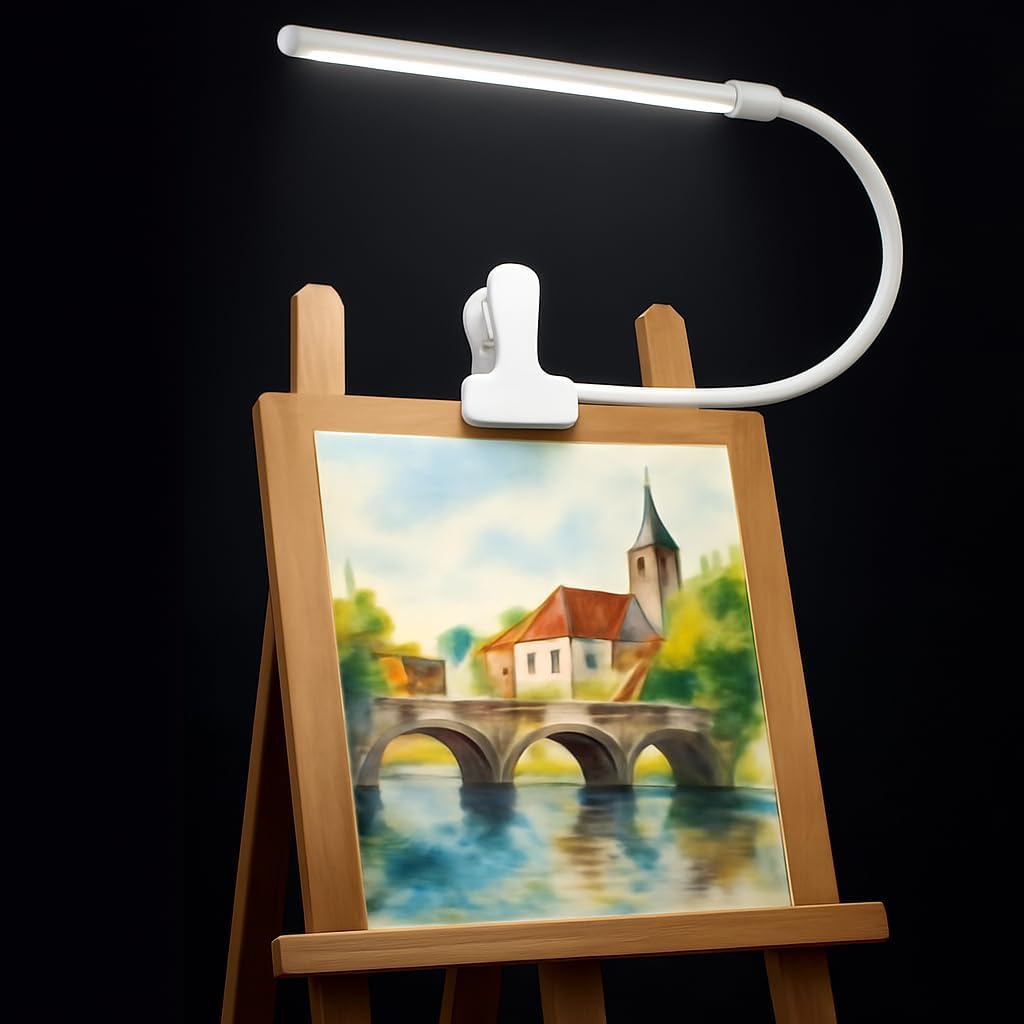
LytLStrox’s clip-on lamp has 3000K, 4000K and 6000K modes, 10 brightness levels and a 360-degree gooseneck. The listing describes flicker-free 300-lumen output with CRI above 85, USB power with a 6.7-foot cable, and 8W energy use.
It is compact enough for a small desk, shelf or headboard and mentions digital drawing among intended uses.
Best suited for: Students and small-space artists who need flexible, low-cost task light.
Key features:
- 3000K, 4000K, 6000K
- 10 brightness levels
- CRI >85, 300 lumens
- 360-degree gooseneck
- USB powered, 6.7 ft cable
Pros:
- Small footprint
- Long cable
- Good dimming range
Cons and limitations:
- CRI below 90
- Limited brightness for big desks
- Adapter not included
Buying consideration: Clip it behind the monitor pointing at the wall for simple, soft bias lighting.
6. Foneso Clip-On LED Desk Lamp — Best for budget ambient light

Foneso’s clip lamp is the least expensive way to add controllable light. It offers three color temperatures (3000K, 4500K and 6500K) with 10 dimming levels each, 48 LED beads described as flicker-free, and a memory function. The metal clip opens to 2.36 inches.
The 6500K mode is the closest match to a monitor’s D65 white point among the budget options. It is USB powered and requires a 5V 2A adapter, per the listing.
Best suited for: Budget setups, dorm rooms and anyone testing how ambient light affects their painting.
Key features:
- 3000K, 4500K, 6500K modes
- 10 dimming levels per mode
- 48 LEDs, flicker-free claim
- Memory function
- Metal clip opens to 2.36 inches
Pros:
- Lowest price tier
- 6500K option
- Simple, compact design
Cons and limitations:
- CRI not stated
- Small light head
- Specific adapter requirement
Buying consideration: Use it as a dim wall-wash behind your screen rather than as a bright task light.
Buying Guide: How to Choose Lighting for Digital Painting
Color temperature options
Look for a neutral or daylight setting between about 5000K and 6500K. Adjustable lamps let you match the monitor during color work and switch warmer for reading.
CRI for references and sketches
CRI measures how accurately a light shows colors on physical objects. It does not change your screen, but CRI 90+ helps when you compare a digital painting with printed references, swatches or traditional sketches.
Dimming range
Ambient light should be dimmer than the screen. Lamps with many brightness steps make it easier to find the right balance.
Positioning and glare control
Swing arms, goosenecks and wide bars let you light the desk while keeping light off the panel. Diffusers soften hot spots.
Mounting
Clamps save desk space but need a suitable edge. Weighted bases are freestanding. Check clamp ranges in the listing.
Power
USB lamps are convenient but often require a specific adapter. Make sure you have a compatible power source.
Lighting, Your Monitor and Calibration
Lighting and calibration work together. Once your lighting is set, calibrate or adjust your monitor in those conditions; a monitor calibrated in a dark room will look different under daylight. Keep your lighting consistent between sessions so your color judgments stay consistent too. If you are still setting up your workstation, our guide on digital painting without a tablet covers equipment alternatives, and the digital waves and ocean painting tutorial is a good test of whether blues and highlights read correctly under your new lighting.
Common Mistakes to Avoid
- Painting in total darkness: it leads to overly dark, oversaturated paintings.
- Pointing lamps at the screen: glare hides shadow detail.
- Mixing warm bulbs with a cool screen: mismatched white points skew your color choices.
- Ignoring window light: changing daylight makes colors look different through the day.
- Maxing out lamp brightness: a bright room forces you to raise screen brightness.
- Calibrating under different lighting: calibrate in the conditions where you paint.
FAQs
What color temperature light is best for digital painting?
A neutral to daylight setting, roughly 5000K to 6500K, is usually best because it is close to the white point most monitors target. Warm light can make you over-warm your colors.
Should I paint digitally in a dark room?
It is better not to. In darkness, the screen seems brighter than it is, so you tend to paint values too dark. Soft, even ambient light gives more reliable results.
Does CRI matter for digital art?
CRI affects how physical objects look under a lamp, not how your screen looks. It matters if you work from printed references, sketches or paint swatches alongside the screen.
Where should I place a lamp for digital painting?
To the side or behind the monitor, aimed at the desk or wall rather than the screen. This avoids glare while keeping the room evenly lit.
What is bias lighting?
Bias lighting is soft light on the wall behind your monitor. It reduces the contrast between the bright screen and a dark room, which can ease eye strain.
Do I need a special art lamp for digital painting?
Not necessarily. Any dimmable, flicker-free lamp with a neutral color setting that you can position away from the screen will work. Art lamps with high CRI help if you also paint traditionally.
Final Recommendation
For a dedicated digital painting desk, the Micomlan dual-head architect lamp offers the best combination of high CRI, a daylight mode and positioning that keeps light off the screen. Choose the SEOUFRDZ wide bar for large desks, and the OttLite if you also sketch or paint traditionally. TobeBright’s remote-controlled clip light makes it easy to adjust through the day, LytLStrox suits small spaces, and the Foneso clip lamp is an inexpensive way to add soft bias lighting behind your monitor.