PaintingProGuide is reader-supported. When you buy through links on this page we may earn an affiliate commission at no extra cost to you.
A tight budget does not mean a compromised painting experience anymore. The cheapest screenless tablets now offer battery-free pens, thousands of pressure levels and even tilt, which was a premium feature not long ago. The real question for budget tablets for digital painting is where your money goes furthest: a bigger, better screenless tablet, a modest pen display, or a standalone device that also replaces a computer.
We sorted seven options from the October 2026 listings into those three paths and ranked them by value for painting specifically. Prices change constantly, so we use tiers rather than exact figures.
Quick answer: The best budget tablet for most painters is the XPPen Deco 01 V3: a 10 x 6 inch active area, 16K battery-free pen with 60° tilt and 8 express keys in the lower price tier. The UGEE M708 is a close alternative with a paper-texture surface, and the Wacom Intuos Small suits small desks. If you want to draw on screen without overspending, the GAOMON PD1161 is the most affordable pen display here.
Our Top Picks at a Glance
- XPPen Deco 01 V3 — Best budget tablet overall
- UGEE M708 — Best budget tablet with a paper-like surface
- Wacom Intuos Small — Best budget tablet for small desks and laptops
- GAOMON PD1161 — Best budget pen display
- PicassoTab A10 — Best budget standalone tablet
- Frunsi T8 — Best low-cost standalone sketcher
- PicassoTab X11 — Best step-up standalone if your budget stretches
| Product | Best For | Key Spec | Key Strength | Price Tier |
|---|---|---|---|---|
| XPPen Deco 01 V3 | Best value overall | 10 x 6 in, 16K, 60° tilt | Tilt at an entry price tier | $$ |
| UGEE M708 | Paper-like feel | 10 x 6 in, 16,384 levels | Textured surface, 8 keys | $$$ |
| Wacom Intuos Small | Laptops and small desks | 4,096 levels, EMR pen | Proven drivers | $$ |
| GAOMON PD1161 | Drawing on screen | 11.6 in FHD, 8,192 levels, tilt | Pre-installed matte film | $$$ |
| PicassoTab A10 | No computer | 10 in laminated, 6GB RAM | Android 14, accessories | $$$ |
| Frunsi T8 | Pocket sketching | 8 in, 4GB RAM | Up to 20 hours listed | $$$ |
| PicassoTab X11 | Step-up standalone | 11 in laminated 2K, 128GB | Sharper screen, more storage | $$$ |
How We Chose
We did not test these tablets. Picks are based on Amazon listing details and specifications checked in October 2026, on how much painting capability each tablet offers for its price tier, and on how widely each product is reviewed by Amazon buyers.
- Value for painting: active area, pressure, tilt and pen type relative to price tier.
- Compatibility: operating systems listed.
- Workflow features: express keys and included accessories.
- Total cost: whether you also need a computer.
Three Budget Paths: Which One Is Yours?
Path 1: Screenless tablet (lowest cost). If you already have a computer, a screenless tablet gives you the most painting capability per dollar. The trade-off is learning to draw while looking at the monitor, which takes most people one to two weeks.
Path 2: Budget pen display (middle). You draw directly on the image, which feels more natural from day one. You still need a computer, and the cost is several times that of a screenless tablet.
Path 3: Standalone tablet (no computer needed). If you do not own a capable computer, a standalone tablet is your whole setup. Compare its price to a screenless tablet plus a computer, not to the tablet alone.
Best Budget Tablets for Digital Painting Reviewed
1. XPPen Deco 01 V3 — Best Budget Tablet Overall

The Deco 01 V3 packs a lot into the lower price tier. The listing describes a 10 x 6 inch active area in an 8mm-slim body, a battery-free stylus with 16,384 pressure levels and 60° tilt support, and eight customizable express keys with a blind-spot reduction pattern so you can find them by feel.
Compatibility covers Windows 7 and later, macOS 10.10 and later, Chrome OS 88 and later and Android 6.0 and later. The tablet can be rotated 180 degrees in the driver for left-handed use. Tilt at this tier is the standout: it lets angle-aware brushes in Krita, Clip Studio Paint and Photoshop shade naturally.
Best suited for: beginners and hobbyists who want the most features for the least money.
Key features
- 10 x 6 in active area, 8mm thin
- 16,384 levels, 60° tilt, battery-free
- 8 express keys
- Windows, macOS, Chrome OS, Android
Pros
- Tilt in a budget tablet
- Large area for the price tier
- Left-handed friendly
Cons
- No dial
- Large footprint on small desks
Buying consideration: Install XPPen’s driver before plugging in, and set the pressure curve slightly softer if light strokes do not register.
2. UGEE M708 — Best Budget Tablet with a Paper-Like Surface
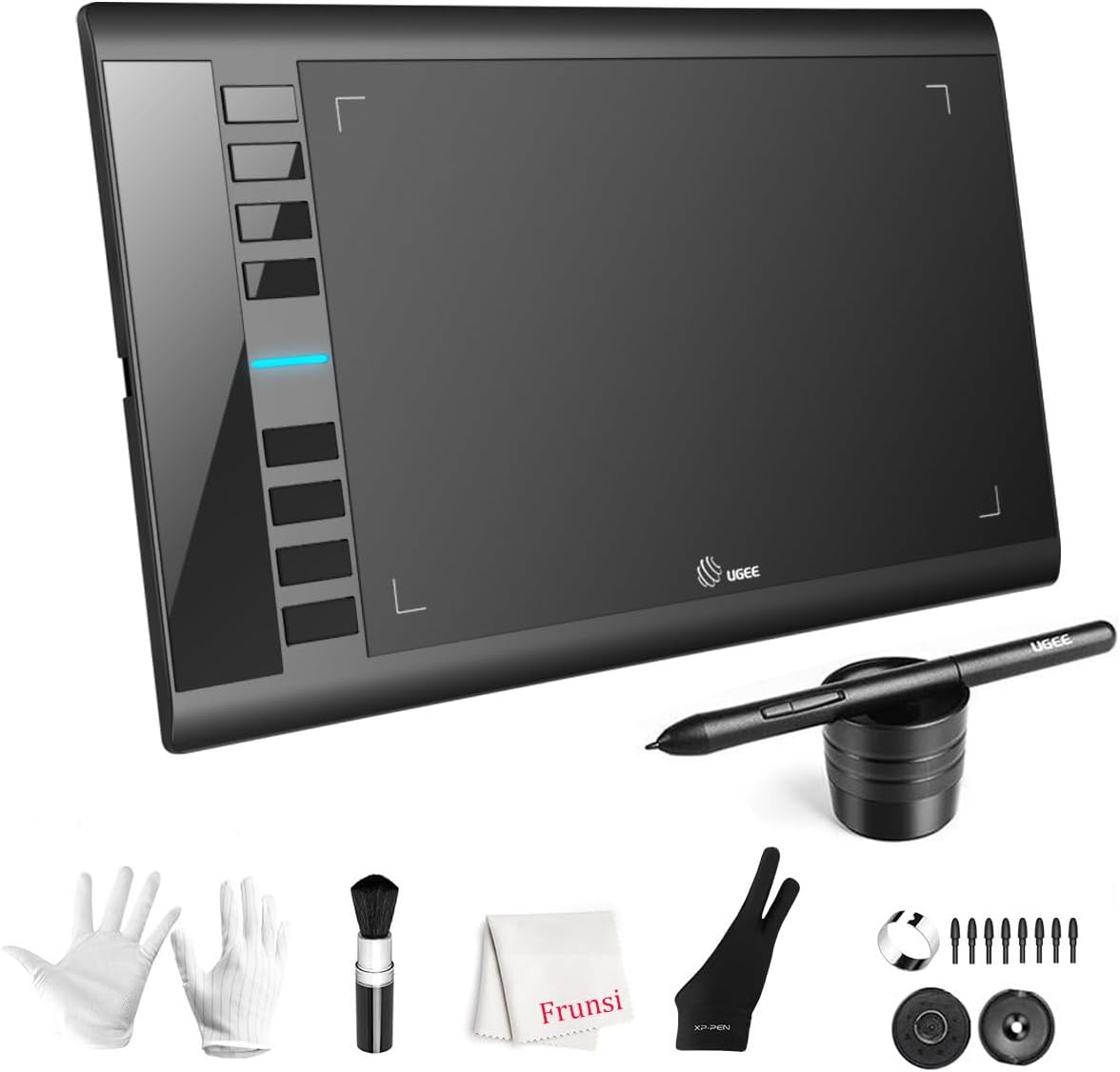
The M708 matches the Deco 01 V3’s 10 x 6 inch area and lists 16,384 pressure levels with a passive stylus. Its papery texture surface gives the nib some drag, which many painters prefer for control. There are eight customizable express keys and USB-C adapters, and compatibility covers Windows, macOS, Android 10 or later, Chrome OS 88 or later and Linux.
The listing does not mention tilt, which is the main difference from the XPPen.
Best suited for: painters who want tooth under the pen and broad compatibility, including Linux.
Key features
- 10 x 6 in, papery texture
- 16,384 levels
- 8 express keys
- USB-C adapters, Linux support
Pros
- Pleasant drawing friction
- Ambidextrous, spare tips included
Cons
- No tilt listed
- Textured surface wears nibs faster
Buying consideration: Keep spare nibs on hand and replace them when they wear flat.
3. Wacom Intuos Small — Best for Small Desks and Laptops
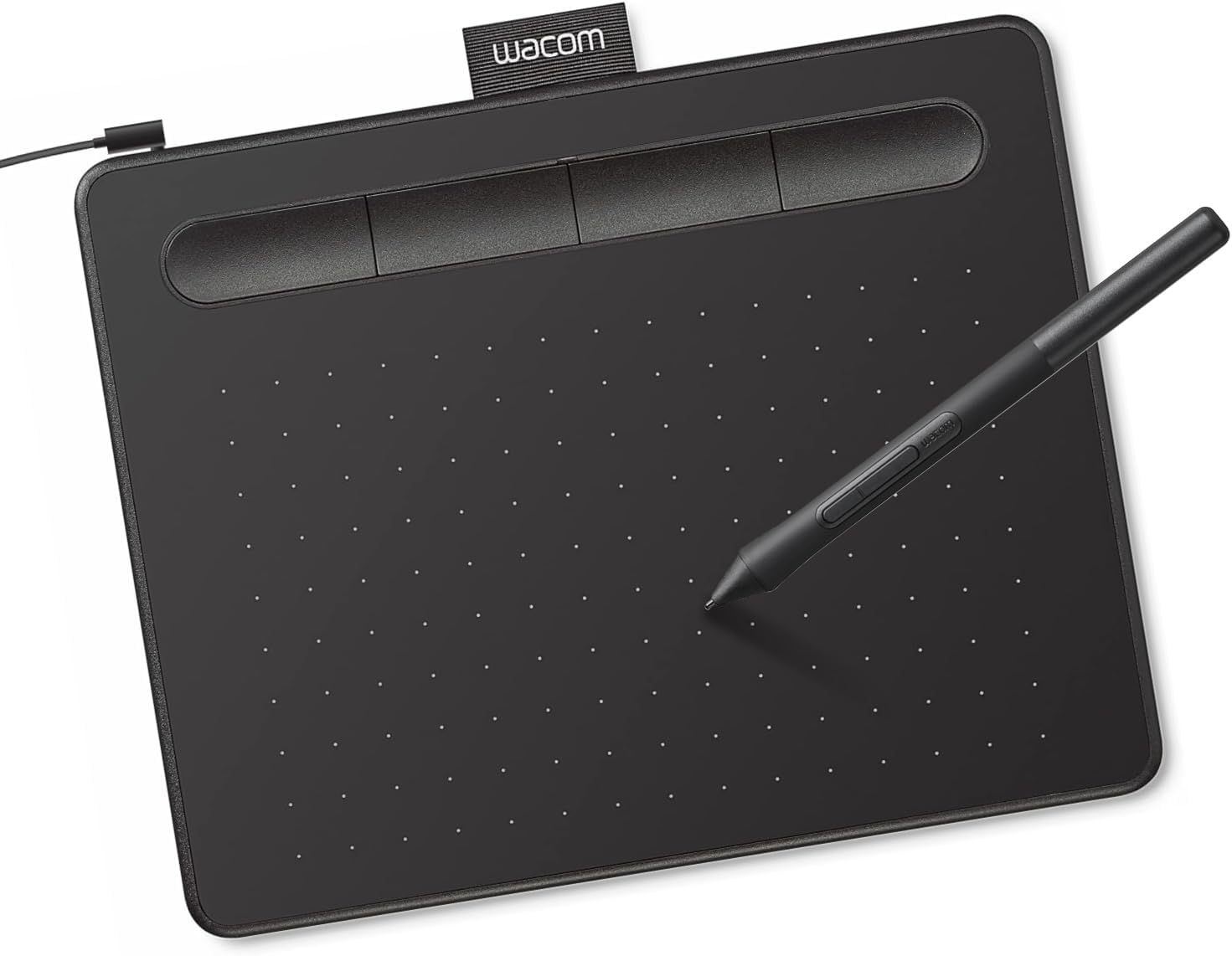
Wacom’s entry tablet trades size for reliability. The listing highlights battery-free EMR pen technology, 4,096 pressure levels and compatibility with Windows, macOS and Android, plus bundled software and training after registration. It is wired via USB-A.
For laptop painters and tight desks, its small footprint is an advantage rather than a flaw.
Best suited for: students and laptop painters who value dependable drivers.
Key features
- EMR battery-free pen
- 4,096 levels
- Bundled software and training
Pros
- Well-established drivers
- Compact
Cons
- Smaller area than the two tablets above
- No express keys or tilt listed
Buying consideration: On large monitors, map the tablet to part of the screen to keep strokes in proportion.
4. GAOMON PD1161 — Best Budget Pen Display
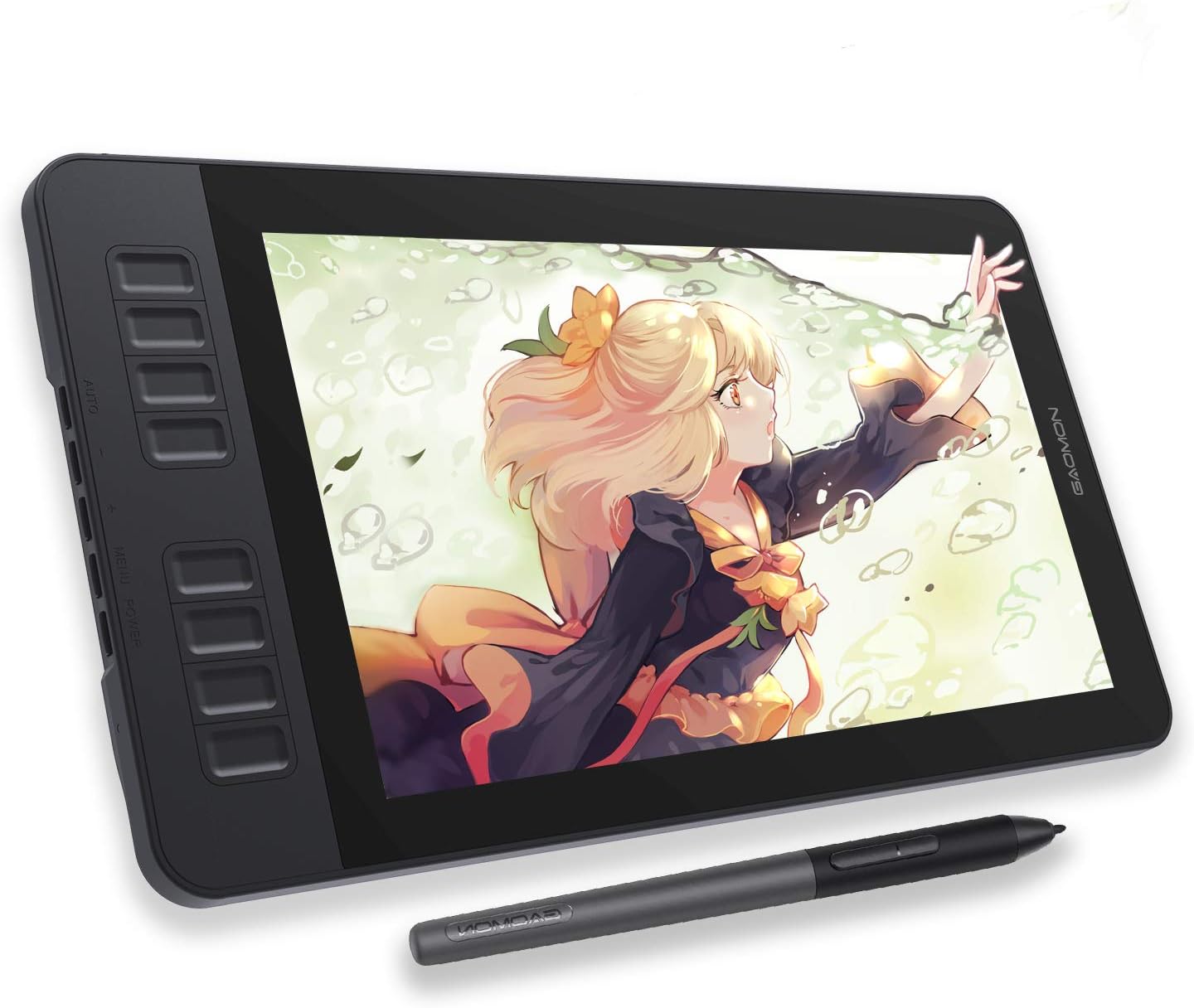
The PD1161 lets you paint directly on an 11.6-inch Full HD IPS screen for less than most pen displays. The listing describes a pre-installed matte film for a paper-like feel and reduced glare, 72% NTSC (100% sRGB) color gamut, a battery-free AP50 pen with 8,192 pressure levels and tilt, and eight press keys plus two pen buttons, all programmable.
The listing is clear that it is not a standalone tablet: it must be connected to a Windows 7 or later PC or macOS 10.12 or later Mac. It names compatibility with Krita, MediBang, Blender, Photoshop and SAI.
Best suited for: painters who struggle with screenless tablets and want a budget display.
Key features
- 11.6 in FHD IPS, matte film
- 100% sRGB listed
- 8,192 levels with tilt
- 8 keys plus 2 pen buttons
Pros
- Draw directly on screen
- Tilt support
- sRGB coverage suits web work
Cons
- Needs a computer
- 11.6 in is small for big compositions
- Lamination not mentioned on the listing
Buying consideration: Check that your computer has a suitable video output for the display’s cable before ordering.
5. PicassoTab A10 — Best Budget Standalone Tablet

If you have no computer, the A10 is the most balanced standalone option here. It has a laminated 10-inch screen, a 4,096-level active pen, an octa-core processor, 6GB RAM and 64GB storage expandable up to 1TB, running Android 14. Five creative apps come preloaded, plus lifetime upgrades for Concepts and Artixo tutorials, a case, glove, power adapter and screen protector.
Best suited for: beginners without a computer and younger artists.
Key features
- 10 in laminated screen
- 6GB RAM, Android 14
- Accessory and app bundle
Pros
- Complete setup in one box
- Laminated screen at this tier
Cons
- Costs more than any screenless tablet
- Modest base storage
Buying consideration: Compare the total to a screenless tablet if you already own a laptop. The A10 makes most sense when it replaces a computer.
6. Frunsi T8 — Best Low-Cost Standalone Sketcher
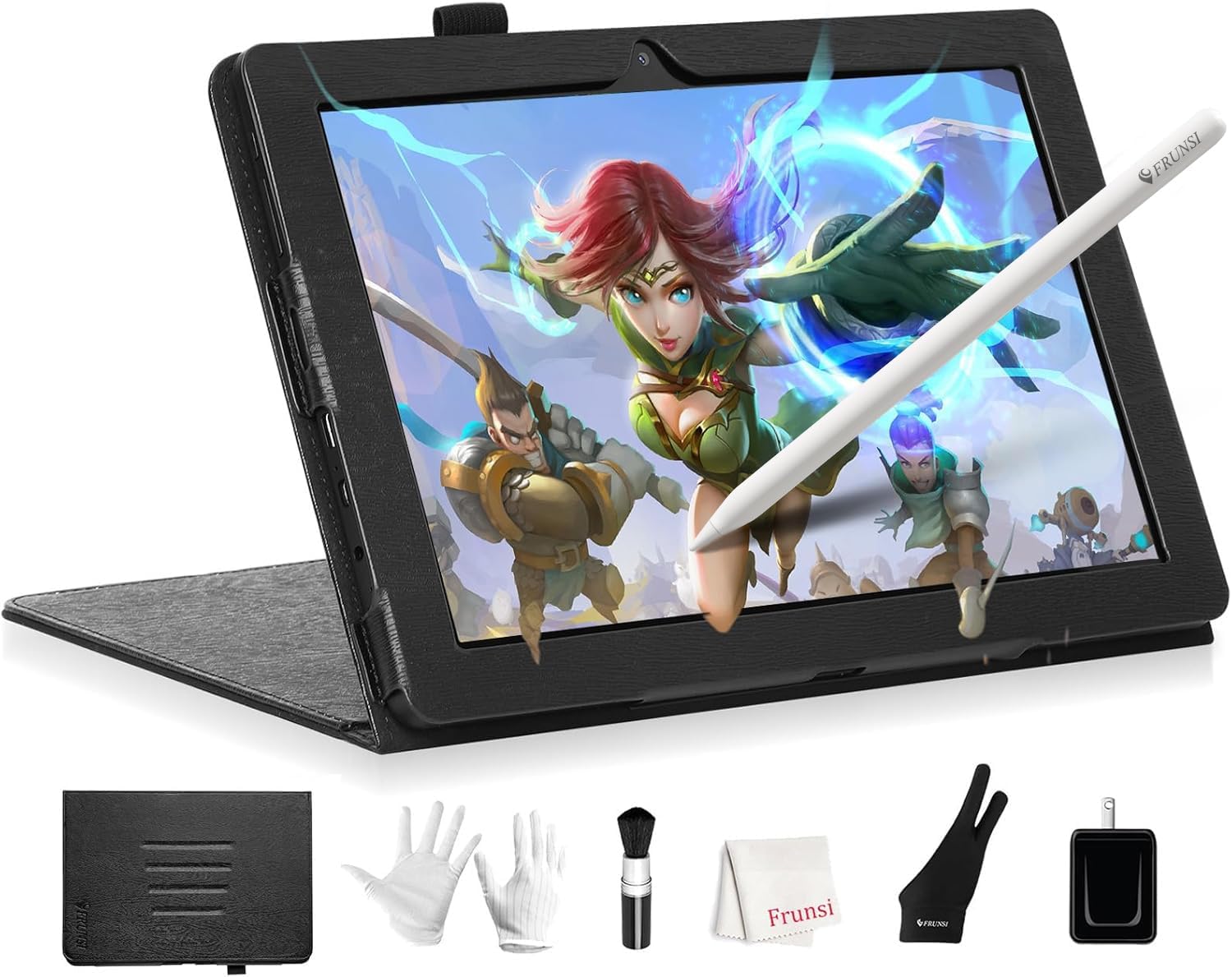
The T8 is a compact 8-inch standalone with a 1200 x 800 display, Android 13, 4GB RAM, 64GB storage expandable to 256GB, 2,048 pressure levels and a 4000mAh battery rated for up to 20 hours of drawing. It supports apps such as SketchBook, ArtFlow and ibis Paint X and includes pre-installed apps and tutorials.
Best suited for: quick sketches and kids learning digital art.
Key features
- 8 in screen
- Up to 20 hours listed
- Android 13
Pros
- Very portable
- Long battery life
Cons
- Low resolution and small canvas
- 4GB RAM limits layers
Buying consideration: For serious painting, the A10’s larger laminated screen is worth the step up.
7. PicassoTab X11 — Best Step-Up Standalone

If your budget can stretch, the X11 improves on the A10 with an 11-inch fully laminated 2K screen and 128GB storage, alongside 6GB RAM, a 4,096-level stylus and the same bundle of apps and accessories. The listing names a custom graphics tablet OS.
Best suited for: standalone painters who want a sharper, larger screen.
Key features
- 11 in laminated 2K
- 6GB RAM, 128GB storage
Pros
- Sharper display
- Double the A10’s base storage
Cons
- Highest price in this list
- Check app support for its custom OS
Buying consideration: Confirm your preferred painting app runs on it before buying.
What You Give Up on a Budget (and What You Do Not)
Budget screenless tablets now cover the essentials for painting: enough pressure levels, battery-free pens and, in some cases, tilt. What you typically give up compared with premium models is driver polish, build quality, surface durability and extras like wireless connections or dials. None of those stop you from making excellent paintings.
Budget pen displays give up more: color accuracy, lamination and size are where premium displays pull ahead. Budget standalone tablets are limited mainly by memory and screen quality.
The practical takeaway: on a tight budget, screenless tablets give the most painting quality per dollar. They also hold their usefulness: even painters who later buy a pen display often keep a small screenless tablet for travel or as a backup when the main setup fails.
Stretching a Small Budget Further
A few practical moves get more painting out of less money:
- Use free software. Krita on computers and ibis Paint X on Android are capable free painting apps, so your budget can go entirely to hardware.
- Prioritize the tablet over accessories. Gloves, stands and keypads are helpful later. The tablet itself is what unlocks pressure.
- Buy spare nibs instead of a premium pen. Fresh nibs keep a budget tablet feeling smooth.
- Improve your monitor settings. Turning down excessive brightness and setting a neutral color temperature costs nothing and makes color judgments more reliable.
- Upgrade only when you hit a limit. If your budget tablet stops you doing something specific, you will know exactly what to buy next. If it does not, keep painting.
When to spend more
There are good reasons to step up from the cheapest options. If your hand-eye coordination with screenless tablets is still frustrating after several weeks of regular use, a budget pen display like the PD1161 may be worth it. If you paint mostly away from home and do not own a laptop, a standalone tablet is worth the premium. And if you sell print work, a good monitor or color-accurate display will matter more than any tablet upgrade.
Buying Guide: How to Choose Budget Tablets for Digital Painting
Total cost of your setup
Include the computer. A screenless tablet plus an existing laptop is far cheaper than a standalone tablet, but a standalone tablet can be cheaper than buying a new laptop.
Active area
Ten by six inches is the sweet spot for most monitors. Small tablets suit laptops.
Tilt
Tilt is now available in budget tablets like the XPPen Deco 01 V3 and GAOMON PD1161. It is worth having if you use angle-aware brushes.
Express keys
Keys for undo, brush size and eraser save time. Most budget tablets include eight. If yours has none, a few keyboard shortcuts under your other hand do the same job, and you can add a shortcut keypad later.
Compatibility
Check your operating system, especially for Chromebooks, Android phones or Linux.
Screen quality for displays
For budget displays, look at color gamut, matte film and whether the screen is laminated.
Practice Projects to Try
A new budget tablet is plenty for learning. Try our step-by-step guide to painting digital waves and ocean to practice pressure control, and these tips for painting night scenes digitally to explore value.
Common Mistakes to Avoid
- Buying a pen display before trying screenless. Many painters adapt quickly and save money.
- Ignoring driver setup. Pressure needs the manufacturer’s driver.
- Comparing standalone prices to screenless tablets alone. Include the computer cost.
- Choosing by pressure numbers. 4,096 levels and up all feel fine.
- Skipping spare nibs. Cheap and essential.
- Not tuning the pressure curve. It changes how every brush feels.
FAQs
What is the best cheap drawing tablet for digital painting?
The XPPen Deco 01 V3 offers a 10 x 6 inch area, 16K pressure and 60° tilt in the lower price tier. The UGEE M708 and Wacom Intuos Small are also strong budget options.
Is a budget tablet good enough for professional work?
Many professionals have worked on budget screenless tablets. The tablet matters less than skill and a well-calibrated monitor.
What is the cheapest pen display for painting?
Among our picks, the GAOMON PD1161 is the most affordable pen display, with an 11.6-inch FHD screen and a tilt-enabled pen.
Should I buy a cheap standalone tablet or a screenless tablet?
If you have a computer, a screenless tablet gives better value. If you do not, a standalone like the PicassoTab A10 is a complete setup.
Do budget drawing tablets support tilt?
Some do. The XPPen Deco 01 V3 lists 60° tilt, and the GAOMON PD1161 pen supports tilt.
Does the XPPen Deco 01 V3 work with Chromebook?
Yes, the listing names Chrome OS 88 and above, along with Windows, macOS and Android.
Final Recommendation
For painters with a computer, the XPPen Deco 01 V3 is the best budget tablet thanks to tilt, a large area and battery-free pen. The UGEE M708 is a strong alternative if you like a textured surface, and the Wacom Intuos Small suits laptops. Want to draw on screen? The GAOMON PD1161 is the budget pen display to beat here. Without a computer, start with the PicassoTab A10, step up to the X11 if you can, or choose the Frunsi T8 as a low-cost sketcher.