PaintingProGuide is reader-supported. When you buy through links on this page we may earn an affiliate commission at no extra cost to you.
Stylized digital painting is the art of deliberately simplifying and exaggerating reality on screen. Instead of copying every pore and reflection, a stylized painter chooses which shapes to push, which details to drop and which colors to amplify, so the image reads instantly and carries a clear personality. It is the look behind animated films, game concept art, picture books and much of the illustration you see online, and it is often a faster route to appealing work than chasing photorealism.
Quick answer: To paint in a stylized way, start from strong, simple shapes, exaggerate proportions with intent, limit your palette and value range, and render light with a few clean steps instead of endless blending. For learning, Creating Stylized Characters from 3dtotal Publishing is the most focused book on the subject, and Beginner’s Guide to Digital Painting in Photoshop covers the core software skills. If you came here for a stylized paint-by-number kit, the TAOPAOLAB pop-art portrait kit is the framed, ready-to-paint option.
What “Stylized” Actually Means
Every painting is a set of decisions about what to keep. Stylization makes those decisions visible and consistent. Three levers do most of the work:
- Shape: simplifying forms into clear geometric families, such as round, square and triangular, and exaggerating the contrast between them.
- Proportion: pushing certain features, such as larger heads, longer legs or smaller noses, to express age, mood or character.
- Rendering: reducing the number of value and color steps, often with crisp shadow shapes and selective soft edges.
The more consistent you are across these three, the more coherent your style feels.
Common Stylized Digital Painting Styles
Painterly stylized
Visible brushwork, textured edges and simplified forms. Popular in animated film visual development and fantasy illustration. It looks hand-painted but stays readable.
Cel-shaded
Flat base colors with one or two hard-edged shadow shapes and a highlight. Common in anime, comics and many games. Clean, graphic and fast to produce.
Semi-realistic
Believable lighting and materials on exaggerated proportions. This is the look of many game splash arts and character portraits.
Flat and graphic
Solid shapes with little or no shading, strong silhouettes and limited palettes. Common in editorial illustration, posters and motion graphics.
Pop art
Bold outlines, saturated flat colors and high contrast, often applied to portraits. It translates well to both digital work and physical paint-by-number canvases.
Shape Language: The Foundation of Stylization
Shape language is the idea that basic shapes communicate personality. Circles read as friendly, soft and approachable. Squares read as stable, strong and dependable. Triangles read as dynamic, sharp or dangerous. A stylized character usually leans on one dominant shape, supported by smaller secondary shapes, and the contrast between big, medium and small shapes creates visual interest.
- Design the silhouette first. If you fill the character in black and it is still recognizable, the shapes are working.
- Vary shape sizes: one big, a few medium, several small.
- Repeat the dominant shape in clothing, props and hair for consistency.
- Use straight lines against curves to create rhythm, for example a straight back against a curved belly.
Color and Value in Stylized Work
Stylized paintings usually use fewer, more intentional colors than realistic ones. A limited palette, sometimes just three to five hues plus neutrals, gives a strong mood and makes the image feel designed.
- Plan values first: three or four value groups (light, mid, dark, accent) keep stylized images readable.
- Choose a color harmony: analogous for calm, complementary for punch, triadic for playful energy.
- Use saturation as a spotlight: keep most of the image slightly muted and save the most saturated color for the focal point.
- Colored shadows: shift shadow hue toward blue, purple or warm red rather than just darkening the base color.
A Stylized Digital Painting Workflow
- Thumbnail: small, fast silhouette sketches to explore shapes and poses.
- Line or shape sketch: refine the best thumbnail, exaggerating proportions with intent.
- Flats: lay down base colors on separate layers or clipped to a silhouette layer.
- Shadow pass: on a Multiply layer, paint the shadow shape as one clean form from a single light direction.
- Light pass: add form lights and a few highlights; use Overlay or Add layers sparingly.
- Edge control: keep edges crisp where you want attention, and soften a few to suggest form turning.
- Accents and texture: rim lights, a bit of brush texture and small saturated accents.
- Color adjustments: a gradient map or color balance layer to unify the palette.
Exaggeration with intent
Exaggeration works when it supports what the character or scene is about. A strong, heroic figure gets broad shoulders and a small head; a nervous character gets a hunched posture and long, thin limbs; a cute character gets a large head, big eyes set low on the face and short limbs. Before exaggerating, write down two or three words that describe the subject, then push the features that express those words and simplify everything else.
Light in stylized painting
Realistic painting often uses many soft value transitions. Stylized painting usually commits to a clear terminator line between light and shadow, sometimes with a narrow band of saturated color at the edge. Ambient occlusion, the extra darkness where forms touch, is often painted as a crisp accent. Rim lights are popular because they separate the silhouette from the background with a single stroke. Keep the light source consistent; inconsistency is more noticeable in simplified work than in realistic work.
Brushes for stylized work
You need a hard round for flats and clean shapes, a textured flat or gouache brush for painterly variants, a soft brush for subtle glows and a lasso or shape fill tool for crisp shadow shapes. Many stylized painters use selection tools as much as brushes.
Practicing stylization
- Restyle a photo of a friend in three styles: cel-shaded, painterly and flat.
- Take a realistic study and simplify it to five values and five colors.
- Copy a frame from an animated film you admire, then paint an original subject in the same visual language.
- Design one character three ways using circle, square and triangle as the dominant shape.
Stylized landscapes follow the same rules. Our tutorials on painting digital waves and ocean and digital night scenes show how simplified shapes and a limited palette create mood, and if you work with a mouse, our tips on digital painting without a tablet lean on exactly the shape-fill techniques stylized work uses.
Our Top Picks at a Glance
- Creating Stylized Characters (3dtotal Publishing) — Best book focused on stylization
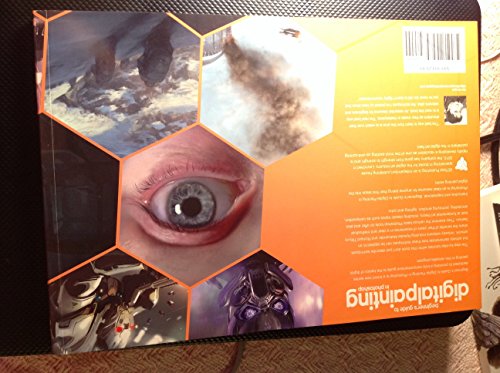
- Beginner’s Guide to Digital Painting in Photoshop, 2nd Edition — Best for core software skills
- Digital Painting Techniques: Practical Techniques of Digital Art Masters — Best for professional technique breakdowns
- Digital Painting Techniques: Volume 8 — Best for more advanced tutorials
- TAOPAOLAB Stylized Man Portrait Paint-by-Number Kit — Best stylized pop-art kit to paint by hand
| Product | Best For | Key Spec | Key Strength | Price Tier |
|---|---|---|---|---|
| Creating Stylized Characters | Learning stylization | Paperback, 3dtotal Publishing | Dedicated to stylized character design | $$ |
| Beginner’s Guide to Digital Painting in Photoshop | Software fundamentals | Paperback, 2nd edition | Structured beginner path | $$ |
| Digital Painting Techniques (Masters series) | Pro technique | Paperback, Digital Art Masters series | Workflows from professionals | $$ |
| Digital Painting Techniques: Volume 8 | Advanced tutorials | Paperback, 3dtotal Publishing | Further technique collection | Varies |
| TAOPAOLAB Pop Art Portrait Kit | Hands-on stylized painting | 8 x 8 in framed canvas, acrylics, 3 brushes | Framed and ready to display | $ |
How We Chose
These resources come from Amazon listing details checked in October 2026, chosen for how directly each addresses stylized or digital painting technique, the skill level it targets according to its title, and how widely it is reviewed by Amazon buyers. We have not read these copies or painted the kit for this article; descriptions rely on the listings. A Kindle booklet on painting skin from the same search was left out because it focuses on realism rather than stylization.
- Stylization focus: character design and simplification.
- Software fundamentals: skills that underpin any style.
- Professional insight: workflows from working artists.
- Hands-on alternative: a physical kit for the pop-art crowd.
Best Resources for Stylized Digital Painting Reviewed
1. Creating Stylized Characters (3dtotal Publishing) — Best for Learning Stylization

3dtotal Publishing is known for artist-led instructional books, and Creating Stylized Characters is its title dedicated to the subject. It is the most direct match for anyone who wants to learn how to simplify and exaggerate characters on purpose.
Character design is where shape language matters most, so the lessons carry over to stylized environments and props as well.
Best suited for: Illustrators and aspiring concept artists who want to develop a stylized approach.
Key features:
- Paperback
- Focused on stylized character creation
- 3dtotal Publishing
Pros:
- Most targeted book for this topic
- From an established art-education publisher
- Mid price tier
Cons and limitations:
- Character-focused rather than environments
- Assumes basic digital skills
- Listing gives little detail on specific chapters
Buying consideration: Work through it with your own character designs instead of only copying examples.
2. Beginner’s Guide to Digital Painting in Photoshop, 2nd Edition — Best for Software Fundamentals
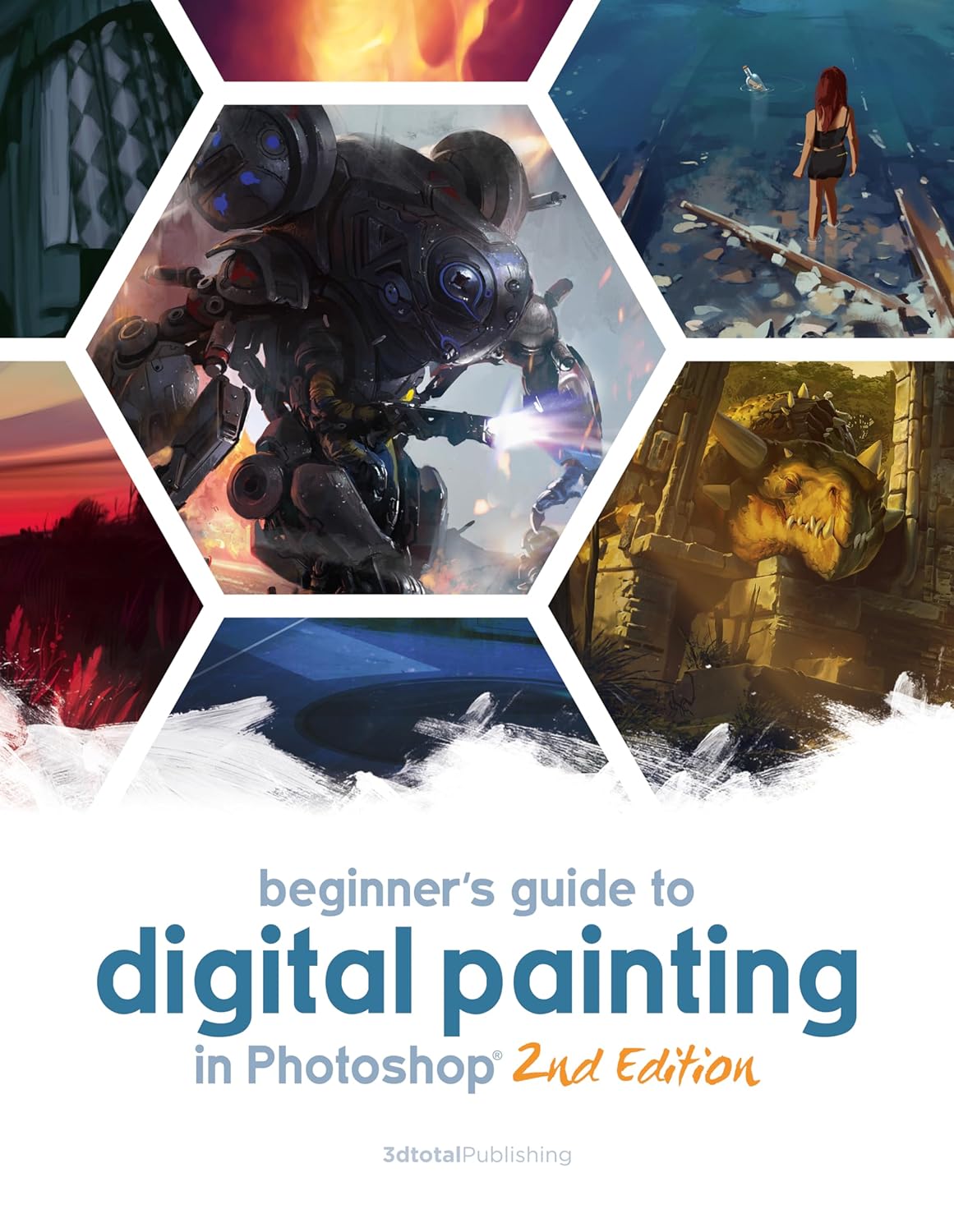
This second edition from 3dtotal Publishing is a beginner’s path through digital painting in Photoshop. Stylization depends on confident use of layers, selections, blending modes and brushes, and a structured guide builds those skills faster than random tutorials.
Even if you use Procreate or Clip Studio Paint, most concepts translate directly.
Best suited for: Beginners who need solid digital painting basics before developing a style.
Key features:
- Paperback, 2nd edition
- Photoshop-based
- Beginner-oriented
Pros:
- Structured learning path
- Updated edition
- Concepts transfer to other apps
Cons and limitations:
- Photoshop-specific interface references
- Not focused on stylization alone
- Mid price tier
Buying consideration: Pair it with the stylized characters book: this teaches the tools, that teaches the look.
3. Digital Painting Techniques: Practical Techniques of Digital Art Masters — Best for Professional Technique

Part of the Digital Art Masters series from 3dtotal, this collection gathers practical techniques from professional digital artists. Seeing how working painters approach light, color and composition is invaluable once you know the basics.
It is an older volume and priced in the highest tier here, but the fundamentals of professional workflow age slowly.
Best suited for: Intermediate painters who want to see how professionals work.
Key features:
- Paperback
- Digital Art Masters series
- Professional technique breakdowns
Pros:
- Insight from working artists
- Covers many subjects and styles
- Useful long-term reference
Cons and limitations:
- Highest price tier
- Older software screenshots
- Not stylization-specific
Buying consideration: Read one tutorial at a time and recreate the process on your own subject.
4. Digital Painting Techniques: Volume 8 — Best for More Advanced Tutorials

Volume 8 continues the Digital Painting Techniques line with another collection of tutorials. If you enjoyed the format of the earlier volume, this adds more artists and subjects.
The listing did not show a price when checked, so availability may vary between new and used copies.
Best suited for: Painters who want more professional tutorials after the first volume.
Key features:
- Paperback
- 3dtotal Publishing
- Tutorial collection
Pros:
- More professional workflows
- Broad range of subjects
- Consistent series format
Cons and limitations:
- Price and availability vary
- Not a beginner book
- Not stylization-specific
Buying consideration: Check current availability and condition before buying, since pricing was not listed.
5. TAOPAOLAB Stylized Man Portrait Paint-by-Number Kit — Best for Hands-On Stylized Painting

Amazon often labels paint-by-number kits as “digital painting,” and this TAOPAOLAB set is a stylized pop-art portrait. It includes an 8 x 8 inch pre-printed canvas with a wooden frame, acrylic paints, three brushes, instructions, hooks and an original card. No color blending is required.
It is a physical, screen-free way to enjoy the flat shapes and bold colors of pop-art stylization, and it is small enough to finish in a few short sessions.
Best suited for: Adults who want a relaxing stylized painting project to display.
Key features:
- 8 x 8 in pre-printed canvas with wooden frame
- Acrylic paints, no mixing
- 3 brushes, hooks, instructions
- Pop-art stylized portrait
Pros:
- Framed and ready to hang
- Compact, quick project
- Low price tier
Cons and limitations:
- Not a digital painting tool
- Fixed design
- Small finished size
Buying consideration: Paint the largest flat areas first and outlines last for the cleanest pop-art look.
Buying Guide: How to Choose Resources for Stylized Digital Painting
Fundamentals or style first
If you are new to digital painting, learn the tools and basic light and color first. Stylization builds on those skills rather than replacing them.
Character or environment focus
Most stylization books focus on characters. If you mainly paint landscapes, look for books on color and composition and apply shape language yourself.
Software specificity
Software-specific books are easier to follow; general books last longer. Choose based on whether you plan to stay in one app.
Professional breakdowns
Seeing a professional’s step-by-step process is one of the fastest ways to improve, once you understand the basics.
Hardware
Stylized work is forgiving on hardware. Any pressure-sensitive tablet works, and many stylized techniques rely on selections and shape fills that work even with a mouse.
Practice materials
Reference photos, film stills and your own sketches are free practice material. Budget for time more than gear.
Common Mistakes to Avoid
- Exaggerating randomly instead of consistently across the whole image.
- Rendering too many value steps, which drifts back toward realism.
- Using every color at full saturation, so nothing stands out.
- Ignoring the silhouette and relying on internal detail to explain the form.
- Copying one artist’s style exactly instead of combining influences.
- Over-blending shadows until the crisp, designed look disappears.
FAQs
What is stylized digital painting?
It is digital painting that simplifies and exaggerates reality on purpose, using strong shapes, deliberate proportions, limited palettes and controlled rendering to create a distinctive, readable look.
How do I find my own stylized art style?
Study several artists you admire, identify specific choices you like in each, and combine them in your own work. Consistent practice and repeated subjects gradually reveal your preferences.
Is stylized art easier than realism?
It is different rather than easier. Stylization still requires an understanding of form, light and anatomy, but it lets you focus on design and readability instead of exhaustive detail.
What app is best for stylized digital painting?
Procreate, Photoshop, Clip Studio Paint and Krita all work well. Clip Studio Paint is popular for cel shading and line work, while Procreate and Photoshop are favored for painterly styles.
What is shape language in art?
Shape language is the use of basic shapes to communicate personality: circles feel friendly, squares feel stable and triangles feel dynamic or threatening.
Why are paint-by-number kits called digital painting?
Many manufacturers translate the product category as “digital painting” or “digital oil painting,” meaning painting by numbers. They are physical kits with acrylic paint, not software.
Final Recommendation
Learn stylized digital painting by mastering shape language, limited palettes and clean shadow shapes, then practicing restyling the same subject in several ways. For books, start with Creating Stylized Characters, pair it with the Beginner’s Guide to Digital Painting in Photoshop if you need the basics, and move to the Digital Painting Techniques volumes for professional workflows. If you simply want a stylized portrait to paint by hand, the TAOPAOLAB pop-art kit is a small, framed project.